How to Build AI Into Your Team's Workflow, One Task at a Time
How to put AI in team workflows in 6 steps, and why, in a large trial, an AI tool for each person sped up solo work but not the work a team shares.

Your team got AI licenses in the spring. By autumn, a few people use the assistant daily to tame their inboxes, others tried it twice, and the weekly client report still eats Thursday afternoon, passed between the same four people in the same order.
That pattern has a documented explanation. When Microsoft researchers gave randomly chosen employees at large firms an AI assistant inside their everyday office apps, users cut the time they spent on email, a job each person handles alone, but their meetings and shared documents showed no clear change.1 Shared work, the researchers suggest, moves only when colleagues agree on a new way of doing it.
So putting AI in team workflows works best one shared task at a time, with a before-and-after comparison each time, in six steps:
- Pick a recurring task, not a tool
- Choose a task your team can judge
- Write down how the task runs today
- Redesign the handoffs together
- Run it for a set period with one owner
- Keep, change or drop it, then pick the next task
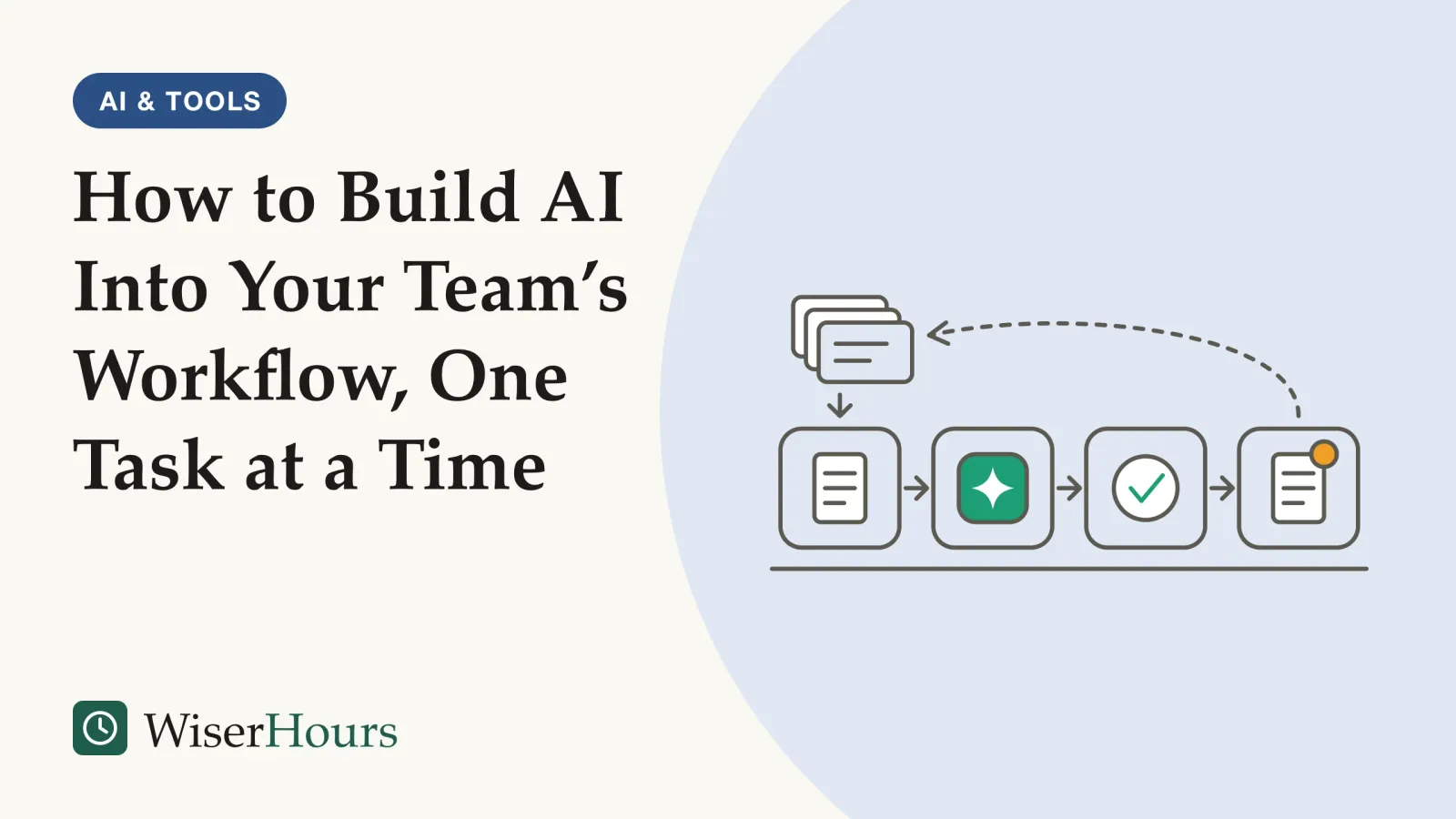
For the team above, a first round might be: the AI drafts the client report from the project tracker on Thursday morning, the account lead checks every figure against the tracker, and after a month the team compares hours and corrections with the old way.
This guide, part of our AI at work guides, assumes the basics in what every employee needs to understand about AI. It covers assistants that draft for people; software that acts on its own raises the questions in what an AI agent is and what to require before it acts.
Why AI in team workflows starts with tasks, not jobs
AI changes work one task at a time, not one job at a time. The International Labour Organization’s 2025 index of exposure to generative AI, built by scoring thousands of individual work tasks, concludes that because most occupations consist of tasks that still need human input, changing jobs rather than replacing them is the technology’s most likely effect.2
The reason is that a job is a bundle, and AI handles its parts unevenly. The ILO stresses that exposure means a large share of an occupation’s tasks could be done with the technology, not that the whole occupation will be automated right away.2
Picture an account team’s week: turning call notes into a client update, answering routine invoice questions, pricing a renewal and phoning an unhappy client. The first two are reasonable candidates for AI help; the last two lean on judgment and relationships, and success with the update says nothing about them.
AI also adds tasks. In large Danish surveys of workers in occupations highly exposed to AI chatbots, linked to official employment records, users described new work the tools created, from drafting with AI to reviewing its output and fitting it into workflows.3
What this means for you: describe AI plans as tasks with verbs, such as “draft the weekly update from the project tracker”, never as “AI for the account team”. Finding every such task on a team is a separate exercise; to begin, you need only one.
Further reading
Co-Intelligence: Living and Working with AI
Mollick, a co-author of the Procter & Gamble teamwork study cited here, on treating AI as a coworker and learning where it helps and where it errs.
Power and Prediction: The Disruptive Economics of Artificial Intelligence
Economists on why AI tools dropped into existing routines change little, and why gains come from redesigning how the work fits together.

As an Amazon Associate WiserHours earns from qualifying purchases.
Giving everyone a license changes solo work, not shared work
Handing each worker an AI tool mostly changes the work that person controls alone, according to a randomized experimentrandomized controlled trial: A study that assigns participants to the treatment or the comparison group at random, so the groups start out alike and a difference in what happens next can be put down to the treatment. Random assignment makes the two groups comparable; it does not make the people in the trial representative of anyone else.Full entry in the glossary Microsoft researchers ran across dozens of large firms: users spent less time on email, while their meetings and shared documents showed no clear change.1
The study
Moderate evidence
What changed, and what didn't, when 7,137 knowledge workers got Copilot
Each firm recruited at least 100 workers for a random draw; winners got Microsoft’s Copilot assistant inside the email, meeting and document apps they already used, and the apps logged how both groups spent their time. Among workers who used it, time on email fell by about 2 hours a week in months four to six of the six-month study. Time in meetings and on writing documents showed no clear change, and both groups handled as many email threads, meetings and documents. Use peaked in the first five weeks, then settled at just under 40 percent of those offered the tool in a typical week.1
The authors’ explanation is about who owns the task: email is solitary, so each person could build a new inbox routine, while changing a meeting, or who writes a shared document, needs colleagues to coordinate and agree on new norms, and that had not happened.1 The caveats: the tool’s maker ran the study, it measured time in office apps rather than quality of work, and most participants had no close colleague in the study with the assistant, so a whole team adopting it together was not tested.
The workplace seems to matter too: which firm people worked at explained more of the variation in their use of the tool than their own earlier work habits or their industry. The authors read this as pointing to differences between firms that they could not observe, such as managerial practices or organizational philosophy.1
Picture the Monday planning meeting after the licenses arrive: five people each ask their own assistant for a summary, and the team ends up with five slightly different records, no agreed list of who does what, and a meeting as long as before. The useful change, one summary from the transcript, checked by the meeting’s owner and posted in one place, is something no single person can adopt.
- A solo task, such as your own inbox: one person with a tool can change how it gets done
- A shared task, such as a meeting or a joint document: it needs the people who share it to agree a new routine before it can change
The lesson for a manager: licenses are the start, not the rollout; the real work is choosing which shared tasks to change and agreeing with the people who do them how each will run.
How to add AI to one shared task, step by step
Adding AI to a shared task takes six steps, from choosing it to deciding whether to keep the change.
1. Pick a recurring task, not a tool
The UK government’s AI Playbook, published in February 2025 for public-sector teams, says the search for uses of AI must be led by business and user needs, pain points and inefficiencies, not by what the technology can do.4 Start from the team’s complaint list: the report that eats a whole afternoon, the request queue nobody owns. Prefer a task that recurs every week, because each run is another chance to compare, while a one-off task leaves you with an anecdote.
2. Choose a task your team can judge
The best first task is one your people already do well, so they can tell quickly when the AI is wrong. A 2024 meta-analysismeta-analysis: A study that combines the results of earlier studies on the same question into one overall estimate. Pooling makes the estimate more precise, but it cannot repair the studies it pools: a meta-analysis of surveys is still survey evidence.Full entry in the glossary pooling 106 experiments, whose overall results are set out in where AI assistants help and where they mislead, also split its findings by who was stronger on the task: when people alone did it better than the AI alone, people working with the AI beat both; when the AI alone was better, the combination did worse than the AI.5 The authors’ suggested reason is that people who know a task well are also better at deciding when to trust the AI and when to overrule it.
Combinations also fared relatively better when creating content than when choosing among set options, though decision tasks made up most of the pooled results.5 So a draft, summary or first-pass analysis that an expert checks makes a better first task than a decision the AI effectively makes. If nobody would catch an error before it left the team, the task is not a first candidate.
3. Write down how the task runs today
Before changing anything, record who does what, in what order, how long it takes and how often the result comes back for fixes; without that picture, a team cannot tell a real gain from a pleasant impression. Saved time is also easy to lose sight of: in the Danish surveys, 85 percent of chatbot users said they put it into other job tasks, and reviewing AI output was among the new tasks the tools created.3 So count checking time too, because a draft that takes a minute to generate and twenty to verify has saved less than it seems.
A written baseline is what lets a team do the “study” part of process improvement’s plan-do-study-act cycle for an AI change.
A worked example: one line before, one line after
Weekly client report, today: four people, Thursday afternoon, about six hours of combined work, sent back for a wrong figure roughly once a month. After a month with the new version, write the line again, including time spent checking the AI’s draft. If it is not clearly better, the change has not earned its place.
4. Redesign the handoffs together
The gain in a shared task comes from changing who does what: what the AI works from, who drafts, who checks and where the result lives. AI can even change who needs to be involved. In a preregisteredpreregistration: Filing a study's hypotheses and analysis plan publicly before the data are collected or examined. It stops a planned test from being rewritten once the results are in, so a reader can tell a real confirmation from a hunt through the data.Full entry in the glossary field experiment with nearly 800 Procter & Gamble professionals working on real product-innovation challenges (Organization Science, 2026), individuals using AI matched the performance of two-person teams without it; the authors add that AI mainly improved the ideas generated, while human judgment kept its value in choosing among them.6 The limits: it was one company, the working-paper version describes a one-day virtual exercise, and four of the authors worked at P&G.
The people who do a task are best placed to redesign it, a point the ILO makes about bringing generative AI into workplaces:
Workers know their jobs best and can play an important role in the design, adaptation and use of the technology at the workplace, to the benefit of both working conditions and productivity.
Sit down with everyone who touches the task and write the new version in five lines: the AI’s input, the AI step, the human check, the output and where it goes, and the owner. For the client report: tracker export in; AI drafts the summary and figures; the account lead checks each figure against the tracker; the report goes out from the shared folder; the account lead owns it. Agree in the same conversation how the team discloses AI use and who reviews what; those norms deserve their own agreement.
5. Run it for a set period with one owner
Give the new version a fixed trial and one named owner, and judge it after the novelty wears off: in the Microsoft experiment, use peaked in the first weeks and then settled lower.1 A month or so is our suggestion; no study has tested the ideal length. The owner logs problems and keeps the old way available, in line with the UK Playbook’s suggestion of fallback processes that keep critical work going if a change must be reverted.4
6. Keep, change or drop it, then pick the next task
At the end, write the baseline line again and choose: keep the new version and write it down as the standard; change one thing and run another round; or drop it. The UK Playbook asks teams to stay open to the conclusion that AI is sometimes not the best solution and that a more established technology may solve the problem more easily.4 Then pick the next task, with the habit already in place: a baseline, a written routine, an owner and a decision date.
Your first shared AI task
How solid is the evidence behind this method?
No study we found has compared adding AI one task at a time with switching it on everywhere at once, so this guide rests on indirect evidence. Most of it measures time, ratings or self-reportsself-report: A measure in which people describe their own behavior, feelings or circumstances, usually by answering a questionnaire. When the same person supplies both of the things being compared, shared habits of answering can make the link between them look stronger than it is.Full entry in the glossary rather than errors, revenue or customer outcomes, and much of it comes from large firms or one country: a reason to measure your own task, not a reason to wait.
Your own before-and-after line fills part of that gap: if the report now takes four hours instead of six but comes back for a wrong figure twice a month, only the people who send it can judge whether that trade is worth it.
| What it is | What the best evidence found | Evidence |
|---|---|---|
| AI assistant given to individuals | Less time on their own email; no clear change in meetings or shared documents | Trial, moderate; Microsoft-led study1 |
| How AI fits into jobs | Most jobs mix tasks AI could do with tasks needing people; changed jobs likelier than replaced ones | Expert; survey and expert scoring of tasks, global estimates2 |
| Employer encouragement, tools and training | Highest take-up and reported benefits with all three together | Observational, limited; self-reported, Denmark3 |
| Where saved time goes | Most users moved it into other tasks; reviewing AI output became new work | Observational, limited; self-reported, Denmark3 |
| People working with AI, 106 experiments | Gains where people beat the AI alone, losses where the AI beat them; better at creating than choosing | Meta-analysis, moderate5 |
| AI in product-idea work at one company | Individuals with AI matched two-person teams without it on experts’ ratings of solution quality | Trial, limited; one company, one-day exercise6 |
| Adding AI one shared task at a time | Not tested directly; the Microsoft researchers call for studies of team- and firm-level change | Gap1 |
The bottom line
In the strongest evidence so far, an assistant in every inbox changed what each person did alone, not the work the team shared. Pick one recurring task your people can judge, write down how it runs today, agree the new routine together, run it long enough for the novelty to fade and decide on the evidence. Then start on the next one.
Frequently asked questions
Does it matter if only some people on the team have the AI tool?
Perhaps, though the evidence is too imprecise to tell. In the randomized experiment by Microsoft researchers, workers whose close colleagues also had the assistant saved somewhat more email time in the point estimates, but the difference could not be told apart from zero, and even the better-covered teams had, on average, fewer than half their colleagues with access. For a shared task, everyone who touches it needs the same tool and the same agreed routine.
Should a team get AI training before changing a workflow?
Training went with the largest reported benefits when it came with clear encouragement to use the tool, according to Danish surveys linked to official records by economists Anders Humlum and Emilie Vestergaard. Take-up and reported benefits were highest where employers encouraged use, provided an enterprise tool and trained staff, while training or tools without encouragement went with smaller reported gains. These are associations from workers' own reports, not proof of cause.
Can one person working with AI replace a colleague on a shared task?
For some work, partly. In a preregistered field experiment at Procter & Gamble (Organization Science, 2026), individuals using AI matched the performance of two-person teams without it. The authors add that AI mainly improved the ideas people generated, while human judgment kept its value in choosing among them. It was one company and product-development work, so it says little about tasks such as difficult client calls.
Which kinds of work are most exposed to generative AI?
Clerical work, according to the International Labour Organization's 2025 global index, which names data entry clerks, typists, bookkeeping clerks and administrative secretaries among the most exposed occupations. The index also found exposure rising in some digitized professional roles, such as financial analysts and web and multimedia developers. Exposure means many of an occupation's tasks could be done with the technology, not that the whole job will be automated right away.
Sources
- Shifting Work Patterns with Generative AI. Dillon, E. W., Jaffe, S., Immorlica, N. & Stanton, C. T. (2025). arXiv 2504.11436 (version 4, November 2025) and NBER Working Paper 33795; forthcoming in American Economic Review: Insights
- Generative AI and Jobs: A Refined Global Index of Occupational Exposure. Gmyrek, P., Berg, J., Kamiński, K., et al. (2025). ILO Working Paper 140, International Labour Organization, Geneva
- Still Waters, Rapid Currents: Early Labor Market Transformation under Generative AI (working paper, not peer reviewed). Humlum, A. & Vestergaard, E. (2025, revised March 2026). NBER Working Paper 33777
- Artificial Intelligence Playbook for the UK Government. Government Digital Service, UK (10 February 2025; checked current 24 September 2026)
- When combinations of humans and AI are useful: A systematic review and meta-analysis. Vaccaro, M., Almaatouq, A. & Malone, T. (2024). Nature Human Behaviour, 8(12)
- The Cybernetic Teammate: A Field Experiment on Generative AI and Teamwork. Dell'Acqua, F., Ayoubi, C., Lifshitz, H., et al. (2026). Organization Science, 37(4), 1217-1242; earlier version NBER Working Paper 33641 (2025)
How we researched this
Searches of NBER, arXiv, Crossref, publisher sites and general web search during September 2026 looked for randomized experiments, meta-analyses, large surveys and official guidance on how teams adopt generative AI. Each study was read in full except the journal version of the Procter & Gamble experiment, where we read the working paper and the published abstract. Sources date from 2024 to 2026. Main limitation: no study we found tests a task-by-task rollout directly, and both field experiments were run with the companies involved, one of them the maker of the AI tool tested.
Keep reading
Shadow AI Explained: Why Employees Use Unapproved Tools and What to Do
Shadow AI is AI used for work without approval. In IBM's 2025 study, 1 in 5 breached firms reported a shadow AI breach. Why it happens and what beats a ban.
The EU AI Act Explained: A Plain-English Guide to Risk Tiers and Who Is Affected
The EU AI Act sorts AI into 4 risk tiers. What it bans, why hiring tools count as high-risk, who must comply, and the dates after the 2026 amendment.
How to Write an AI Use Policy: A Step-by-Step Guide With Template
Write an AI use policy in 8 steps, with a plain template built on NIST, ISO/IEC 42001, the EU AI Act and data regulators' advice on chatbots at work.
Microsoft Copilot Explained: What It Does Inside Word, Excel, Outlook, and Teams
Microsoft Copilot in Word, Excel, Outlook and Teams as of September 2026: what each does, how it uses work data, and what 4 government trials found.