Computer-Use Agents Explained: AI That Clicks, Types, and Browses for You
Computer use agents click and type for you. How they work, what 2 OSWorld benchmarks found, and the 4 actions that should wait for a person.

On the short desktop tasks of the OSWorld benchmark, leading computer use agents now score above the people tested in 2024, yet on long, realistic office workflows the best of them still fail most tasks they are given. These agents operate a computer through its screen the way a person does, and since October 2024 Anthropic, Google, OpenAI and Microsoft have all announced one.
That uneven record points to a clear first use: short jobs whose result you can check, such as filling in a web form from a clean list, copying figures between programs or collecting the same facts from several sites. Paying, sending, deleting and signing in should stay with a person, because any page the agent reads can try to give it orders.
Agents in general are covered in how AI agents plan and act through tools, and the wider skills in the guide to AI literacy for staff in any role. What follows is limited to agents that work through a screen.
What is a computer-use agent?
A computer-use agent is an AI agentAI agent: AI software that pursues a goal by taking steps on its own: it keeps track of what has happened, calls tools such as email or a browser, and repeats until the goal is met or someone stops it. Because it acts rather than only answers, its mistakes can have direct effects.Full entry in the glossary whose tools are a screen, a pointer and a keyboard. Anthropic, which said its October 2024 release made it the first frontier AI model to offer computer use in public beta, described it as directing the model to use computers the way people do, by looking at a screen, moving a cursor, clicking buttons and typing text.1
Definition
A computer-use agent is AI software that completes a task by operating a computer’s screen as a person would: it reads screenshots, then moves the pointer, clicks and types, checking the result after each step.
Most software that connects one system to another does it through an interface built for programs, called an API. A screen agent needs none. If a person can use the app, the agent can try, which is why Microsoft pitched computer use in its Copilot Studio as a way to handle tasks when there is no API to connect to the system directly.2
Suppose a purchasing team is stuck with a supplier portal from 2009 that has no API to plug into, and someone copies order numbers from a spreadsheet into its forms every Friday. A computer-use agent could do that copying through the same screens. The same reach that makes it useful also makes it risky: an agent that can click anything a person can click has the same access that person has, so treat its permissions as a person’s permissions.
How does AI computer use work?
The agent runs a short loop. It takes a screenshot, a language model compares that picture with the goal and picks one action, the action happens, and a new screenshot shows whether it worked. Anthropic explained that its model looks at screenshots of what is visible, then counts how many pixels it must move the cursor to click in the right place.3
- Look: take a screenshot of the screen as it is now
- Decide: the model compares the picture with the goal and picks one next action
- Act: move the pointer, click, scroll or type, on whatever the screen shows
- Check: take a new screenshot to see whether the action worked, then go round again
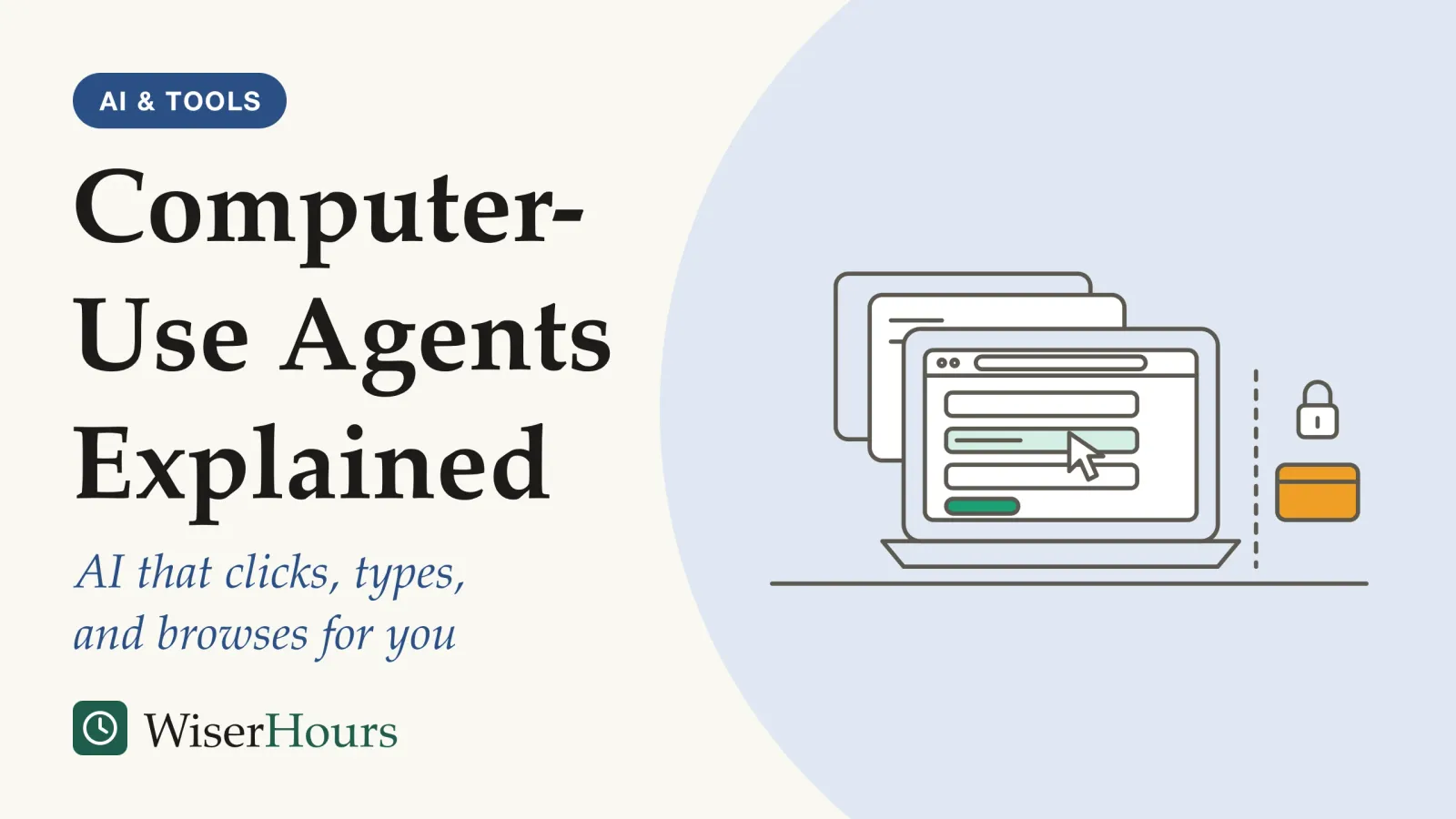
The padlock: before a step that pays, sends, deletes or signs in, the loop should stop and wait for a person.
Counting pixels sounds trivial, yet Anthropic called getting it right critical. Working from a picture, the model has to find the field, estimate where it is and hit it. Anthropic also listed the limits of working from still images: the agent can miss a notification that appears and vanishes between two screenshots, and some ordinary moves, such as dragging and zooming, were beyond it at launch.3
On a screen, a pop-up asking about cookies, a moved button or a slow page each costs a person a second. For the agent, each one is a new picture to interpret, and a wrong reading sends the next click to the wrong place. When you watch a demonstration, watch for these moments, because they are where runs go off course. Long, exact click sequences on cluttered pages are the weakest ground; tidy forms and clear pages are the strongest.
Which computer-use agents have been released since late 2024?
Four large developers launched screen agents within six months, in different forms. The table lists them in release order with no ranking; names, prices and availability have changed since and keep changing, so check each developer’s current page before relying on it.
| Product | First announced | How it works |
|---|---|---|
| Anthropic computer use | October 2024 | A public beta on Anthropic’s API for developers to build with 1 |
| Google Project Mariner | December 2024 | A research prototype in a Chrome extension that acts only in the active tab and asks before sensitive actions such as purchases 4 |
| OpenAI Operator, then ChatGPT agent | January and July 2025 | Controls a browser inside a virtual computer; the agent lets the user interrupt or add instructions 5 |
| Microsoft Copilot Studio computer use | April 2025 | An early-access preview that lets business agents use websites and desktop apps, run on Microsoft’s servers 2 |
| ChatGPT Atlas, an AI browser | October 2025 | A browser with an assistant that can take actions online for the user 5 |
Where the agent runs matters more than whose model it uses. An agent in its own virtual computer starts with nothing but what you give it. An agent inside your everyday browser works with whatever you are already signed in to.
What can AI browser agents do well?
Browser agents do best on repetitive, low-stakes work whose result you can compare with the original: copying data into forms, collecting the same facts from several websites into one table, and checking that a list of pages loads. Microsoft’s own examples were data entry, gathering market data from online sources and moving invoice details into accounting systems.2
A recruiter who compares the advertised salary bands on ten job boards has a good first task. The agent visits each site, copies the band into a table, and the recruiter spot-checks three rows. If a row is wrong, nothing has been sent or spent, and the source page is one click away.
Expect friction on the open web. The team behind the OSWorld benchmark, refreshing its tests in 2025, found sites blocking automated agents, showing CAPTCHA challenges or changing their layout, all of which broke tasks that had worked before.6 Read-only tasks on sites your team uses often are the gentlest start.
Each task on the right moves money, messages, data or access out of your hands, and none can be undone with a click. Developers have built some of these stops in already. Google’s Mariner asks for final confirmation before purchases, and Anthropic’s Chrome agent asks before publishing, purchasing or sharing personal data.47 Leave those confirmations switched on, even in modes that offer to skip them.
How computer use agents score against people on OSWorld
OSWorld, a benchmark released in April 2024 by researchers led by the University of Hong Kong, set 369 real tasks on real desktop and web apps and checked each result with a script. People completed about 72 percent of the tasks, and the best AI agent about 12 percent.8
The tasks were ordinary: change a browser’s default search engine, fill in a spreadsheet column, carry work across two programs. The human testers were computer science students who had basic software skills but had not seen the tasks or the software before, so 72 percent is a rough stand-in for a capable newcomer. The authors found the agents struggled to turn screenshots into precise click positions, repeated the same action, and were thrown by unexpected windows.8
The gap closed fast on these short tasks. By mid-2026, the team behind the next version reported that leading agents scored around 80 percent on OSWorld-Verified, the team’s 2025 repaired version of the original tasks.69 That is above the 2024 human figure, though the people were scored on the earlier task set. Read that as progress on short, self-contained jobs. A vendor quoting an OSWorld score is quoting this kind of task, so ask how long the tasks behind any number were.
- Myth
- A high OSWorld score means an agent can run a whole office workflow.
- Fact
- The original OSWorld tasks are short and self-contained. On longer workflows built by the same team, leading agents completed only a small share.
Long work tasks are where agents still fall short
Agents lose ground as tasks get longer and messier. OSWorld 2.0, a 2026 benchmark from the same research group, uses workflows that mostly take a skilled person more than an hour, and leading agents completed only a small share of them.9
The study
Moderate evidence
OSWorld 2.0: long, realistic workflows (Yuan et al., 2026)
The 108 tasks span research, finance, administration, health care and creative work, and take a skilled person a median of about 1.6 hours. Under strict pass-or-fail scoring, the best agent tested completed about one in five, while earning about half of the available credit for partial steps. On tasks longer than about 2 hours 40 minutes, none of the agents plotted completed any.9
The authors say the failures were rarely about clicking. Agents lost track of constraints, missed information that arrived mid-task, guessed instead of asking the user, and skipped checking their own work.9 In one published example, an agent building a purchase-order sheet noticed a late approval message in a team chat, then submitted a sheet that left out approved requests, and its final check confirmed only the list it had already made. That is a preprintpreprint: A research paper posted publicly before it has been peer reviewed or published in a journal; in economics and finance the same stage is usually called a working paper. Its findings may change, or fail to hold up, by the time it is published.Full entry in the glossary built on recreated websites, and the team includes researchers from AI companies, so treat the exact rates as a snapshot from mid-2026.
The partial-credit figure matters most to a team planning real use. An agent that does half of a long job and stops quietly still leaves the other half to someone. Split long work into short stages a person checks, and judge a trial by whether each stage was right.
Are computer-use agents safe to use at work?
Not by default. The main risk is prompt injection: text on a web page, email or document that the agent reads as an instruction. Because a screen agent reads everything in front of it, any page it visits can try to redirect it, and inside your browser it acts with your logged-in access.
Screen agents widen the reach of that attack. In August 2025, researchers at Brave, which makes a rival browser, showed that a comment hidden on a Reddit page could make Perplexity’s Comet browser, asked only to summarize the page, fetch the user’s email address and a one-time login code and send them out. Brave noted that the browser’s usual walls between websites do nothing here, because the AI operates with the user’s full privileges across signed-in sessions. Perplexity issued fixes, which Brave later said were incomplete.10
Developers’ own tests suggest defenses reduce the risk without removing it. Anthropic reported that, in its own red-team tests of its Chrome agent, attacks succeeded in about 24 percent of attempts without new safeguards and about 11 percent with them.7 A 2025 benchmark preprint from researchers at Meta, WASP, found that simple hand-written injections partly diverted agents in up to 86 percent of cases, though agents rarely completed the attacker’s full goal. The authors called this security by incompetence and tied it partly to the agents’ limited abilities, so the margin could shrink as agents get more capable.11
prompt injection attacks will remain a residual risk, and cannot be fully mitigated with a product or appliance
The UK’s cyber security agency says the best hope is to reduce the likelihood or impact of attacks through careful design, build and operation; other national cyber security agencies publish their own guidance, so check yours.12 In practice, the safest agent is one that cannot reach much: no saved passwords, no payment details, no open sessions it does not need.
Questions to ask IT before you use one
Ask before you install anything. A screen agent sees what you see and acts as you, so an unapproved one is a case of shadow AI, the use of AI tools nobody signed off, with more reach than a chatbot. Some security teams block AI browsers outright. In a December 2025 advisory titled Cybersecurity Must Block AI Browsers for Now, the analyst firm Gartner argued they are too risky for most organizations.13
Gartner’s concerns, as The Register reported them, were data on open tabs going to the AI provider, agents misled by hidden instructions or their own reasoning errors, and stolen credentials if an agent wanders onto a phishing site. The analysts also imagined staff handing mandatory security training to an agent.13 Each concern turns into a question you can ask.
Before you use a computer-use agent at work
If the answers are unclear, run the agent only on public websites, signed out, with nothing sensitive open in other tabs.
The bottom line
Computer-use agents can now finish short, clear screen tasks, and they still struggle with long work and with hostile text on the pages they read. Use one where you can check every result and nothing irreversible happens without you: read-only research and form filling first. Before your first run, take the six questions above to IT and keep the confirmation prompts switched on for payments, sending, deleting and signing in.
Frequently asked questions
Is a computer-use agent the same thing as an AI browser?
An AI browser is one kind of computer-use agent. In a December 2025 advisory reported by The Register, the analyst firm Gartner described AI browsers such as Perplexity's Comet and OpenAI's ChatGPT Atlas as an AI sidebar plus the ability to act on websites, often inside logged-in sessions. Other computer-use agents also operate desktop programs, which is what the OSWorld benchmark tests.
Why are computer-use agents so slow?
They work one screenshot at a time. Anthropic described its October 2024 release as slow and often error-prone, and said it pieces the screen together from still images rather than watching video. The long tasks in OSWorld 2.0 took a leading agent more than 300 tool calls on average. Each look, decision and click is a separate round trip to the model.
Do computer-use agents replace robotic process automation?
Vendors pitch them as a more flexible version of it. Microsoft said in April 2025 that computer use in Copilot Studio keeps working when buttons or screens change, a common weak point of scripted automation. That is the vendor's claim; scripted automation still follows the same steps every time, while an agent decides afresh on each run, so it can fail in new ways.
Sources
- Introducing computer use, a new Claude 3.5 Sonnet, and Claude 3.5 Haiku. Anthropic (22 October 2024)
- Announcing new computer use in Microsoft Copilot Studio for UI automation. Lamanna, C., Microsoft Copilot Blog (15 April 2025)
- Developing a computer use model. Anthropic (22 October 2024)
- Introducing Gemini 2.0: our new AI model for the agentic era. Pichai, S., Hassabis, D. & Kavukcuoglu, K., Google (11 December 2024)
- ChatGPT. Wikipedia (accessed 7 November 2026)
- Introducing OSWorld-Verified. XLANG Lab, University of Hong Kong (28 July 2025)
- Piloting Claude in Chrome. Anthropic (25 August 2025)
- OSWorld: Benchmarking Multimodal Agents for Open-Ended Tasks in Real Computer Environments. Xie, T. et al. (2024). arXiv preprint 2404.07972, revised 30 May 2024
- OSWorld 2.0: Benchmarking Computer Use Agents on Long-Horizon Real-World Tasks. Yuan, M., Zhou, Z., Xiong, X. et al. (2026). arXiv preprint 2606.29537, revised 13 July 2026
- Agentic Browser Security: Indirect Prompt Injection in Perplexity Comet. Chaikin, A. & Sahib, S. K., Brave (20 August 2025)
- WASP: Benchmarking Web Agent Security Against Prompt Injection Attacks. Evtimov, I., Zharmagambetov, A., Grattafiori, A., Guo, C. & Chaudhuri, K. (2025). arXiv preprint 2504.18575
- Prompt injection is not SQL injection (it may be worse). National Cyber Security Centre, UK (8 December 2025)
- Block all AI browsers for the foreseeable future: Gartner. Sharwood, S., The Register (8 December 2025)
How we researched this
We read the original OSWorld paper (2024) and its long-horizon successor OSWorld 2.0 (2026) in full, the product announcements from Anthropic, Google and Microsoft, and security work on prompt injection from the UK's National Cyber Security Centre, a browser maker's disclosure and a 2025 benchmark preprint. Sources date from October 2024 to July 2026. Main limitation: products change monthly and most capability and security figures come from developers' own tests or preprints.
Keep reading
Workslop: When Low-Effort AI Output Creates More Work for Colleagues
Workslop is AI output that looks finished but isn't. What two US surveys found, why the MIT 95% figure is separate, and how to send it back politely.
How to Get Useful Results From Copilot in Excel
How to get useful results from Copilot in Excel: set up the data, then 5 everyday jobs, each with a worked prompt and a quick way to check the answer.
AI Governance Explained: Who Decides What in Your Organization
AI governance decides who approves, checks and answers for AI at work. A map of 7 decisions, 3 ways to organize them, and what fits a small firm.
AI, Machine Learning, and Generative AI: What's the Difference?
AI holds machine learning, which holds deep learning and generative AI. How the 5 terms nest, and why predictive and generative tools need different checks.