Workflow Automation for Beginners: What It Is and Where to Start
What workflow automation is, which tasks suit it, and 5 steps to build a first automation that saves time without quietly creating new problems.

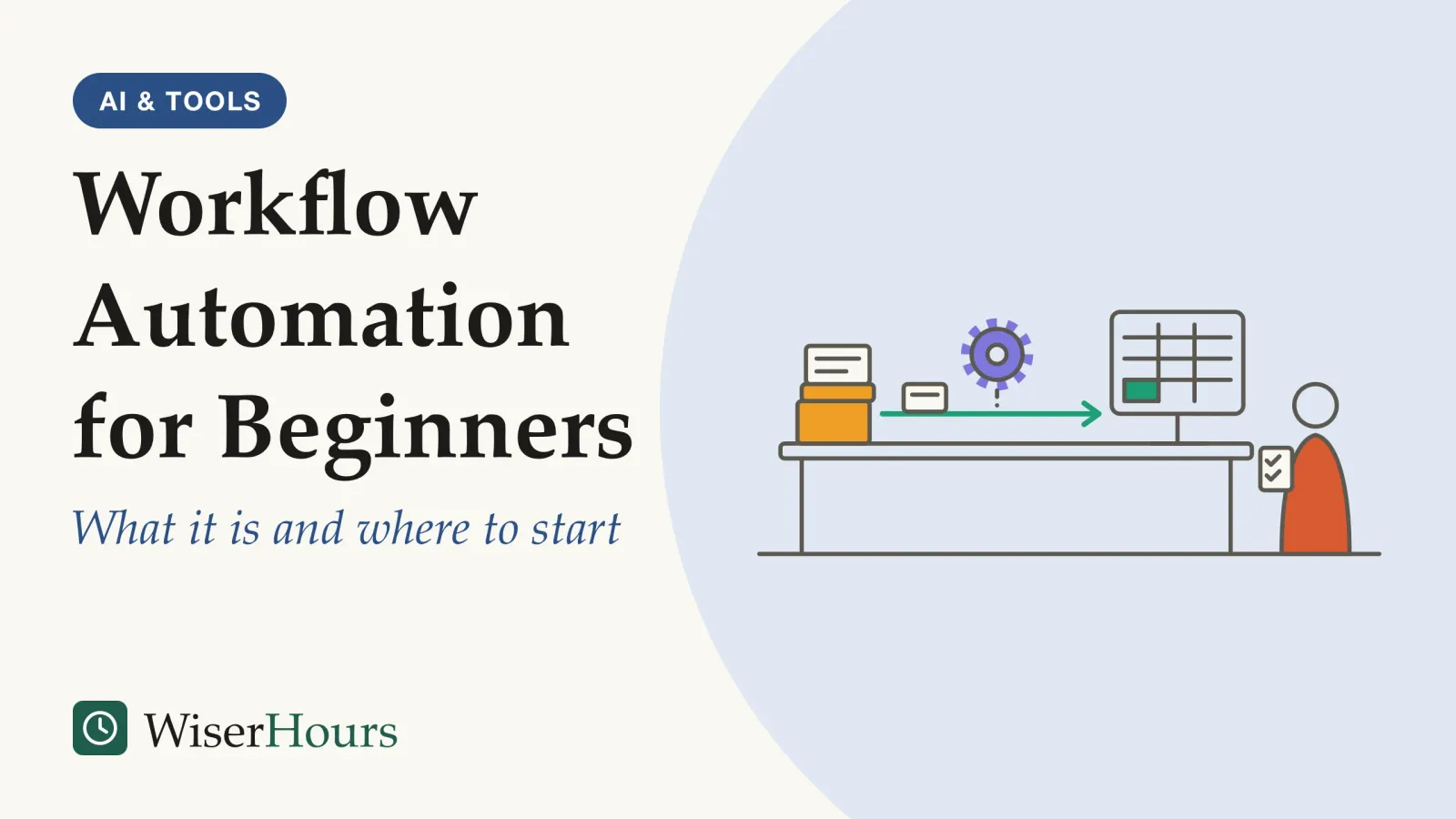
Every Monday, an office manager opens last week’s sign-up form, copies each name and email address into a spreadsheet, and sends the same welcome message to each person by hand. It takes most of the morning, and now and then a mistyped address means a welcome goes nowhere.
Workflow automation means handing steps like these to software: when the form is submitted, a new row appears in the spreadsheet, the welcome goes out and the team gets a notification, without anyone doing it. The way to start is small and deliberate, in five steps:
- Pick one frequent, rule-based task that is safe to get wrong
- Write down the steps and fix the obvious flaws first
- Start with one trigger and one action
- Test it and log every run
- Name an owner and review it regularly
Workflow automation in one sentence: when this happens, do that
Workflow automation is software carrying out the steps of a recurring process by rule. Something happens, called the trigger: a form arrives, an email lands, a date comes round. The software then performs set actions, such as adding a row, sending a message or creating a task.
It comes in three sizes: rules inside apps you already use, such as email filters; platforms that connect separate apps; and robotic process automation, or RPA, the large-company version, in which software “bots” copy the path a person takes through screens. Much of the research here comes from RPA; we apply it to smaller tools because they handle the same kind of task: typically rule-based, well structured and repetitive, such as moving data between applications, as a 2020 review describes them.1
The reason it works is also its limit. Software follows its rules exactly, at any hour and without typing errors. It follows them just as exactly when they are wrong, and it can miss patterns an experienced person would spot at once.1
For the office manager, the Monday chore becomes three rules: when the form gets a new entry, add a row to the sheet; when a row is added, send the welcome message; if the email field is empty, flag the row for a person. The test for any task: if you cannot write it down as “when X happens, do Y,” it is not ready to automate yet.
Good first automations
A new form entry adds a row to a spreadsheet and posts a note in the team chat. Invoices emailed by one supplier are saved to a shared folder. A reminder to submit your timesheet is created every Friday. Each has one clear trigger, fixed actions and little harm done if a run goes wrong.
Guides on email rules and platforms are planned under automation and no-code workflows.
Software is good at rules and poor at judgment
Software takes over tasks with explicit rules, while tasks that need flexibility, judgment and common sense have proved the hardest to automate, the MIT economist David Autor wrote in 2015. In a 2015 review of workplace automation, Autor argued that computers substitute for people in routine, codifiable tasks while raising the value of the problem-solving, adaptability and creativity that people supply.2
“Routine” in this sense does not mean dull. It means every step can be written down, as in simple bookkeeping or the sorting and storing of structured records. The catch, Autor argues, is that much of what people do well they cannot spell out as rules, so there is nothing for software to follow.2
In practice, a rule covers only the cases its author thought of. When Telefónica O2, a UK mobile operator, had automated back-office processes, some customers excitedly pre-ordered a new iPhone several times. A person would have seen one customer wanting one phone; the software shipped several. The company learned that processes it thought fully rule-bound needed extra “common sense” rules once people were taken out, according to a 2015 London School of Economics case study by Mary Lacity and colleagues.3
The practical lesson is to split tasks, not jobs. An expense claim has a rule part (is a receipt attached, is the amount under the limit?) and a judgment part (was this dinner a genuine client expense?). Automate the first and route the second to a person. A 2018 OECD working paper makes a related point about whole jobs: people in the same occupation often do quite different tasks, so it estimated automation risk job by job rather than by job title.4
The best first candidates are frequent, boring and stable
Research on software bots mostly agrees that good automation candidates are rule-based, repetitive, stable, fed by structured digital data and light on exceptions. A 2020 structured review led by Rehan Syed of Queensland University of Technology collected these traits from the literature, noted some dissent, and warned how thin the evidence behind them is.1
The study
Limited evidence
Which tasks suit software bots? Syed and colleagues' 2020 review
The review drew from the literature a list of traits for tasks suited to bots: highly rule-based, high in volume, mature and stable, standardized, well documented, low in exceptions and fed by structured digital data. A few sources it cites dissent, saying medium volumes or temporary processes can suit bots too. It also judged that methods for choosing tasks lack empirical validation and were largely developed by software vendors on limited anecdotal evidence.1
These traits are the practitioners’ majority view, not tested rules, but each has a clear reason. Frequency multiplies the saving. Bots need a prescribed rule for every eventuality. Every change to the process, a screen or a business rule becomes a repair job. Poor input data makes bots fail or do the task wrongly. And each exception needs its own branch, which is why the review reports that letting a specialist handle a rare exception by hand can be cheaper than programming for it.1
Copying weekly sign-ups into a sheet passes on every count; answering customer complaints fails on most, because each one needs a judgment and a personal reply.
We add one test of our own: the task should be safe to get wrong. The review notes that because bots run with little human oversight and can be copied at scale, a flawed one can cause damage at scale.1 Start where a mistake would be annoying, not costly.
Five questions before you automate
Does the task happen at least weekly? Could you write every decision as a rule? Has it stayed the same for months? Does the input arrive in the same digital format every time? If the automation got it wrong for a week, would the damage be small and easy to undo? Five yeses suggest a good first candidate.
Map the process before you automate it
Automating a messy process makes the mess run faster, because software repeats every step exactly, including the ones nobody needs. The 2020 review reports that the literature stresses optimizing processes before automating them; one consulting report it cites takes the opposite view, and some sources see automation as a way to standardize a process.1
Telefónica O2 is a documented example of fixing first. The company spent about two years removing processes nobody needed and simplifying the rest, including a legacy check on shipped orders that was no longer worth running because the order process had become almost error-free, and it later stressed that this work should come before automation. Its first trial, in 2010, automated two high-volume, low-complexity processes, one of them swapping a customer’s SIM card.3 The caveat: this is one company’s success story, from a research program sponsored by the vendor whose software it used.
At desk scale, say invoices reach you by email, by post and through a supplier portal. Write every step on paper, cross out the steps nobody needs, and ask suppliers to use one route before you automate anything. The habits in how to find and fix the flaws in a recurring process apply here: follow one real case from start to finish and mark each point where work waits or is sent back.
Will it save time? A worked example
An automation saves time only if the minutes it removes over a year exceed the hours spent building, testing, fixing and checking it. The table below is our illustration with assumed figures, not a measurement.
| Our illustration (assumed figures) | A daily chore | A quarterly chore |
|---|---|---|
| Time the task takes by hand | 10 minutes a day | 30 minutes a quarter |
| Hand time over a year (about 230 working days) | about 38 hours | 2 hours |
| Building and testing the automation | 4 hours | 4 hours |
| Checks and fixes (15 minutes a month) | 3 hours | 3 hours |
| Balance after the first year | about 31 hours saved | about 5 hours lost |
The row that is easiest to forget is upkeep: bots cannot monitor themselves, the 2020 review notes, so a person has to. Time is also not the only gain: the same review collects reports of fewer errors such as incorrect data and missed steps, mostly from case studies rather than comparisons.1
The lesson from the arithmetic: if a task is rare, a template or a checklist usually beats an automation.
Automations fail quietly, and people stop watching
People stop watching an automation closely once it has worked well for a long time, so its rare failures can go unnoticed, the psychologist Lisanne Bainbridge of University College London warned in 1983. Her irony: automation leaves people with the job of watching for rare failures, and watching a system in which almost nothing happens is something people do poorly.5
The reason is attention. Writing about control rooms and flight decks and drawing on studies of vigilance, Bainbridge noted that even a highly motivated person cannot keep up effective visual attention to a source of information on which very little happens for more than about half an hour. A sheet that has filled itself correctly for months is that kind of source. She also warned that unused skills fade, and argued that automatic systems should fail obviously.5
A 2010 review by Raja Parasuraman and Dietrich Manzey, which we read only in abstract, found this complacency when other tasks compete for attention, in experts as well as novices, and simple practice did not cure it.6 Trained professionals are not immune either, as what AI literacy does and does not protect against describes for doctors given flawed AI advice in a small trial.
- Cases that follow the rules: the automation runs them from start to finish
- Odd cases: anything the rules do not cover goes to a person instead of being forced through
- The log: every run leaves a record, and a named owner reads it on a fixed day
Back to the office manager, as an illustration. Say a colleague renames the email column in the sign-up sheet. The welcomes stop, and nobody notices for three weeks, until a new member asks why she never heard back. The idea was fine; nothing made the failure visible.
- Myth
- Once an automation is set up, it runs itself.
- Fact
- Processes, screens and rules keep changing, and software cannot tell when its own rules have gone stale. Every automation needs someone who checks it.
The practical rule: give every automation a named owner, and write down how to do the task by hand. Keep a run log and check it on a fixed day each week against one simple count, such as rows added against form entries received; Bainbridge observed that people can write down numbers without noticing what they are, so reading the log alone is not enough.5 And make failure visible: switch on your tool’s failure alert, so a broken run reaches a person.
How to build your first workflow automation
Build your first workflow automation the way the 2020 review’s consensus advice suggests: think big, but start small, automating part of a process before the whole.1
1. Pick one frequent, rule-based task that is safe to get wrong
Run your candidates through the five questions above and choose the dullest one that passes. At work, check your employer’s rules on connecting apps and accounts first.
2. Write down the steps and fix the obvious flaws first
List every step as it is really done today, workarounds included. Remove steps nobody needs and standardize the input, for example with required fields on a form.
3. Start with one trigger and one action
Build the smallest useful version: when a form entry arrives, add a row. Add the welcome email once that link has run cleanly for a couple of weeks.
Sketch it on paper first
Take the request or report you handle most often. Write its trigger (“when a new form entry arrives”) and first action (“add a row to the tracker”). If each fits on one line, build that.
4. Test it and log every run
Test the awkward cases as well as the tidy one: an empty field, a duplicate entry, an unusual name. The review warns that recording a task as a person does it captures only the “happy path,” where nothing goes wrong.1 Make sure every run leaves a record, such as a log sheet or a daily summary.
5. Name an owner and review it regularly
Write down the owner and the manual steps where colleagues can find them. Check the log weekly for the first month, then monthly. When the process changes, the owner updates the automation; when nobody needs it any more, switch it off.
From chore to first automation
What the evidence supports, and where it runs out
The strongest evidence explains which tasks computers can take over; advice on choosing and running small automations rests mostly on case studies, practitioner consensus and human-factors research from other settings. Use the candidate traits as a starting filter, not a proven formula; your own run log is the real test.
| What it is | What the best evidence found | Evidence |
|---|---|---|
| Rule-based tasks suit automation | Computers substitute for explicit, codifiable tasks; tasks needing judgment and tacit knowledge resist | Observational economics and expert review, moderate2 |
| Traits of a good candidate | Consensus on rule-based, repetitive, stable, structured input, few exceptions; selection methods not empirically validated | Structured review of mostly case studies and white papers, limited1 |
| Fixing the process first | Widely recommended; one consulting report takes the opposite view; one case eliminated processes first | Expert opinion and one vendor-sponsored case study, limited13 |
| People monitoring automation | Complacency when attention is divided, in experts too, not cured by simple practice | Review of empirical studies, moderate (abstract read)6 |
| Time saved against upkeep | No rigorous study found for small workflow automations | Gap: our illustration only |
The bottom line
Practitioner advice and simple arithmetic both favor small automations: a frequent task with clear rules and a predictable input, watched by someone after launch. Start with one low-stakes chore: tidy the process, automate one step, make failures visible and give it an owner. Anything bigger can wait until that one has run cleanly for a month.
Frequently asked questions
Do I need to know how to code to automate a workflow?
Often not for a first automation. A 2020 review of research on software bots found them widely described as easier to configure than large enterprise systems. In a 2015 case study at Telefónica O2, two back-office staff with no automation experience took a week-long vendor course and a month of coaching, and were building bots within about three months. What you do need is to write every step and rule down precisely.
Is workflow automation the same as AI?
No. Classic workflow automation follows rules someone wrote down: when this happens, do that. AI tools work differently: the economist David Autor described machine learning in 2015 as applying statistics to supply best-guess answers where no formal rules are known. An AI step can read messy input that rules cannot, but its output is a best guess, so it needs checking.
Will automating tasks put my job at risk?
For most jobs, OECD estimates point to automation changing parts of the work rather than replacing the whole job. A 2018 OECD working paper covering 32 countries, written before today's AI tools, put about 14 percent of jobs at high risk of automation and a further 32 percent at risk of significant change in how they are done. The estimates describe what technology could do, not forecasts of job losses.
Sources
- Robotic Process Automation: Contemporary themes and challenges. Syed, R., Suriadi, S., Adams, M., Bandara, W., Leemans, S. J. J., Ouyang, C., ter Hofstede, A. H. M., van de Weerd, I., Wynn, M. T. & Reijers, H. A. (2020). Computers in Industry, 115, 103162
- Why Are There Still So Many Jobs? The History and Future of Workplace Automation. Autor, D. H. (2015). Journal of Economic Perspectives, 29(3)
- Robotic Process Automation at Telefónica O2. Lacity, M., Willcocks, L. & Craig, A. (2015). The Outsourcing Unit Working Research Paper Series, Paper 15/02, London School of Economics
- Automation, skills use and training. Nedelkoska, L. & Quintini, G. (2018). OECD Social, Employment and Migration Working Papers, No. 202
- Ironies of automation. Bainbridge, L. (1983). Automatica, 19(6)
- Complacency and Bias in Human Use of Automation: An Attentional Integration. Parasuraman, R. & Manzey, D. H. (2010). Human Factors, 52(3)
How we researched this
We searched Crossref, OpenAlex, PubMed and university repositories in September 2026 for peer-reviewed reviews and foundational papers on which tasks can be automated, robotic process automation and how people monitor automated systems, plus OECD estimates. Sources date from 1983 to 2020. Main limitation: evidence on choosing tasks comes mostly from case studies and practitioner reports; one source was read only as an abstract, and the time example is our illustration.
Keep reading

What Are APIs and Webhooks? A Plain-English Guide for Non-Developers
An API lets your tool ask an app for data; a webhook has the app tell you. One form entry, 2 routes to a spreadsheet, and how to guard your keys.

Email Filters and Rules: How to Make Your Inbox Sort Itself
How Gmail filters and Outlook rules work, why a few routing rules beat deep folder trees, and 5 steps to set them up and test them safely.
Spreadsheet Automation for Beginners: Formulas, Macros, and Scripts
Formulas, macros and scripts explained, with 5 steps to automate a spreadsheet safely, and why close audits find errors in most working sheets.
Robotic Process Automation Explained: What RPA Is and Where It Fits
What robotic process automation is, how attended and unattended bots differ, where RPA fits, and where the 30-50% failure figure comes from.