Microsoft Copilot Explained: What It Does Inside Word, Excel, Outlook, and Teams
Microsoft Copilot in Word, Excel, Outlook and Teams as of September 2026: what each does, how it uses work data, and what 4 government trials found.

Between autumn 2024 and spring 2025, UK government bodies ran three trials of the same AI assistant and published what they found. Civil servants in the largest trial said it saved them time every day.1 A smaller department that also watched staff at work found no evidence that the time saved had made anyone more productive, and in its spreadsheet test, staff using the assistant were slower and less accurate than colleagues without it.2
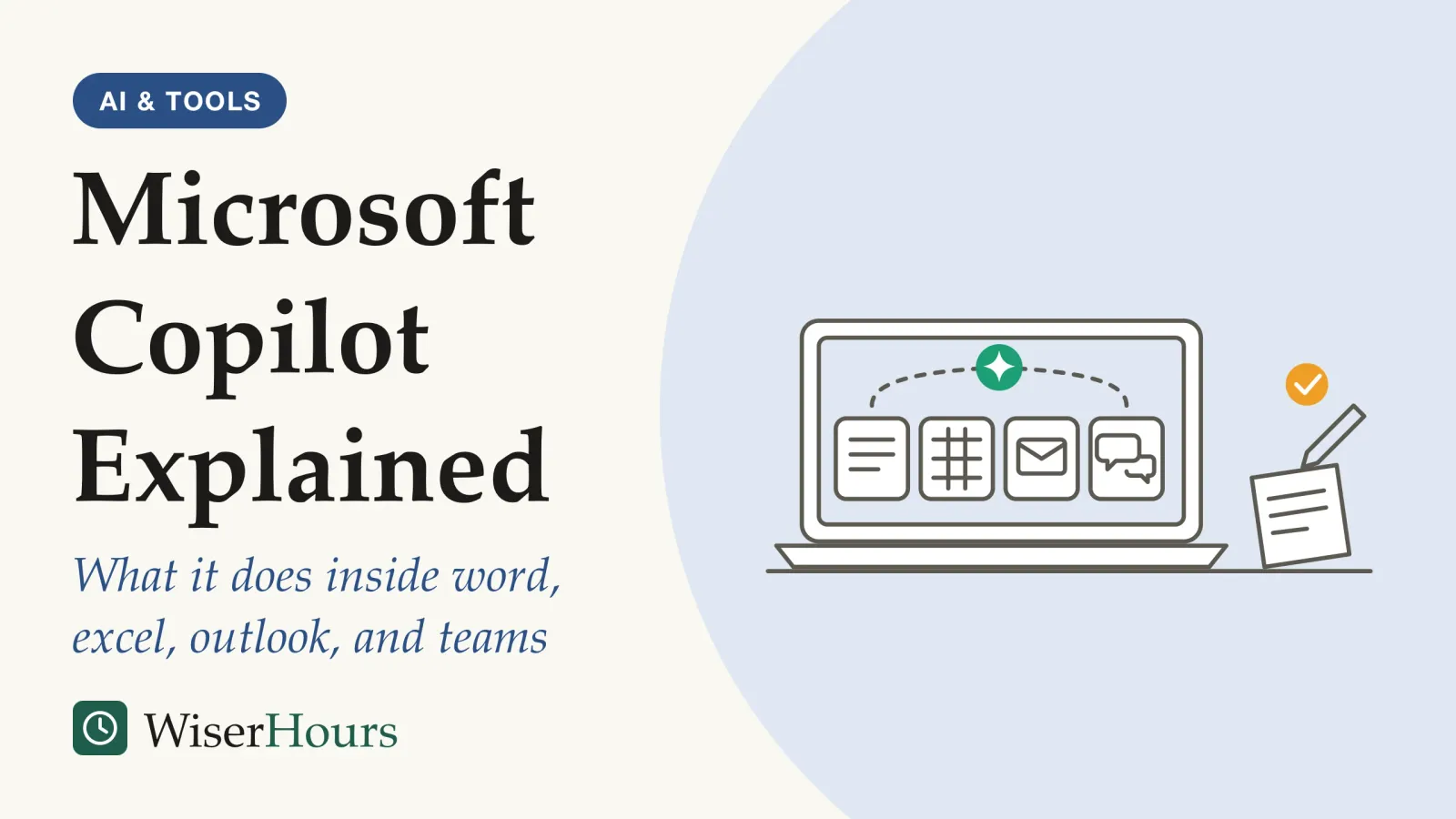
Both results can be true, and together they explain the tool better than any feature list. Microsoft Copilot is an AI assistant built into Microsoft 365: it drafts and rewrites in Word, analyzes data in Excel, summarizes threads in Outlook and recaps meetings in Teams. The paid version searches your organization’s emails, files, chats and meetings, but only those you already have permission to open.3
Government trials in Australia and the UK point the same way: staff reported the clearest time savings from Copilot on summaries, first drafts and information searches, and the least help with spreadsheet and data-heavy work.4 This guide applies the basics of AI literacy for employees to one widely licensed tool. Product details change often, so everything about features and prices below was checked on Microsoft’s own pages on 27 September 2026.
If Copilot has just appeared in your apps, the short version is this: give it summaries and first drafts you can check at a glance, verify every figure it hands you, and tell IT about any file it shows you that you did not expect to open. The six habits near the end of this guide expand on each.
Which Microsoft Copilot do you have?
Microsoft’s documentation, updated in September 2026, describes three levels of Copilot for work accounts, and which one you have decides what the assistant can see. The same button can sit on two colleagues’ screens and give them answers built from very different material.
- Copilot Chat (Basic) comes with eligible Microsoft 365 plans. It mainly answers from the web and uses work content only when you paste, upload or open it.
- Microsoft 365 Copilot (Basic) adds standard access to Copilot inside Word, Excel, PowerPoint and OneNote without the add-on license; Microsoft says it is more limited and subject to capacity.
- Microsoft 365 Copilot (Premium) is the paid add-on. It pulls in your emails, files, meetings, calendar and chats automatically through Microsoft Graph, the layer that connects your organization’s Microsoft 365 data.3
The names keep moving: Microsoft now calls Microsoft 365 Copilot simply “Microsoft Copilot” and says some screens will use the old names during the transition.5 On its US price list, the Premium add-on costs US$30 per user per month on a yearly commitment, on top of a qualifying Microsoft 365 plan.6 Prices and availability differ by country, so check Microsoft’s page for your market.
The practical lesson: before you judge Copilot, look for the label in the app that tells you which version you are using. A colleague who says it “knew everything about the project” may have Premium, while you are using a chat that has only seen the web.
What Microsoft Copilot does in Word, Excel, Outlook and Teams
In each app, Copilot works on what is in front of you and, with Premium, on work data it can find. Microsoft’s documentation describes the main jobs in each app.3 Its Excel guide adds that Copilot can now edit a workbook directly rather than only suggest changes.7 The table sets those claims beside what independent trials found, because the two do not always match.
| App | What Microsoft says it does | What trials found | Evidence |
|---|---|---|---|
| Word | Drafts, rewrites and summarizes documents | Drafting documents gave the largest task-level saving UK civil servants reported | Observational, limited; self-reported, UK1 |
| Excel | Analyzes data, writes formulas, builds charts and edits the workbook | Users analyzed data more slowly and less accurately than non-users in a small observed test | Observed sessions, limited; one UK department2 |
| Outlook | Drafts emails, summarizes threads and coaches on tone | Users of an assistant built into their apps spent less time on email, with no clear change in the rest of their work | Trial, moderate; run by Microsoft researchers8 |
| Teams | Summarizes and transcribes meetings and captures action items | The most used app in the UK cross-government trial | Observational, limited; usage data, UK1 |
The pattern across the UK trial is consistent: Copilot helped most with drafting and finding information, and least where the work turns on nuance, contrasting sources or complex data. The UK Government Digital Service (GDS) report found users’ satisfaction lowest in professions that saved the least time, such as policy teams that struggled with nuance and with sources holding conflicting opinions.1
Picture a finance officer who asks Copilot to find the three biggest budget variances. The answer arrives in seconds, neatly formatted. Whether it is right depends on the officer checking the formulas, and that check takes time the neat answer does not show.
Your first uses should be the tasks you could do yourself and check at a glance. Leave the spreadsheet you cannot easily verify for later, and for the general habits of working with any assistant, see a beginner’s guide to working with AI assistants.
How Copilot uses your organization’s data and permissions
Microsoft states that Copilot only surfaces organizational data a user has at least permission to view, and that prompts, responses and data it reaches through Microsoft Graph are not used to train the foundation models behind it. Your prompts and Copilot’s answers are stored as an activity history under the same contract terms as your other Microsoft 365 content.5
That design has a consequence many organizations discover late. Copilot does not break permissions; it inherits them, including every mistake. Take a salary spreadsheet shared with “everyone in the company” in 2019: it was always open to anyone, but nobody knew where to look. An assistant that searches everything you can open finds it in seconds.
M365 Copilot’s ability to search and query using a user’s access may highlight issues when users have access to files they shouldn’t.
Australia’s trial evaluation reached the same conclusion in its own words: Copilot may magnify poor data security and information management practices.4 For the review period, a SharePoint setting called Restricted Content Discovery can hide chosen sites from Copilot and organization-wide search, though Microsoft calls it a temporary control that does not change who can open the files.9
- You ask: Copilot looks through the emails, chats, meetings and files you already have permission to open.
- A locked file stays out: anything you cannot open is left out of the answer.
- An overshared file gets in: an old file shared with everyone counts as one you can open, so it can turn up in the answer too.
Where the data goes also depends on where you are. For users in the European Union, Microsoft says Copilot traffic stays within its EU Data Boundary; customers elsewhere may have prompts processed in the US, the EU or other regions, and models supplied by Anthropic are currently excluded from the EU boundary.5 Outside the vendor’s own pages, the Dutch education and research cooperative SURF concluded in 2026 that two medium privacy risks remain, including telemetry kept for up to 18 months, and still advises Dutch institutions to use Copilot cautiously.10 Readers elsewhere should check what their own data protection authority or public-sector buyers have published.
- Myth
- Copilot trains Microsoft's AI on your company's documents.
- Fact
- Microsoft says prompts, responses and data reached through Microsoft Graph are not used to train its foundation models. The nearer risk is Copilot showing you a file you can open but should not.
What government trials found about time saved
The public-sector trials covered here all found that staff believed Copilot saved them time, but most of that evidence comes from volunteers or nominated staff describing their own experience. In the UK cross-government trial, run by GDS from October to December 2024, the daily saving was estimated by users picking a time band in a survey.1 Australia’s public service trial in the first half of 2024 relied on the same kind of survey answers, from staff whom agencies nominated and who chose to take partself-selection: When the people in a study chose to take part, or chose the thing being studied, rather than being picked or assigned. Volunteers and choosers can differ from everyone else, so the result may not apply more widely or may reflect who chose rather than what they chose.Full entry in the glossary, and its evaluators found that checking and editing outputs cancelled out some of the time saved.4
The UK Department for Work and Pensions (DWP) tried to correct for self-reporting by comparing users with similar colleagues who had no license.
The study
Limited evidence
Copilot users against similar colleagues: the UK DWP evaluation (2026)
DWP gave 3,549 central office staff a Copilot license, then surveyed users and a random sample of unlicensed colleagues matched on business area and grade. After adjusting for role, grade, demographics and interest in AI, the analysis estimated that users saved about 19 minutes a day across eight routine tasks, with the largest differences in searching for information and writing emails. Users also rated their job satisfaction and the quality of their work higher than non-users did.11
That is a modest gain per person, and smaller than the figure staff reported in the wider UK trial. The authors warn that licenses went first-come, first-served, often through managers or peer nomination, so keen users may differ from non-users in ways no survey can capture, and a wish to keep access may have colored their answers.11 The Department for Business and Trade (DBT) went further and observed people doing set tasks: Copilot users summarized reports faster and better, but produced weaker spreadsheet analysis and slides, in sessions its authors call too small to stand alone.2 The one randomized trialrandomized controlled trial: A study that assigns participants to the treatment or the comparison group at random, so the groups start out alike and a difference in what happens next can be put down to the treatment. Random assignment makes the two groups comparable; it does not make the people in the trial representative of anyone else.Full entry in the glossary we found, the Microsoft researchers’ study in the Outlook row of the table above, is covered in detail in the guide to adding AI to a team’s shared work.
An everyday version of the self-report problem: a summary that lands in ten seconds feels like a clear win, while the four minutes you spent checking it, and the draft you quietly rewrote, are easy to forget by the time a survey asks. That is the same hidden cost of checking and editing that Australia’s evaluators flagged, and it is why your own count matters more than anyone’s estimate.
Where Copilot struggled: accuracy and meeting records
Copilot’s answers can be wrong in ways that look right, and the trial reports say so. DBT respondents reported hallucinationshallucination: When an AI system states false or made-up content, such as an invented fact or citation, as confidently as true content. NIST calls it confabulation; it follows from how these systems generate plausible text, so answers still need checking.Full entry in the glossary throughout the pilot.2 So checking has to be part of the routine, not an afterthought.
Meeting records raised a different problem: people. In Australia, some focus group participants felt uncomfortable being recorded and transcribed and felt pressured to consent, and the evaluation asked for clear guidance on consent in meetings.4 In Teams, the meeting organizer decides whether Copilot runs, and asking it about a meeting afterwards needs a transcript.12
Before you rely on a summary, ask what it would cost if one line were wrong: a missed action item in a team stand-up is cheap, while a misattributed commitment in a supplier negotiation is not. Checking habits for any assistant are set out in why AI tools make things up.
Six habits for your first month with Copilot
Nobody has tested these habits as a set. They follow what the trials and Microsoft’s documentation suggest, so treat them as a sensible starting point rather than a proven method.
1. Check which Copilot you are using
Find the label in the app and ask IT whether you have the Premium add-on. It decides whether Copilot searches your work data or only the web and what you give it.
2. Start with summaries and first drafts
These are the tasks where Australian trial participants reported the clearest gains, and where you can judge the output quickly. A thread summary before a meeting or a first draft of a routine update is a good first test.
3. Check every figure, name and date against the source
Treat output as a draft from a fast new colleague. In spreadsheets especially, check the formulas before anyone else sees the numbers.
4. Agree the rules for recording meetings first
Tell people when a meeting is transcribed and why, and follow your organization’s AI use policy on consent and on where summaries are stored.
5. Report anything Copilot shows you that you should not see
A surprising result is a permissions problem, not a Copilot problem. Tell the file owner or IT, who can fix the sharing or restrict the site while they review it.
6. Keep a short log of what it saved and what it cost
Note the task, the minutes saved and the minutes spent checking, including drafts you threw away. After a month, the log tells you which tasks to keep giving Copilot and which to take back.
Copilot, month one
The bottom line
Microsoft Copilot is most useful for summarizing, first drafts and finding things you already have access to, and least reliable where numbers or nuance matter. It sees what you can see, so tidy up sharing before it finds what you forgot. Judge it by a log of your own tasks, not by the minutes other people reported.
Frequently asked questions
Is Microsoft Copilot at work the same as the free Copilot app?
Not quite. Microsoft's documentation says work protections, which it calls enterprise data protection, apply when you sign in with your organization's Microsoft Entra account. The same Copilot websites and apps also accept personal Microsoft accounts. Microsoft tells administrators to have staff sign in with their work account, and lets them block personal sign-ins to Microsoft 365 apps. If you are unsure which account you are using, check the account shown in the app.
Can my employer see what I ask Copilot?
Your organization can. Microsoft says Copilot stores each prompt and response as an activity history, which administrators can view and manage with Content search or Microsoft Purview and keep under retention policies. Users can delete their own Copilot activity history from Microsoft's My Account portal. Check your employer's AI or IT policy before asking about anything personal or confidential.
Can Copilot join meetings with people from another organization?
Not as a rule. Microsoft's Teams guidance says Copilot will not work in meetings hosted outside the participant's organization. For meetings you organize, you control whether participants can use Copilot, even without a Copilot license yourself: you can allow it with a transcript, allow it only while the meeting runs, or turn it off, which also disables recording and transcription for that meeting.
Will Copilot judge or rate employees for their managers?
Microsoft says it restricts Copilot from making inferences or judgments about an employee's performance, attitude, emotional state or personal characteristics, using what it calls a workplace harms filter. The Dutch education cooperative SURF counts that filter as a remaining medium privacy risk, because Microsoft does not disclose the criteria it applies, organizations cannot adjust or disable it, and users are not consistently told when it has intervened.
Sources
- Microsoft 365 Copilot Experiment: Cross-Government Findings Report. Government Digital Service, UK (2 June 2025)
- Microsoft 365 Copilot pilot: DBT evaluation report. Department for Business and Trade, UK (28 August 2025). Evaluation of the M365 Copilot pilot, October to December 2024
- What is Microsoft Copilot? Microsoft Learn (last updated 17 September 2026; accessed 27 September 2026). Vendor documentation
- Microsoft 365 Copilot evaluation report, full report: executive summary and glossary. Digital Transformation Agency, Australian Government, evaluation by Nous Group of the January to June 2024 whole-of-government trial (accessed 27 September 2026)
- Data, Privacy, and Security for Microsoft Copilot. Microsoft Learn (last updated 18 August 2026; accessed 27 September 2026). Vendor documentation
- Microsoft Copilot for enterprise organizations: pricing. Microsoft, US web page and price list (accessed 27 September 2026). Vendor page
- Get started with Copilot in Excel. Microsoft Support (accessed 27 September 2026). Vendor documentation
- Shifting Work Patterns with Generative AI. Dillon, E. W., Jaffe, S., Immorlica, N. & Stanton, C. T. (2025). arXiv 2504.11436 and NBER Working Paper 33795; authors include Microsoft researchers
- Restrict discovery of SharePoint sites and content. Microsoft Learn (last updated 22 September 2026; accessed 27 September 2026). Vendor documentation
- Privacy risks Microsoft 365 Copilot remain 'orange' despite improvements. SURF, the Netherlands (27 May 2026). Update on a data protection impact assessment written by Privacy Company
- An Evaluation of DWP's Microsoft 365 Copilot Trial. Arzilli, F., Lynch, C. S. & Page, L. (29 January 2026). Department for Work and Pensions, UK
- Catch up on meetings with Microsoft Copilot in Teams. Microsoft Support (accessed 27 September 2026). Vendor documentation
How we researched this
We read Microsoft's own Copilot documentation, support pages and US price list on 27 September 2026, then searched GOV.UK, Australia's digital.gov.au, arXiv and general web search for independent evaluations of Microsoft 365 Copilot. The government evaluations date from 2024 to 2026 and were read in full; the one randomized trial, run by Microsoft researchers, was read as an abstract. The bulk of the evidence comes from UK and Australian public-sector trials, largely with volunteers or nominated staff who reported their own time savings.
Keep reading
Shadow AI Explained: Why Employees Use Unapproved Tools and What to Do
Shadow AI is AI used for work without approval. In IBM's 2025 study, 1 in 5 breached firms reported a shadow AI breach. Why it happens and what beats a ban.
The EU AI Act Explained: A Plain-English Guide to Risk Tiers and Who Is Affected
The EU AI Act sorts AI into 4 risk tiers. What it bans, why hiring tools count as high-risk, who must comply, and the dates after the 2026 amendment.
How to Write an AI Use Policy: A Step-by-Step Guide With Template
Write an AI use policy in 8 steps, with a plain template built on NIST, ISO/IEC 42001, the EU AI Act and data regulators' advice on chatbots at work.
How to Build AI Into Your Team's Workflow, One Task at a Time
How to put AI in team workflows in 6 steps, and why, in a large trial, an AI tool for each person sped up solo work but not the work a team shares.