Virtual Meeting Etiquette: Cameras, Mute, Chat, and Other Norms
Virtual meeting etiquette in 7 norms: 4 courtesies every attendee owes and 3 team choices on cameras, turn-taking and recording, plus a template to paste.

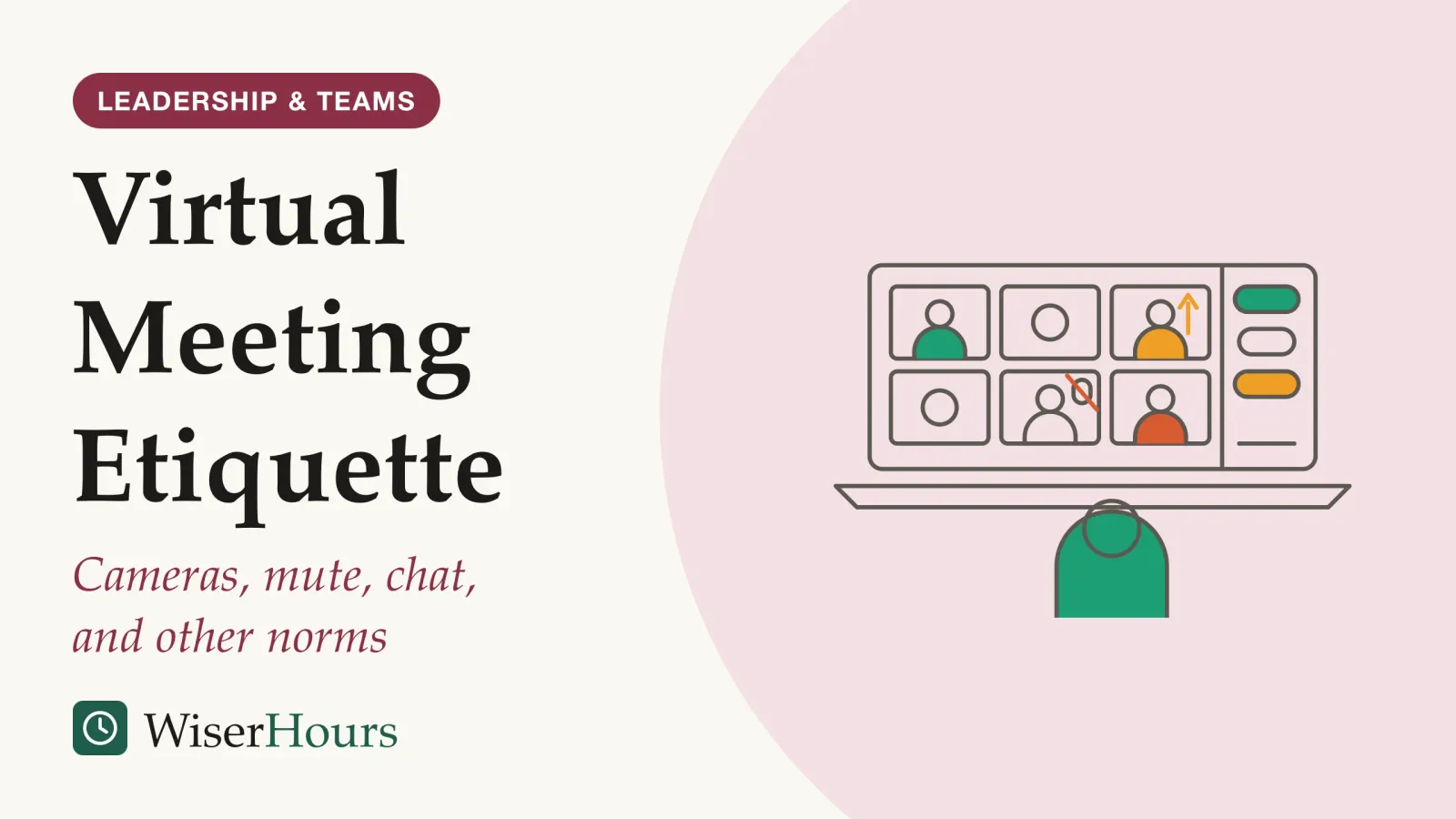
Most lists of virtual meeting etiquette mix two kinds of rule. Some are courtesies every attendee owes in any video call, like being on time and keeping background noise out of other people’s ears. Others, like whether cameras stay on, are choices on which reasonable teams differ, and they work only when a team states them. In a 2025 experiment reported in the European Journal of Social Psychology, people randomly assigned to keep their camera off in small Zoom groups were seen as less engaged, while their own sense of engagement barely changed.1 That gap is why the second kind of rule needs an agreement, not a guess. The seven norms:
- Join on time, with sound and picture tested
- Mute when you are somewhere noisy, and say who you are
- Use the chat for links and questions, not side talk
- Give the call your attention, or say when you cannot
- Agree when cameras are on, and when off is fine
- Agree how people ask for the floor and react
- Agree on recording and note-taking tools before anyone presses start
These norms sit inside a well-run meeting, not in place of one; purpose, agenda and follow-up belong to the broader guide to running meetings that work. For norms 5 to 7, a ready-to-paste agreement for your invite follows step 7.
What are the basic rules of virtual meeting etiquette?
The basic rules of virtual meeting etiquette are the ones that cost other people something when they are broken: arriving late, noise, off-topic chat and visible inattention. Accessibility guidance from the W3C, the body that sets web standards, treats some of them, such as testing your audio and video in advance, as part of making a meeting usable for disabled attendees, rather than as manners alone.2
Everything else is a team choice. Whether cameras stay on, how people take turns, and whether a call is recorded depend on the work, the people and the culture.
- Myth
- Keeping your camera on is basic etiquette in every video call.
- Fact
- Camera use is a team choice. Accessibility needs pull both ways, and a stated norm prevents the misreadings.
The two layers fail differently. A broken courtesy annoys people, but everyone recognizes it. An unstated team norm causes quiet misreadings: one person keeps their camera off to concentrate, and a colleague reads it as disinterest. The first needs a reminder; the second needs an agreement written down once.
Courtesy for everyone
Owed in any call, whatever the team
- Join on time, sound tested
- Mute when you are somewhere noisy
- Keep the chat on the topic
- Give the call your attention
Agree as a team
Reasonable people differ, so say it out loud
- When cameras are on
- How to ask for the floor and react
- Whether the call is recorded
- Whether an AI note-taker joins
Culture shapes some norms more than others. A 2021 study of workplace meetings in the US, China, Germany, Italy and the Netherlands (meetings in general, not only video calls) found that meetings starting late went with generally negative outcomes across those cultures.3 We found no comparable study for cameras, chat or recording, so treat those norms as local until your own team says otherwise.
Courtesies every attendee owes
The courtesies below hold in nearly any work call. Each one protects other people’s time or attention, and most come from accessibility guidance or from studies of how people behave in remote meetings.
1. Join on time, with sound and picture tested
Be in the call at the start time with your audio and camera already working. The W3C’s guidance on accessible remote meetings asks participants to test their video and audio ahead of the meeting, and asks hosts to send invitations, links and documents with enough time for people to review them.2
The study’s title calls the effects of lateness small to moderate, and its abstract reports them across cultures. In the 2021 five-country study above, meetings that started late were linked to poorer views of how the meeting ran and what it produced; we read only its abstract.3 On a call, the cost is visible: six people watching a “connecting” icon while the seventh finds a headset.
A two-minute habit covers it. Open the link early, check that the right microphone and camera are selected, and close anything that will ping during the call.
2. Mute when you are somewhere noisy, and say who you are
Mute your microphone when there is noise around you, and unmute to speak. W3C guidance on accessible meetings notes that background noise is difficult for people who are hard of hearing and for captioners.4
The rule is about noise, not silence for its own sake. In a quiet room with four colleagues, staying unmuted lets talk flow like a conversation; in a café, it fills everyone’s ears with the espresso machine. In larger calls, say your name before you speak when people may not know your voice, especially anyone joining by phone.
3. Use the chat for links and questions, not side talk
Use the meeting chat for things that help the meeting: questions, links, and short “+1” signals that save a speaker from asking twice. A 2021 study by Microsoft Research, drawing on diaries and a poll of the company’s own employees, found that the chat let people join in without interrupting and could make meetings more inclusive, but that it could also be distracting and overwhelming.5
Respondents were split on whether the chat was distracting, and the authors traced how people judged it to the type of meeting, personal habits and the practices each group had chosen. Presenters in particular found it hard to follow the chat and talk at the same time.5 If your chat comment is a joke or a side conversation with one colleague, a direct message does the same job without pulling the room’s eyes off the speaker.
4. Give the call your attention, or say when you cannot
Either attend to the meeting or say plainly that you are half there. In a large 2021 analysis of Microsoft employees’ meetings, about 30 percent of remote meetings involved people sending email during the call, and multitasking was more common in larger, longer and recurring meetings.6
That study was run by Microsoft researchers on Microsoft staff in the US from February to May 2020, and it counted emails sent and files edited, not attention itself. Some side work was useful, such as taking notes. But employees also described losing the thread and being caught out by a question, and some felt that multitasking was rude.6
Should you have your camera on in virtual meetings?
Turn your camera on when your team has agreed it matters, and expect that leaving it off may be read as lower engagement even when it is not. A 2025 experiment by Olga Stavrova, Dongning Ren and Anthony Evans found that turning the camera off changed how others saw people far more than how those people felt.1
The study
Limited evidence
Camera off: how it looks versus how it feels
Participants were randomly assigned to have their camera on or off while working in small groups over Zoom, in groups where everyone had cameras on, everyone had them off, or the two were mixed. Afterwards, each person rated the others. People with their camera off were seen as less engaged, less moral and less suited to a leadership role, yet the camera made little difference to their own sense of engagement, fatigue or well-being. Observers underestimated how engaged the off-camera people reported being. The one cost to the person: those who preferred to be off camera but were told to switch it on reported more fatigue.1
Only the abstract of this single experiment was open to us, so the size of the effects and who took part remain unknown. Colleagues may still read a switched-off camera as less engagement than you feel.
Is it rude to turn off your camera on Zoom or Teams? Not in itself, but in a team with no stated norm, others may read it as disengagement. The other side of the argument, that cameras tire people, rests on a field experiment covered in the research on Zoom fatigue and camera use. Put side by side, the two results mean the camera question deserves an agreement.
Accessibility pulls in both directions too. The W3C advises hosts to remind participants to keep their faces, including their mouths, visible and well lit; yet when a sign language interpreter is present, it advises participants to turn off their video so the interpreter’s view takes priority.2 W3C presentation guidance adds that seeing a speaker’s face helps some people hear and understand.4 No single rule fits both calls. If you are on camera, what sits behind you is read too: in a 2023 study at Durham University in the UK, still photos of faces shown on plant or bookcase backgrounds were rated more trustworthy and competent than faces on a living-room or novelty background.7
Norms your team should choose together
Cameras, turn-taking, reactions and recording are team choices, so the job is to pick an option and tell everyone. The Microsoft Research chat study suggests that organizers share guidance on expected chat use before a meeting starts, and the same logic extends to cameras, turn-taking and recording.5
5. Agree when cameras are on, and when off is fine
Pick a default and name the exceptions. One option comes from the authors of the Microsoft multitasking study: a convention where video on means full attention and video off signals that someone is doing other work.6 That turns an ambiguous signal into an honest one.
Other workable defaults include cameras on while presenting, or on in small discussions and optional in large briefings. Whatever you choose, add the exception people need most: anyone can switch off for bandwidth, a noisy home or a bad day, without explaining.
6. Agree how people ask for the floor and react
Decide how someone takes a turn. Microsoft Teams, for example, lets people raise a virtual hand to show they want to contribute without interrupting; names are numbered in the order hands went up, and an organizer can lower all hands at once.8
Say what reactions mean, too. A thumbs-up can be read as “I agree,” “I heard you” or “I vote yes,” and those are different things in a decision meeting. The W3C adds a caution for hosts: if the hand-raising control is not accessible to keyboard-only or assistive-technology users, offer another way to take turns.2 Hand-raising also gives a way in to colleagues who rarely break into a fast discussion, a problem with more fixes in how to get quiet colleagues to contribute.
7. Agree on recording and note-taking tools before anyone presses start
Settle whether a meeting is recorded, transcribed or summarized by an AI tool before it starts, and tell everyone. Microsoft’s help page for Teams says all participants are notified when a recording starts, and adds that depending on your region you may need everyone’s permission before you record them.9
That is the reason for a team rule. Consent laws, company policies and personal comfort vary, and a notification banner is not agreement. Wherever you work, check your organization’s policy and your country’s rules before recording. The same reasoning covers AI note-takers: name the tool at the start, say where its notes go, and let anyone ask to pause it.
A meeting agreement you can paste into an invite
The fastest way to settle the team norms is to draft them once and paste them into recurring invites. Edit the brackets, share it, and invite the team to amend whatever does not suit them before the next meeting.
How we run this call
Cameras: on while presenting and in small discussions; off is fine otherwise,
  no reason needed. Camera off can mean "doing other work"; say so in chat.
Microphones: mute if you are somewhere noisy; say your name in large calls.
Speaking: use the raise-hand button; the host takes hands in order.
Chat: questions and links for this meeting; the host reads questions aloud.
Reactions: a thumbs-up means "heard", not "agreed".
Recording: [yes/no]. If yes, announced before it starts; kept in [place].
AI note-taker: [yes/no]. If yes, named at the start; anyone may ask to pause it.
Notes: [name] posts decisions and owners in [place] within a working day.
The template’s wording is a suggestion, not a tested formula. What the research supports is narrower: in the Microsoft chat study, regular teams developed their own norms around chat, spoken or unspoken, and some attendees asked for clearer expectations.5 Writing the norms down shortens that process.
Before your next video call
Which norms have the firmest evidence?
The norms rest on different kinds of evidence: courtesies lean on accessibility guidance and observation, and team norms on the finding that people read the same behavior differently.
| Norm | What the best evidence found | Evidence |
|---|---|---|
| Be on time | Meetings that started late went with poorer outcomes in five countries | Cross-cultural study, abstract only3 |
| Mute in noise | Background noise is hard for people who are hard of hearing and for captioners | W3C guidance (expert opinion)4 |
| Chat on topic | Chat helped people join in and was more inclusive, but could distract and overwhelm | Diaries and a poll of Microsoft employees (observational)5 |
| Attention | Email was sent in about 30% of remote meetings, more in larger and longer ones | Analysis of Microsoft staff data, US, 2020 (observational)6 |
| Cameras | People randomly assigned to camera off were seen as less engaged by others | One randomized experiment, abstract only1 |
| Recording | Teams notifies attendees; some regions require everyone’s permission | Platform help page9 |
The bottom line
Separate the courtesies from the choices. Be on time, keep noise and side chat out of the call, and say when you are half there; those hold for every team. Cameras, turn-taking, reactions, recording and AI note-takers are choices, and because others read them differently from how they feel, a short written agreement in the invite prevents most of the misreadings.
Frequently asked questions
What habits should you avoid in a video call?
Avoid the habits that cost other people something: joining late, leaving a microphone open in a noisy room, running a side conversation in the chat, working on other things while appearing to listen, and recording without telling anyone. Accessibility guidance from the W3C adds one more: do not rely on a shared screen alone, because some attendees need the materials sent directly.
What is a good background for a work video call?
A tidy one is the safe choice. In a 2023 study at Durham University in the UK, 167 volunteers rated still photos of faces on six video backgrounds; faces in front of plants or bookcases were rated more trustworthy and competent than those in a living room or a novelty background. It used still images and a Western sample, so treat a tidy backdrop as a sensible default rather than a proven one.
Who should set a team's video-call norms, the host or the team?
Ideally both: the host drafts and the team adjusts. Microsoft Research's 2021 study of chat in work video meetings suggests that organizers, teams and moderators share written guidance on how the chat will be used at the start of meetings. A short agreement drafted by the host and revised once by the team gives everyone a say without a long debate.
Sources
- Turning the Camera Off in Virtual Interactions Can Harm the Reputation. Stavrova, O., Ren, D. & Evans, A. M. (2025). European Journal of Social Psychology, 55(5), 774-788
- Accessibility of Remote Meetings. W3C Accessible Platform Architectures Working Group (Group Note, 22 July 2022)
- The Ubiquity of Meeting Lateness! A Cross-Cultural Investigation of the Small to Moderate Effects of Workplace Meeting Lateness. Allen, J. A., Lehmann-Willenbrock, N., Meinecke, A. L., Landowski, N., Rogelberg, S. G., Lucianetti, L., Tong, J. & Madrid, H. P. (2021). Cross-Cultural Research, 55(4), 351-381
- How to Make Your Presentations and Meetings Accessible to All. W3C Web Accessibility Initiative (updated 31 August 2022)
- The promise and peril of parallel chat in video meetings for work. Sarkar, A., Rintel, S., Borowiec, D., Bergmann, R., Gillett, S., Bragg, D., Baym, N. & Sellen, A. (2021). CHI '21 Extended Abstracts, Microsoft Research
- Large Scale Analysis of Multitasking Behavior During Remote Meetings. Cao, H., Lee, C.-J., Iqbal, S., Czerwinski, M., Wong, P., Rintel, S., Hecht, B., Teevan, J. & Yang, L. (2021). Proceedings of CHI 2021, ACM
- Virtual first impressions: Zoom backgrounds affect judgements of trust and competence. Cook, A., Thompson, M. & Ross, P. (2023). PLOS ONE, 18(9), e0291444
- Raise your hand in Microsoft Teams meetings. Microsoft Support (help page; accessed 11 October 2026)
- Start, stop, and find meeting recordings in Microsoft Teams. Microsoft Support (help page; accessed 11 October 2026)
How we researched this
Database searches (Crossref, OpenAlex) run in October 2026 turned up the peer-reviewed research used here on camera use, chat, multitasking, lateness and backgrounds in video meetings; W3C accessibility guidance and Microsoft Teams help pages covered platform features. Sources span 2021 to 2025. Its weak point: most evidence comes from Western workplaces or Microsoft staff, and two papers were readable only in abstract form.
Keep reading
How to Run an Effective Meeting: A Step-by-Step Guide
How to run an effective meeting in 7 steps: a one-line purpose, a short invite list, a timed agenda with owners, fair facilitation and a next-day follow-up.
How to Write Action Items That Actually Get Done
Meeting action items are more likely to get done with 5 parts: one owner, a verb, a date, a shared record and a check at the next meeting.
Meeting Minutes Template: Decisions, Owners, and Deadlines
A meeting minutes template in 7 parts, a board version and a one-screen team version, plus how to word, send and approve minutes.
How to Get Quiet People to Speak Up in Meetings
How to get quiet people to speak up in meetings: 6 steps from research on why employees stay silent, from the decision rule to a private second route.