Notion vs. Obsidian: Which Fits How You Think?
Notion vs Obsidian: a shared cloud workspace or Markdown files on your device. 8 deciding points, from offline use to switching, checked October 2026.

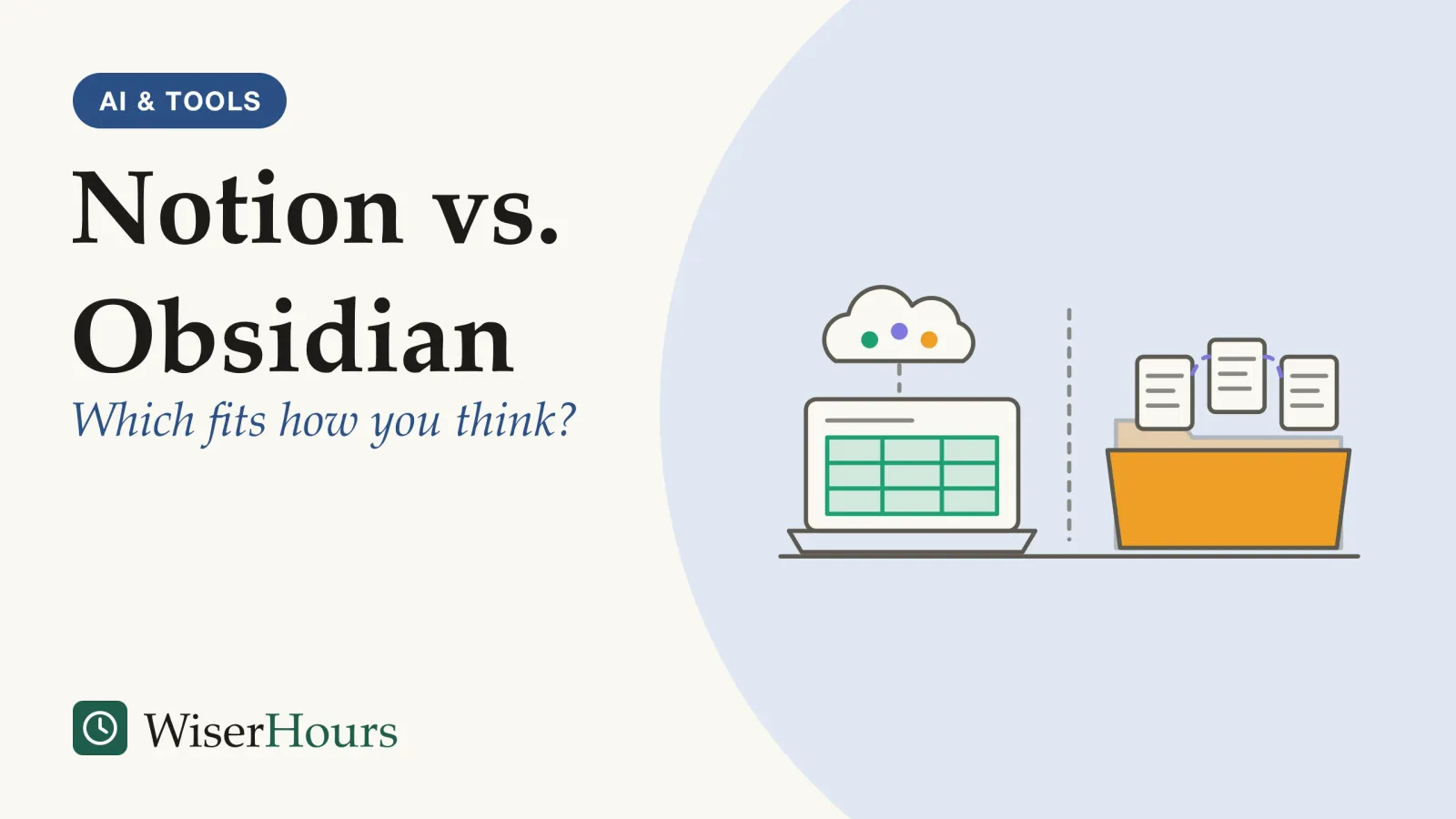
Notion vs Obsidian comes down to what a note is in each app. Notion is a cloud-hosted workspace of pages and databases, built for sharing with other people and reached from a browser, desktop or phone.1 Obsidian is a folder of Markdown text files on your own device, built for linking your own writing.2 Choose Notion when your notes are shared plans, tables and boards, and Obsidian when they are your own drafts and ideas.
Nobody independent has tested the two apps side by side, so every verdict here is our judgment, per use case, drawn from each company’s help, pricing and security pages, read on 24 October 2026. To see where both sit among phone apps, paper notebooks and outliners, start with the main types of notes app and who each suits.
Notion vs Obsidian at a glance: the points that decide it
The deepest difference between Notion and Obsidian is where a note lives and what it is made of. In Notion a note is a page in a company-hosted workspace that others can open; in Obsidian it is a text file in a folder you control. Most rows below follow from that, as each company’s own pages describe it.
| What decides it | Notion | Obsidian |
|---|---|---|
| What a note is, and where it lives | A page made of blocks, kept on Notion’s servers and opened in web, desktop and mobile apps | A Markdown plain-text file in a vault, a folder on your own device12 |
| Offline use | Pages you mark, in the desktop and mobile apps; Business and Enterprise also download recent and favorite pages | Works offline by default, since the files are on your device34 |
| Working with others | Share any page with members or guests at a chosen permission level | Shared vaults through paid Sync, for up to 20 people, with no live co-editing of one file56 |
| Structure | Databases of pages, shown as tables, lists, calendars, charts and more | Links between notes, plus the Bases core plugin for table, card, list, kanbankanban: A way of managing work on a board of columns, such as to do, doing and done, where new work is pulled in only when there is room and the number of tasks in progress is kept to a set limit. It comes from Toyota's factory system.Full entry in the glossary and map views78 |
| Cost in US dollars (October 2026) and AI | Free plan; Plus at 10 and Business at 20 a member a month, billed yearly; Notion AI included from Business, a trial below | The app is free for any use; Sync from 4 a user a month, billed yearly; no AI of its own910 |
| The way out | Pages leave as Markdown files and full-page databases as CSV, or pages and databases as HTML or PDF | Notes are already Markdown files (first row); arriving from Notion takes the Importer described below11 |
The first row explains most of the rest. A page on a server opens for anyone you invite, so sharing comes easily and offline use is the add-on. A file on your laptop works without a connection, so sharing is the add-on instead.
A couple planning a house move wants one shared checklist, a table of quotes from moving companies and a page both can edit from their phones: Notion’s home ground. A novelist’s research is the reverse, with one person, years of drafts, and links between characters and places that matter more than columns. That fits a folder of linked files. Three questions settle most cases before any feature does:
- Does anyone else edit these notes most weeks? If yes, lean toward Notion.
- Are your notes mostly rows with the same fields, or mostly prose that links to other prose? Rows lean toward Notion, prose toward Obsidian.
- Would you be uneasy with your notes on a company’s servers? If yes, lean toward Obsidian.
Where your notes live: a company’s servers or your own folder
Notion keeps your workspace on its own servers and encrypts it both in transit and in storage, which is what lets several people work on one page from any device.12 Obsidian keeps notes as files on your device, and its pricing page says that makes them inaccessible to the company.10 Obsidian also has no web version, so you install it on each computer or phone you use.13
The study
Limited evidence
Collaboration against ownership, in a 2019 paper on local-first software
Four researchers working with Ink & Switch, a lab that builds local-first software itself, set out the trade at a 2019 ACM symposium on programming. Cloud apps, they wrote, earn their place with real-time collaboration and access from every device, yet when the service shuts down, the software can stop working and the data made with it can be lost. They proposed that the primary copy should live on the user’s device, with servers keeping secondary copies.14
The paper argues a position and measures nothing, but it names what this choice trades.
the cloud gives us collaboration, but old-fashioned apps give us ownership.
Obsidian sits on the ownership side. The files are yours, and so is the job of backing them up: if a laptop dies and the vault was never synced or copied, nobody can restore it. Notion sits on the collaboration side, so your pages survive a lost phone but depend on the company and your account. Whichever you pick, cover its weak side in the first week, with a backup for an Obsidian vault or a full export saved outside Notion.
Does Notion work offline?
Yes, within limits. Notion’s help center says every user can view, edit and create pages offline in the desktop and mobile apps, once each page is marked as available offline on that device, and changes sync on reconnecting. Offline access is per device and per page: a database brings only its first 50 rows unless you download more, embeds and forms need a connection, and you cannot share pages until you are back online.3
- Myth
- Notion does not work offline.
- Fact
- Notion's help center describes offline pages in its desktop and mobile apps. You choose which pages to keep, on each device, before the connection drops.
Obsidian needs no preparation, because the notes are already on the device; its help pages describe them as Markdown files you can use offline, and only syncing waits for a connection.4
A consultant who opens Notion on a long flight will find any page she forgot to mark grayed out in search. Before a trip, mark the pages you will need on that device and check the offline list in Settings.
Working with other people: shared pages or a shared vault
Notion was built for working with other people, and Obsidian for one person’s files. Notion lets you share any page with workspace members or outside guests at a permission level you choose, and guests need their own Notion account.5 Obsidian’s shared vaults need a paid Sync subscription for every person who joins, hold up to 20 people, and give everyone the owner’s permissions except inviting; two people cannot edit one file live, and their changes are merged when they sync.6
A five-person volunteer committee writing a grant application shows the gap. In Notion, everyone opens the same page, comments in the margin and watches the draft change. In Obsidian, each member pays for Sync and has to avoid editing the same section at once. If other people edit your notes most weeks, that alone points to Notion.
Structure: Notion databases or Obsidian links and Bases
Notion organizes information with databases. In Notion’s description, every item in a database is a page with properties such as a date or a status, and the same data can be shown as a table, list, calendar, chart or other view.7 Obsidian organizes notes with links between files, and its Bases core plugin adds database-like views; the help page says all the data stays in your Markdown files and their properties, and a base only describes the view.8
In Notion the database is the store, while in Obsidian a base is a lens over notes that exist without it. A reading list shows the difference. In Notion you build a database with columns for author, status and rating, then switch to a kanban board grouped by status. In Obsidian each book is a note with those properties at the top, and a base gathers them into a table or board; delete the base and every note remains.
Choose by what you mostly keep. Records with the same fields, such as tasks, clients or invoices, play to the databases at the center of Notion. Prose that refers to other prose gains more from links, and Bases covers the occasional table.
Built-in AI, privacy and sensitive notes
Notion has its own assistant, Notion AI, which its pricing page offers as a limited trial on the Free and Plus plans and includes on Business and Enterprise.9 Obsidian’s pricing page lists no AI feature; AI in Obsidian means installing a community plugin written by another developer.10
Notion’s AI security page says customer data is not used to train AI models by default, and that its contracts bar its AI providers from training on it.15 Notion’s security page mentions no end-to-end encryption, so handle a workspace with the care you give any system a company hosts for you.12 Obsidian Sync encrypts end to end unless you choose otherwise, and its help pages warn that if you lose the encryption password, Obsidian cannot recover the password or the encrypted data for you.16
Plugins need more thought than sync. Obsidian runs in Restricted mode by default, and its help pages explain that once you turn on community plugins, they can read files on your computer, connect to the internet and install other programs; for sensitive data, it recommends an independent security audit of a plugin first.17 An AI plugin gets the same access to your vault as the app.
For client files, health records or anything under a duty of confidentiality, start with your employer’s or your country’s rules on where such data may be stored. Within those rules, the most private Obsidian setup has no community plugins and either no sync or end-to-end encrypted sync. A freelance bookkeeper keeping client notes in such a vault, backed up to an encrypted drive, leaves no copy on another company’s servers.
Is Obsidian really free, including for work?
Yes. Since 20 February 2025, Obsidian’s commercial license has been optional, so anyone can use the app for work without paying; before that, people at companies with two or more employees had to buy one. The announcement says all features are free and no account is required.18
The paid parts are services and support: Sync, Publish for turning notes into a website, and two optional supporter licenses, with Sync from 4 US dollars a user a month on yearly billing in October 2026.10 On Notion’s side, its pricing page says the Plus plan is free for students and educators who sign up with a school email, and that a Free workspace shared by several members has a block limit.9
A three-person design studio that once had to buy commercial licenses can now use the app free and pay only for Sync if it wants it. A comparison that says Obsidian needs a paid license for work predates February 2025. Prices can differ by country and currency, so check each pricing page where you live before you pay.
Which should you choose? Verdicts by use case
Is Obsidian better than Notion? For one person’s linked writing it usually is, and for shared tables, boards and project pages Notion usually is; neither suits everyone. Each verdict below applies the three questions from the first section to a common kind of user.
Solo writers and researchers
Obsidian fits best. Your notes are files any editor can open, links can grow into a Zettelkasten of permanent, numbered ideas, and everything works on a train with no signal.
Students
Both can cost nothing, since Obsidian is free and Notion’s Plus plan is free with a school email. Group projects suit Notion; a thesis or years of reading notes suit Obsidian.
Shared projects and small teams
Notion fits best, because its pages, permissions, comments and databases are made for several people at once. Obsidian’s shared vaults suit a small group that edits different files.
Private or sensitive notes
Obsidian, set up as described above, keeps notes furthest from anyone else. Choose Notion here only if your organization has approved it for that data.
Trying a switch, in either direction
Can you move notes from Notion to Obsidian? Yes. Obsidian’s official Importer plugin offers two routes, and its help page says only the account route, through Notion’s API, keeps databases, converting them to Bases; the file route, from a Notion zip export, does not. The account route needs a Notion access token and imports only each database’s primary view. For the file route, the page recommends exporting from Notion as HTML, because Notion’s Markdown export leaves out important data.4
Going the other way, Notion imports Markdown and text files and can turn a zip of Markdown files into pages in bulk.19 Notion’s own Markdown export saves ordinary pages as Markdown and full-page databases as CSV files, and a whole-workspace export can take up to 30 hours.11
A two-week trial switch
Using Notion and Obsidian together
Some people keep both: shared project pages, task boards and team databases in Notion, and personal drafts and reading notes in Obsidian. The split holds up when each kind of note has one home and no note has two live copies. When a draft is ready for others, move the finished version into Notion.
The bottom line
Pick by the notes you keep. If other people edit them and they look like rows in a table, Notion fits; if they are your own writing and you want the files on your device, Obsidian fits. Move one live project into the app you lean toward for two weeks, and check its export before the rest of your notes follow.
Frequently asked questions
Is Obsidian open source?
No. Wikipedia describes Obsidian as proprietary software, so its code is not open for anyone to read. Your notes are a different matter: Obsidian's help pages say they are plain-text Markdown files in a folder you choose, so other editors can open them, and they stay readable without the app.
Can I use Obsidian in a web browser?
Not as a web app. Wikipedia lists Obsidian for Windows, macOS and Linux computers and for iOS and Android phones, but not as a web application. Notion works in most web browsers as well as in its desktop and mobile apps, which helps on a borrowed or locked-down computer where you cannot install software.
Do I need an account to use Obsidian?
No. Obsidian's February 2025 announcement that the app is free for work says no account is required, and the app keeps notes as files on your device. You need an account only to pay for an add-on such as Obsidian Sync. Notion works the other way: your notes live in an account, and its help pages say guests invited to a page need their own Notion account.
Sources
- Notion (productivity software). Wikipedia (accessed 24 October 2026)
- How Obsidian stores data. Obsidian Help (accessed 24 October 2026)
- Everything you need to know about working offline in Notion. Notion Help Center (accessed 24 October 2026)
- Import from Notion. Obsidian Help (accessed 24 October 2026)
- Sharing & permissions. Notion Help Center (accessed 24 October 2026)
- Collaborate on a shared vault. Obsidian Help (accessed 24 October 2026)
- Intro to databases. Notion Help Center (accessed 24 October 2026)
- Introduction to Bases. Obsidian Help (accessed 24 October 2026)
- Notion pricing plans. Notion (prices in US dollars, accessed 24 October 2026)
- Obsidian pricing. Obsidian (prices in US dollars, accessed 24 October 2026)
- Export your Notion content. Notion Help Center (accessed 24 October 2026)
- Security at Notion. Notion (accessed 24 October 2026)
- Obsidian (software). Wikipedia (accessed 24 October 2026)
- Local-first software: you own your data, in spite of the cloud. Kleppmann, M., Wiggins, A., van Hardenberg, P. & McGranaghan, M. (2019). Onward! 2019, ACM SIGPLAN, doi:10.1145/3359591.3359737
- Notion AI security & privacy practices. Notion Help Center (accessed 24 October 2026)
- Security and privacy (Obsidian Sync). Obsidian Help (accessed 24 October 2026)
- Plugin security. Obsidian Help (accessed 24 October 2026)
- Obsidian is now free for work. Obsidian Blog, Steph Ango (20 February 2025; accessed 24 October 2026)
- Import data into Notion. Notion Help Center (accessed 24 October 2026)
How we researched this
Notion's and Obsidian's own help, pricing, security and blog pages were read on 24 October 2026 (Obsidian's help pages through the official source files behind them), with Wikipedia for background and one peer-reviewed 2019 paper on local-first software for the storage trade-off. Main limit: no independent study has compared Notion and Obsidian, so features come from the vendors and the verdicts are our judgment.
Keep reading
Logseq Explained: Outliner-Style Notes and Who They Suit
Logseq explained: an outliner where every note is a block, its 2 versions since 2026 (Markdown files or a database), privacy, price and who it suits.

Best Note-Taking Apps Compared: How to Choose
The best note taking apps compared as 6 types, from phone notes to Markdown files: choose by how you capture, how you refind and how your notes can leave.
A Single Source of Truth: What It Means and How to Get There
A single source of truth gives each key fact one home and one owner. What it means, how it differs from a system of record, and 5 steps for a small team.
Personal Knowledge Management Explained: A Beginner's Guide
Personal knowledge management explained: where the term began in 1998, a 4-step loop, the main schools, and how little of it has been tested.