Desk Organization Ideas That Actually Help You Work
6 desk organization ideas that make work easier, from zoning by reach to a short end-of-day reset, and what research says about messy desks.

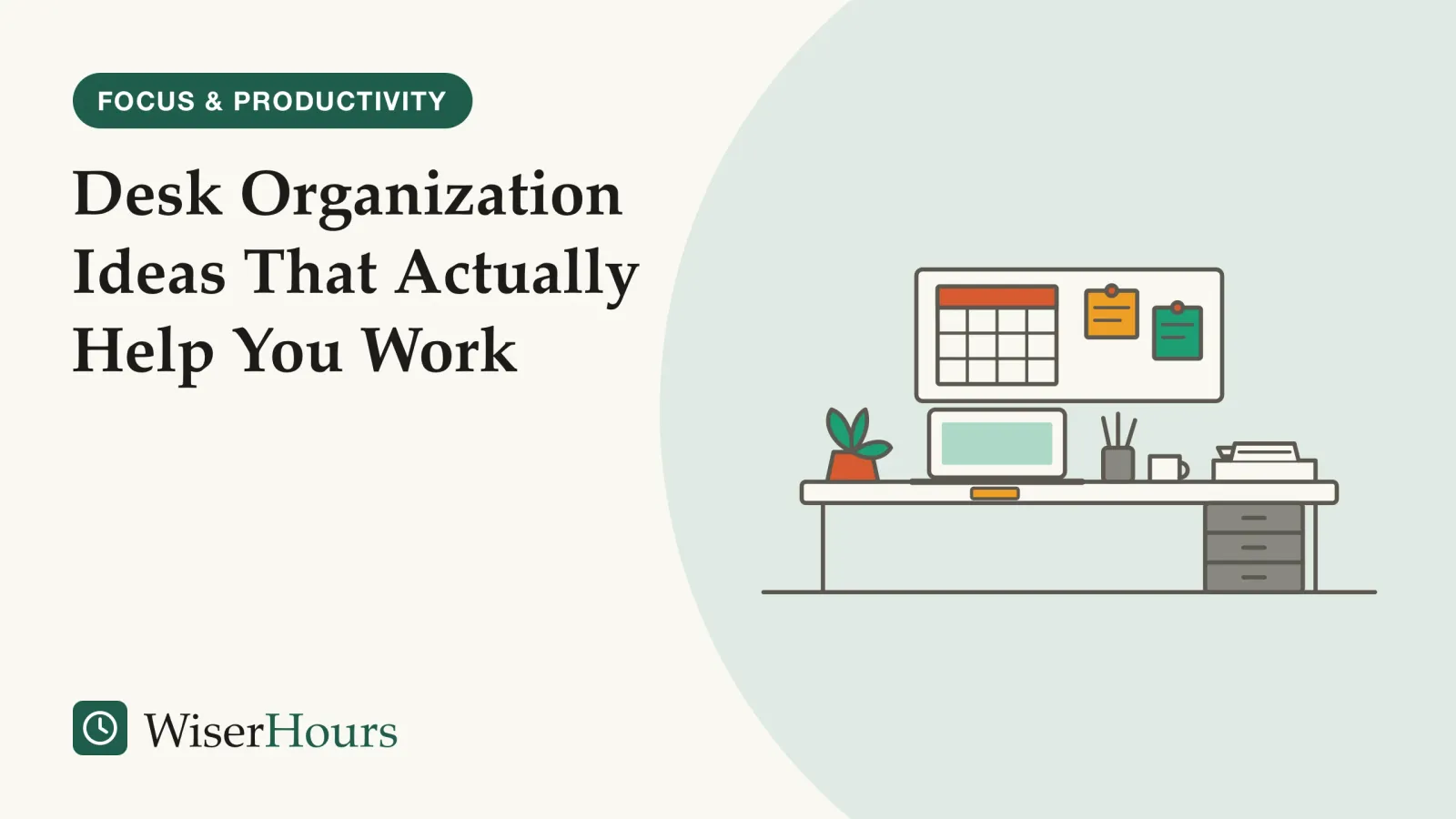
A laptop, two mugs, last month’s printouts, a tangle of chargers and a stapler share one desk, and the only clear patch is the size of a mouse mat. Nothing on it is broken, yet every task starts with moving something out of the way, and that small daily friction is what good desk organization ideas should remove.
Good desk organization is about distance and attention more than containers. The popular idea that mess feeds creativity is weaker than it sounds: in a 2019 US experiment with 100 adults, a messy desk made no difference to creativity. What helps is clearing the surface, placing things by how often you use them and resetting before you leave, in six steps:
- Clear the desk and put back only what earns a place
- Keep daily items within arm’s reach
- Give paper one inbox
- Use the wall for what you check often
- Keep a few things that make the desk yours
- Reset the desk before you leave it
A desk makes a good first project for an ordered method for getting organized, which starts with one small surface you use every day.
Desk organization ideas that cut searching and clutter
The six ideas run from clearing to keeping, and the first two do most of the work. Placing items by how often you use them comes from workstation safety guidance, and grouping what remains comes from attention research described further down. The rest is convention, and each step says so.
1. Clear the desk and put back only what earns a place
Take everything off the surface, including the top layer of the drawer, and wipe it down. Put items back one at a time: what you used at this desk this week returns, and everything else goes into a box to sort later, away from the desk.
A full desk hides how much is on it. Three staplers spread across a desk and a shelf look normal; lined up together, the duplicates are obvious. Nobody has trialed this step, so it rests only on the logic of seeing everything at once.
2. Keep daily items within arm’s reach
Arrange the desk by how often you reach for each thing. Daily items, such as the keyboard, mouse, notebook, one pen and today’s papers, go where you can reach them without leaning. Weekly items, such as the stapler, chargers and reference folders, go at the back of the desk or in a drawer. Spare supplies, finished projects and manuals leave the desk for a shelf or cupboard.
Canada’s occupational safety body, CCOHS, says a workspace should let you place equipment and materials according to their importance and how often you use them.1 The US agency OSHA advises keeping frequently used devices, such as the keyboard, mouse and phone, within the primary work zone.2 Elsewhere, look up your own national workplace safety body. Chair, screen and keyboard height belong to the basics of an ergonomic desk setup.
- Within arm’s reach: what you use every day: keyboard, mouse, notebook, one pen, the papers for today’s task
- Desk edge or drawer: what you use every week, such as the stapler, chargers and reference folders, plus the paper tray
- Shelf, cupboard or another room: what you use rarely: spare supplies, finished projects, manuals
Zoning cuts both costs of clutter: each daily item has one fixed spot, so you stop searching, and weekly and rare items leave your line of sight. A pen you pick up all day earns a place beside the notebook; a hole punch used twice a month does not. The three bands are our convention, since the guidance says only that closer means more often.
3. Give paper one inbox
Choose one tray where every piece of incoming paper lands, and nowhere else. Clear it at set times, daily or in a weekly session, deciding for each sheet whether to act on it, file it or throw it away.
The single inbox comes from Getting Things DoneGetting Things Done: David Allen's productivity method: capture every commitment in a trusted system, decide the next action for each, sort them into lists and review them weekly. Its central step has experimental support, but no trial has compared the method as a whole with another.Full entry in the glossary, David Allen’s productivity system, which asks for an inbox within easy reach, emptied daily or at least weekly. Emptying it means deciding where each item goes, and nothing has to be finished on the spot.3 It is a practitioner’s method that no trial has tested.
A small pile of current work is fine. In interviews published in 1983, Thomas Malone of Xerox PARC in the US found that an important job of desk arrangement is reminding people of things to do, as well as helping them find things.4 In a 2001 study at AT&T Labs in the US, Steve Whittaker and Julia Hirschberg found that office workers who filed paper promptly kept larger archives and used them less often than those who kept piles, which the authors call premature filing.5 Both papers were read as abstracts only. Keep the tray for what still needs a decision, and file only finished work you will need again.
4. Use the wall for what you check often
Wall space suits the few things you look at often, such as a calendar, a project plan or the next deadline. A board or narrow shelf above the desk keeps them visible without using work surface, and a monitor stand can hold a notebook underneath.
Keep the wall as sparse as the desk, because a crowded board above the screen is still clutter in your line of sight. Keep the floor under the desk clear too: OSHA’s guidance says legroom should stay free of files, computer towers, books and storage.2 For the cords, a simple guide to cable management shows how to route them out of the way.
5. Keep a few things that make the desk yours
A plant, a photo or a piece of art can stay. In two experiments published in 2010, Craig Knight and Alex Haslam, psychologists at Exeter in the UK, found better well-being and productivity scores in offices decorated with plants and art than in bare ones. The work was funded partly by a UK research council and partly by Ambius, which supplies office plants, and Haworth, which makes office furniture. Scores rose further when people chose the decoration themselves and fell back when an experimenter overrode their choices.6 Effect sizes are left out, as only the abstract was available.
Protect the work zone and leave room for choice around it. A clear space in front of you does the practical job, and the Exeter results suggest that stripping a desk completely bare is not the goal.
6. Reset the desk before you leave it
Spend about five minutes before you stop work putting daily items back, sorting the inbox and emptying the space in front of the keyboard. Then jot the first task for tomorrow on a small note and put it in the middle of the desk, so it greets you in the morning. The five minutes and the note are our suggestion.
- 1Daily items backeach to its spot in reach
- 2Sort the inboxact, file or bin
- 3Clear the frontnothing before the keyboard
- 4Leave a notetomorrow's first task
The note has some research behind it: a 2016 paper by Brandon Smit at Ball State University (US) found that employees had more trouble switching off from work goals left unfinished, and that making plans to finish those goals helped people who usually struggle to detach.7 That paper, too, was read as an abstract only. An end-of-day review routine extends the same habit to your task list.
Set up your desk
How do you organize a small desk?
On a small desk, the arm’s-reach zone covers almost the whole surface, so everything used weekly or less has to leave it: into a drawer unit beside the desk, onto the wall or into a box. A shared desk needs a kit that leaves with you and an agreed rule about what stays out.
Raise the screen on a stand and slide the keyboard under it when you stop, which frees the surface for writing. A narrow drawer unit or rolling cart can stand beside the desk, never in the legroom. At a kitchen or dining table, keep the whole work kit in one box, packed away each evening, so the step 6 reset becomes literal.
On a shared desk, each person keeps their things in their own box or drawer and puts it away when they leave, and shared items such as the stapler get one agreed spot. Agreeing those rules together fits the Exeter finding that people did better when they had a say in their workspace.6
When the desk is too small for the work
If the arm’s-reach zone is still crowded after clearing, the desk may be too small for the job. Move one whole activity, such as paperwork or reading, to another surface before you buy anything.
Why clutter competes for your attention
Everything in view competes for a share of your visual attention. In a 2011 Princeton University brain-imaging study, shapes shown at the same time suppressed one another’s signals in the visual cortex, and shapes arranged into one group competed less. A cluttered desk gives your attention more competition to sort out.
Stephanie McMains and Sabine Kastner scanned the brains of 10 adults as they viewed displays of simple shapes. Shapes shown together dampened each other’s signals, a competition the authors describe as automatic; when the same shapes lined up into a single figure, they competed less and left attention less to resolve.8 The study measured brain signals while people looked at shapes on a screen, so it cannot speak directly to work at a desk.
In a 2007 paper on visual search, Ruth Rosenholtz and colleagues at MIT in the US note that crowded, disorganized displays make it harder to find things, and harder for a new item to draw attention.9 A sticky note on a crowded desk is one item among many, while on a clear surface it stands out.
A writer with six loose pens, a phone, a stack of mail and three sticky notes around the keyboard has about a dozen separate things in view. The same items in one pot, one tray and one drawer make three. That grouping helps at a real desk is our inference from the lab work, and it takes a few minutes to test on your own.
Does a messy desk affect productivity?
A messy desk has not been shown to make you more creative or to wreck your work. A widely reported 2013 finding that disorder sparks creativity did not hold up when a team in New York tested it again in 2019 with a larger group. The clearer costs of clutter are practical ones, such as time spent searching and things competing for your eye.
The idea that mess helps creative thinking comes from three experiments published in 2013 by Kathleen Vohs and two co-authors at the University of Minnesota in the US. People in a disorderly room came up with more creative ideas than people in a tidy one, while people in a tidy room chose healthier snacks and gave more to charity.10 The creativity task asked students for new uses for a ping-pong ball, at a desk either scattered with papers or neatly arranged.11
- Myth
- A messy desk makes you more creative.
- Fact
- One 2013 experiment found that. A larger 2019 attempt to repeat it found no difference in creativity between messy and tidy desks.
The repeat test came from a team led from Mercy College in New York.
The study
Moderate evidence
A 2019 New York test of the messy-desk effect
Alberto Manzi and colleagues randomly assigned 100 adults, with an average age of about 23, to work at either a neatly arranged desk or a messy one. There they took two standard creativity tests and several tests of attention, memory and task switching. The messy desk made no reliable difference to any creativity measure, or to the other tests.11
One study that finds nothing cannot prove mess never matters, and it used different creativity tasks from the 2013 work. Still, the advice to keep a messy desk for creativity rests on a single result that has not been repeated. The case against mess is mixed too: four studies published in 2014 by Boyoun Chae and Rui Zhu, working at universities in Canada and China, linked disorganized surroundings with weaker self-control on later tasks.12 In those studies the clutter was placed behind and above the desk, according to the 2019 team’s summary, so clutter on the wall in front of you may matter as well as clutter on the desk.11
So tidy your desk to save searching and distraction, and leave creativity out of the decision. A designer who works happily among sketches and fabric samples has no research reason to clear them away; someone who starts each morning hunting for a charger does.
Research, guidance or habit: rating each idea
The evidence is strongest on attention and weakest on layout: no trial has compared desk arrangements against real work output. The table sorts each idea by the best evidence we found.
| What it is | What the best evidence found | Evidence |
|---|---|---|
| Zoning by reach | Place items by importance and frequency of use; most-used devices closest | Official guidance, Canada and US12 |
| One paper inbox | An inbox within easy reach, emptied daily or weekly | Practitioner method3 |
| Piles versus prompt filing | Prompt filers kept bigger archives and used them less | Observational, limited: one workplace5 |
| Personal items on display | Decorated offices beat bare ones; choosing the decoration helped most | Trials, moderate: abstract read, part industry-funded6 |
| An end-of-day plan | Planning unfinished goals helped people who struggle to detach | Trial, limited: abstract read7 |
| Clutter and attention | Shapes in view competed in the visual cortex; grouped shapes competed less | Lab study, limited: 10 adults8 |
| A messy desk and creativity | A 2013 creativity boost from disorder was not repeated in a larger 2019 experiment | Trials, mixed1011 |
| Disorder and self-control | Disorganized surroundings linked to weaker self-control on later tasks | Four studies, limited: abstract read12 |
| Wall storage, small and shared desks | No study found | Gap: convention |
The bottom line
Sort your desk by how often you reach for each thing, because that one decision removes most of the searching and much of the clutter in view. Then set up a single tray for paper, and before you leave each day, clear the space in front of your keyboard and write down tomorrow’s first task.
Frequently asked questions
What should be on a work desk?
Only what you use most days: the computer, keyboard and mouse, a notebook and pen, the papers for the task in hand, and perhaps a drink, a lamp and one or two personal things. Workstation guidance from Canada's CCOHS and the US agency OSHA puts the most-used items closest to you. Everything you use weekly can go in a drawer, and anything rarer belongs off the desk.
Do I need to buy desk organizers?
No study we found shows that buying trays, caddies or drawer dividers makes people more productive. Clear the desk and sort by use first, so you know what needs a home and how big it must be. One tray for paper and one pot for pens cover most desks, and boxes or jars you already own do the same job as bought organizers.
How often should I clear out my desk completely?
No study has tested a schedule, so this is convention. A short reset at the end of each working day keeps the surface usable, and a full clear-out, with everything off and back by how often you use it, is worth repeating whenever the drawer stops closing or a new project changes what you reach for. Our suggestion is a full clear-out about once a season.
Sources
- Working Space. Canadian Centre for Occupational Health and Safety (CCOHS), fact sheet last revised 2020-10-22; checked current 2026-10-17
- Computer Workstations eTool: Desks. Occupational Safety and Health Administration (OSHA), US Department of Labor; checked current 2026-10-17
- Getting Things Done. Wikipedia, accessed 2026-10-17
- How do people organize their desks? Malone, T. W. (1983). ACM Transactions on Office Information Systems, 1(1), 99-112
- The character, value, and management of personal paper archives. Whittaker, S. & Hirschberg, J. (2001). ACM Transactions on Computer-Human Interaction, 8(2), 150-170
- The relative merits of lean, enriched, and empowered offices: An experimental examination of the impact of workspace management strategies on well-being and productivity. Knight, C. & Haslam, S. A. (2010). Journal of Experimental Psychology: Applied, 16(2), 158-172
- Successfully leaving work at work: The self-regulatory underpinnings of psychological detachment. Smit, B. W. (2016). Journal of Occupational and Organizational Psychology, 89(3), 493-514
- Interactions of Top-Down and Bottom-Up Mechanisms in Human Visual Cortex. McMains, S. & Kastner, S. (2011). Journal of Neuroscience, 31(2), 587-597
- Measuring visual clutter. Rosenholtz, R., Li, Y. & Nakano, L. (2007). Journal of Vision, 7(2), 17
- Physical Order Produces Healthy Choices, Generosity, and Conventionality, Whereas Disorder Produces Creativity. Vohs, K. D., Redden, J. P. & Rahinel, R. (2013). Psychological Science, 24(9), 1860-1867
- Workspace Disorder Does Not Influence Creativity and Executive Functions. Manzi, A., Durmysheva, Y., Pinegar, S. K., Rogers, A. & Ramos, J. (2019). Frontiers in Psychology, 9, 2662
- Environmental Disorder Leads to Self-Regulatory Failure. Chae, B. & Zhu, R. (2014). Journal of Consumer Research, 40(6), 1203-1218
How we researched this
We searched Crossref, OpenAlex, Europe PMC and publisher sites in October 2026 for experiments on messy and tidy workspaces, visual clutter and attention, office decoration, paper handling and end-of-day planning, and read workstation guidance from occupational safety bodies in Canada and the US. Sources date from 1983 to 2019. Main limitation: no trial has tested a desk layout against real work output, and seven papers were read as abstracts only.
Keep reading
Cable Management: A Simple Guide
Cable management in 6 steps with cheap parts: one power strip under the desk, heavy cables first, loose ties, slack, and the fire rules for cords and rugs.
Ergonomic Desk Setup: The Basics
An ergonomic desk setup in 6 steps from US and UK safety guidance, and what trials show: the setup has not been proven to prevent pain.
How to Build a Capsule Wardrobe
How to build a capsule wardrobe in 5 steps: log what you wear for two weeks, pick a palette, size it to your climate and life, buy slowly, review each season.
How to Create a Weekly Cleaning Schedule
How to make a weekly cleaning schedule in 5 steps that fit your free time and household, with 3 ready-made versions to copy and adapt.