Ergonomic Desk Setup: The Basics
An ergonomic desk setup in 6 steps from US and UK safety guidance, and what trials show: the setup has not been proven to prevent pain.

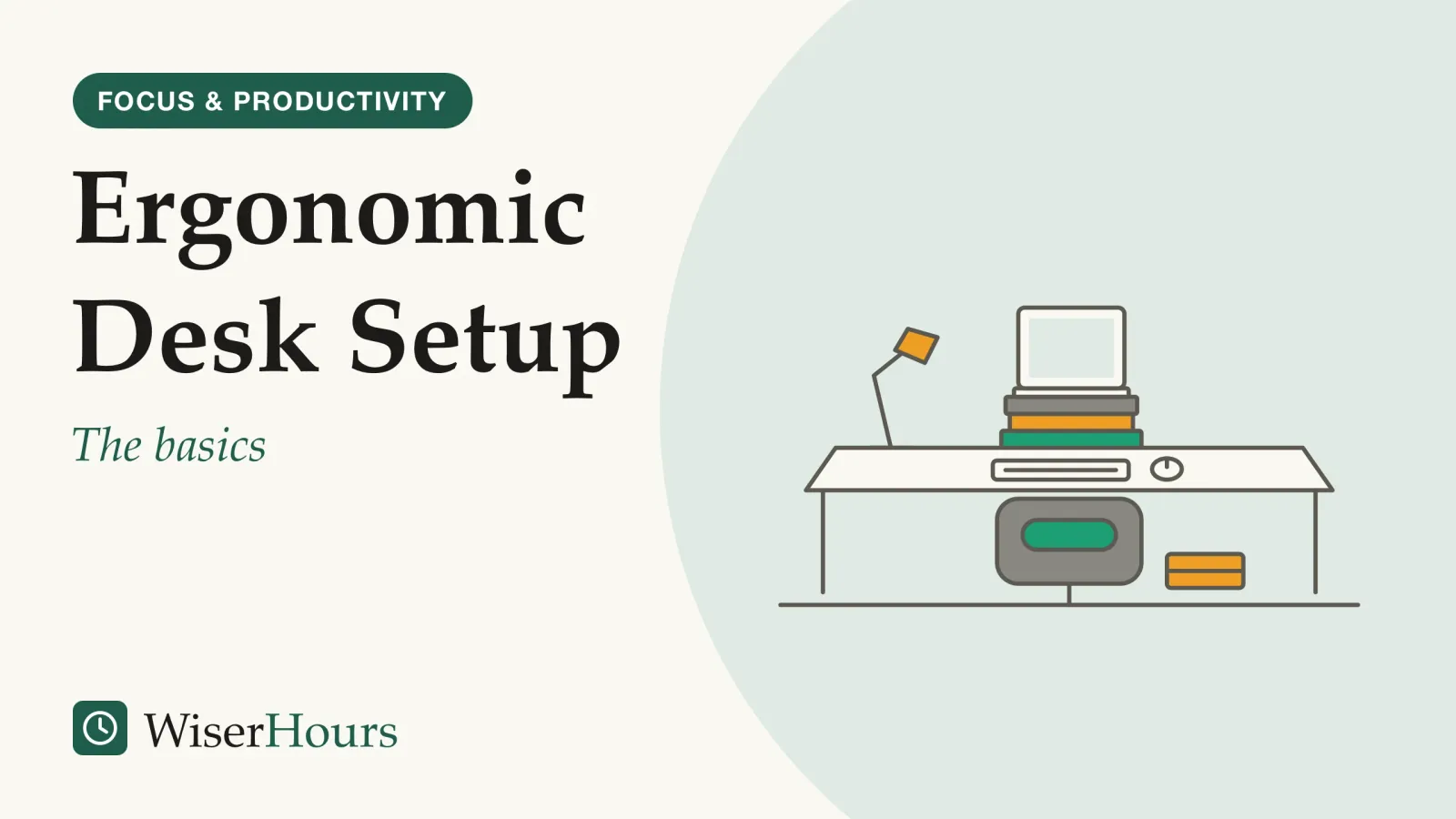
Most ergonomic advice sounds more certain than the research behind it. An ergonomic desk setup fits the desk to your body, so you can work without reaching, hunching or twisting, and the US and UK workplace safety regulators agree on what that looks like. A 2018 Cochrane review of workplace trials found little good evidence that changing office workstations prevents neck and arm problems, mainly because most trials were small and at high risk of bias.1 So treat these six steps as a way to work in comfort and notice trouble early, not as a cure:
- Set the chair first
- Bring the keyboard to elbow height
- Keep the keyboard and mouse close
- Put the screen at arm’s length and eye level
- Give a laptop its own keyboard and a raised screen
- Change position through the day
Why an ergonomic desk setup starts with your body
An ergonomic desk setup starts with your body because the goal, in the US Occupational Safety and Health Administration’s (OSHA) Computer Workstations eTool, is a neutral posture: head balanced over the torso, shoulders relaxed, elbows by your sides, wrists straight and feet supported. OSHA says working this way reduces strain on muscles, tendons and the skeleton, and that holding any one posture for long periods is unhealthy, however good it is.2
Think of a laptop on the kitchen table. To see the screen, you tip your head down; to reach the keys, you lift your shoulders or bend your wrists. None of it hurts at first, which is why it is easy to keep doing for weeks.
Your desk is one corner of a broader plan for getting organized.
So work in order. Each setting depends on the one below it: the chair decides where your elbows are, and your elbows decide where the keyboard goes. Adjust before you buy: a new keyboard set up around the wrong chair height only moves the strain somewhere else.
How to set up a desk that fits you
The UK Health and Safety Executive’s (HSE) posture guide and OSHA’s eTool come down to the same six adjustments, made from the floor up. They differ in detail, not in direction. Work through them once, then recheck whenever something changes.
- Feet and seat: feet flat on the floor, or on a footrest, with the seat supporting the thighs and a small gap behind the knees
- Lower back: the backrest fits the curve of the lower back; a cushion or rolled towel can stand in
- Elbows and keyboard: shoulders relaxed, elbows by your sides, keyboard just below elbow height and the mouse close to it
- Eyes and screen: the top of the screen at or just below eye level, straight ahead, about an arm’s length away
1. Set the chair first
OSHA’s eTool says your feet should rest flat on the floor, or on a footrest if the seat has to stay high, and the seat should support most of your thigh without pressing into the back of your knee. The backrest should fit the curve of your lower back; if it doesn’t, a rolled-up towel or a cushion can stand in.3
A dining chair can pass this test with a cushion behind the back and a sturdy box under the feet. The point is the fit, not the furniture.
2. Bring the keyboard to elbow height
With the chair set, the HSE’s guide puts the keyboard just below elbow height, with you sitting high enough that you don’t need to shrug your shoulders. It also keeps the screen and keyboard straight in front of you, so you don’t twist, with the mouse in line with your elbow.4
If the desk is too high for your elbows, OSHA’s answer is to raise the seat and put a footrest under your feet, not to replace the desk.3
3. Keep the keyboard and mouse close
OSHA’s quick tips are to keep the mouse close to the keyboard, to alternate the hand you use it with, and to use keyboard shortcuts to cut down on long stretches of mousing. One culprit can be the number pad on a full-size keyboard, which pushes the mouse out to the side so your arm drifts away from your body all day; OSHA lists a keyboard without one as a fix.5
4. Put the screen at arm’s length and eye level
The HSE’s guide puts the top of the screen level with your eyes, about an arm’s length away and directly in front of you.4 OSHA puts the top line at or slightly below eye level and at least 20 inches (50 cm) away. It notes that a screen set too far makes you lean forward, off the backrest, and suggests larger text for small screens.6
If you catch yourself creeping toward the screen by mid-morning, change the text size or the distance, not your posture.
5. Give a laptop its own keyboard and a raised screen
For long spells on a laptop, the HSE advises a separate keyboard and mouse so the laptop screen can be raised on a riser or something similar, or a separate screen altogether.4
A stack of sturdy books works as a riser: the keys come down to your elbows and the screen comes up to your eyes.
6. Change position through the day
A well-set desk still does not make sitting still harmless. OSHA suggests small adjustments to the chair, stretching your hands, arms and torso, standing up to walk around for a few minutes now and then, and doing some tasks standing, such as phone calls and reading.2 The lesson is that the best posture is the next one.
Check your desk in five minutes
Does ergonomic setup prevent pain? What trials show
The trial evidence for workstation changes is weaker than the confident guidance suggests: a 2018 systematic reviewsystematic review: A review that fixes its question and its rules for including studies in advance, then searches out every study that fits and weighs them together. Some systematic reviews pool the results into a meta-analysis; others describe what the studies found without combining the numbers.Full entry in the glossary by Cochrane found few clear benefits for preventing neck and arm problems in office workers. Most of its findings carry low or very low certaintycertainty of evidence: A rating of how confident we can be that a body of research has an effect about right, graded high, moderate, low or very low. It grades the evidence, not the stakes: low certainty means little is known, not that little is at risk.Full entry in the glossary, so “no clear effect” here means not shown, which is different from shown not to work.
The study
Limited evidence
Cochrane's 2018 verdict on 15 office workstation trials
The reviewers pooled trials of physical changes, training and extra breaks among office workers who mostly started without neck or arm problems. A trial that set up workstations to OSHA and NIOSH recommendations found no clear difference in neck, shoulder or arm symptoms, on very low-quality evidence, and a trial of sit-stand desks found no clear difference in neck and shoulder discomfort. The one benefit backed by moderate-quality evidence came from two studies, of engineers and call-center staff: over 12 months, about 12 in 100 workers given an arm support plus an alternative mouse developed a neck or shoulder disorder, against about 23 in 100 with a standard mouse. An alternative mouse or an arm support on its own made no clear difference to new disorders.1
The review asks about prevention, so it says little about treating pain you already have, and most of its trials were too small or too flawed to show an effect either way. One detail hints at why setups underdeliver: in the trial of recommended adjustments, fewer than half of the workers were following every part of the setup at any of the checks.1
Back pain reads the same way. A 2023 network meta-analysis of prevention trials in office workers, funded by the German education and research ministry, found mostly minor effects, with the evidence judged low or very low in certainty. In an additional analysis, ergonomics combined with physical activity may reduce back pain intensity, but the authors question how much that matters in practice.7
Sit-stand desks cut sitting, not proven pain
In trials, sit-stand desks reduce time spent sitting at work, but Cochrane reviews found no clear drop in back, neck or shoulder symptoms and no clear change in self-rated work performance.
In the 2018 Cochrane review of workplace sitting, sit-stand desks cut sitting at work by well over an hour and a half a day in the first three months, and by less later on; the reviewers rated the evidence low quality and found no data beyond a year. The three small studies that measured work performance found no clear difference.8
Less sitting is not the same as less pain. A 2019 companion Cochrane review looked at desk workers who already had aches: programs that got people standing or walking more, desks included, made no clear difference to back or neck symptoms, on low- or very-low-quality evidence, though the authors saw hints of benefit from changes to the work environment. The review also notes that earlier studies have linked standing at work with low back and leg pain.9 That matches OSHA’s warning that holding any one posture for long periods is unhealthy, and standing still is still a held posture.2
A year-long randomized trial, SMArT Work, funded by the UK Department of Health, gave NHS office staff in England height-adjustable desks plus coaching. After a year they sat more than an hour less per workday and rated their own job performance higher, but the share reporting aches over the past year did not clearly differ; a few secondary measures, such as neck and arm problems in the past week, favored the desk group.10
Picture one way a new standing desk goes: a week of standing through every call, then sore feet, then a desk that never leaves sitting height again. Switch between sitting and standing through the day, and recheck the elbow and screen checkpoints each time, since heights that suit sitting rarely suit standing.
What UK employers must do for screen users
In the UK, the Health and Safety (Display Screen Equipment) Regulations require employers to protect workers who use screens daily for continuous periods of an hour or more, including home workers. In law, employers must assess each workstation, reduce the risks, provide an eye test on request and give training.11
The assessment is not a one-off. The HSE says an assessment should cover any special requirements, such as a disability, and employers must also carry out one when a workstation is set up or changed, when a new user starts, and when users complain of pain or discomfort, and that assessment software is not an assessment on its own.12 Employers must also plan work so screen users get breaks or changes of activity.13
Take a daily screen user who starts working from home three days a week. The HSE says the regulations can apply to hybrid workers like this, and that the assessment should cover both the office desk and the one in the spare room.14
In the US, OSHA says its eTools create no new requirements, so its workstation advice is guidance.15 The OSH Act’s General Duty Clause obliges employers to keep workplaces free from recognized serious hazards, and OSHA says that includes ergonomic hazards.16 Elsewhere, check your national workplace safety regulator. If you work in the UK and your neck or wrist starts to ache, telling your employer is not a complaint to dread: in the HSE’s guidance, a complaint of pain is one of the triggers for a fresh assessment.
Guidance against the trials, at a glance
The guidance tells you how to sit; the trials test whether sitting that way prevents pain.
| What it is | What the best evidence found | Evidence |
|---|---|---|
| Workstation changes for neck and arm problems | No clear effect for most, including setups to official recommendations; an arm support plus alternative mouse reduced new neck and shoulder disorders | Meta-analysis, limited (one comparison moderate)1 |
| Ergonomics plus physical activity for back pain | May reduce back pain intensity; effects mostly minor | Meta-analysis, limited (low certainty)7 |
| Sit-stand desks: sitting time and work performance | Less sitting at work for up to a year; no clear difference in self-rated performance | Meta-analysis, limited (low quality)8 |
| Sit-stand desks and aches | No clear difference in back or neck symptoms | Meta-analysis, limited (low quality)9 |
When desk pain needs a professional
The NHS says most back pain improves within a few weeks, but some signs need urgent care, and pain that lingers deserves a doctor’s view; a desk setup is not a treatment.17 These tiers follow NHS (UK) and MedlinePlus (US) advice; the order is ours.
- Now: the NHS says back pain needs 999 or A&E when it comes with pain, tingling, weakness or numbness in both legs, loss of feeling around the genitals or anus, changes in bladder or bowel control, chest pain, or pain that started after a serious accident, and that you should not drive there yourself.17 In the US, MedlinePlus advises calling 911 or the local emergency number for a neck or spine injury with loss of feeling or movement, or severe chest pain.18 Outside the UK and US, dial your country’s emergency number.
- Within a day or two: for back pain with feeling hot, cold, shivery or generally unwell, or severe pain that starts suddenly or worsens quickly, the NHS route is an urgent GP appointment or help from NHS 111.17
- If it lingers: the NHS says to see a GP if neck pain has not gone after a few weeks, painkillers have not helped, or it comes with a cold arm or pins and needles.19 MedlinePlus (US) says to contact a doctor if neck pain has not eased after a week of self-care.20 The NHS gives the same advice for pain, tingling or weakness in the hands, wrists or arms that is not going away or is getting worse; in many areas you may be able to refer yourself for NHS physiotherapy without seeing a GP, and an occupational therapist can suggest changes to your workspace.21
The bottom line
Set your desk from the floor up: feet, lower back, elbows, then eyes, and give a laptop its own keyboard and a raised screen. Treat it as a guide to comfort, not proven protection, because trials of workstation changes are small and mostly inconclusive, and sit-stand desks cut sitting without a proven effect on aches. The habit worth keeping is to notice discomfort early and change something, whether the setup, your position or your routine, before it becomes pain that needs a doctor.
This article is general information, not medical advice. If you're worried about your health, talk to a doctor or another qualified professional.
This article is general information, not legal advice. Rules differ by country and change over time; for your own situation, speak to a qualified lawyer or an official advice service where you live.
Frequently asked questions
Do I need an expensive ergonomic chair?
Not necessarily: we found no trial that pitted expensive chairs against cheap ones. OSHA's workstation eTool lists what matters: a seat you can adjust in height, support for the curve of the lower back, a stable five-leg base and armrests that let your shoulders relax. It suggests trying chairs before buying one, and a rolled towel or cushion as a stopgap for lower back support.
Are ergonomic mice and wrist rests worth buying?
The evidence is mixed. In the 2018 Cochrane review, an alternative mouse or an arm support on its own made no clear difference to new disorders; only the two combined cut new neck and shoulder disorders, on moderate-quality evidence from two studies. OSHA suggests a pointing device that fits your hand and works with a light touch, and trying it before you commit to it.
How often should I take a break from the screen?
The UK Health and Safety Executive sets no fixed rule, because it depends on the work, but it prefers short, frequent breaks to long, rare ones: 5 to 10 minutes every hour is better than 20 minutes every 2 hours. Breaks should let you get up and move, or at least stretch and change posture, and ideally you choose when to take them.
Sources
- Ergonomic interventions for preventing work-related musculoskeletal disorders of the upper limb and neck among office workers. Hoe, V. C. W., Urquhart, D. M., Kelsall, H. L., Zamri, E. N. & Sim, M. R. (2018). Cochrane Database of Systematic Reviews, CD008570
- Computer Workstations eTool: Good Working Positions. Occupational Safety and Health Administration (US), checked 2026-09-24
- Computer Workstations eTool: Workstation Components, Chairs. Occupational Safety and Health Administration (US), checked 2026-09-24
- Working safely with display screen equipment: Good posture when using display screen equipment. Health and Safety Executive (UK), updated 2025-03-20
- Computer Workstations eTool: Workstation Components, Pointer/Mouse. Occupational Safety and Health Administration (US), checked 2026-09-24
- Computer Workstations eTool: Workstation Components, Monitors. Occupational Safety and Health Administration (US), checked 2026-09-24
- Interventions for preventing back pain among office workers: a systematic review and network meta-analysis. Eisele-Metzger, A., Schoser, D. S., Klein, M. D. et al. (2023). Scandinavian Journal of Work, Environment & Health, 49(1), 5-22
- Workplace interventions for reducing sitting at work. Shrestha, N., Kukkonen-Harjula, K. T., Verbeek, J. H., Ijaz, S., Hermans, V. & Pedisic, Z. (2018). Cochrane Database of Systematic Reviews, CD010912
- Workplace interventions for increasing standing or walking for decreasing musculoskeletal symptoms in sedentary workers. Parry, S. P., Coenen, P., Shrestha, N., O'Sullivan, P. B., Maher, C. G. & Straker, L. M. (2019). Cochrane Database of Systematic Reviews, CD012487
- Effectiveness of the Stand More AT (SMArT) Work intervention: cluster randomised controlled trial. Edwardson, C. L., Yates, T., Biddle, S. J. H. et al. (2018). BMJ, 363, k3870
- Working safely with display screen equipment: Overview. Health and Safety Executive (UK), updated 2025-03-20
- Working safely with display screen equipment: Workstations and assessment. Health and Safety Executive (UK), updated 2025-03-20
- Working safely with display screen equipment: Work routine and breaks. Health and Safety Executive (UK), updated 2025-03-20
- Working with display screen equipment at home. Health and Safety Executive (UK), updated 2024-06-04
- Computer Workstations eTool. Occupational Safety and Health Administration (US), checked 2026-09-24
- Ergonomics: Standards and Enforcement FAQs. Occupational Safety and Health Administration (US), checked 2026-09-24
- Back pain. NHS (UK), page last reviewed 5 March 2026
- When to use the emergency room - adult. MedlinePlus, US National Library of Medicine, review date 4 September 2024
- Neck pain. NHS (UK), page last reviewed 27 April 2023; checked 2026-09-24
- Neck pain. MedlinePlus, US National Library of Medicine, review date 14 January 2026
- Repetitive strain injury (RSI). NHS (UK), page last reviewed 28 May 2026
How we researched this
We read the US OSHA Computer Workstations eTool and ergonomics enforcement FAQs and the UK HSE guidance on display screen equipment (all checked current on 2026-09-24), then searched PubMed and the Cochrane Library for systematic reviews and randomized trials of workstation changes and sit-stand desks in office workers, published 2018 to 2023, and checked NHS and MedlinePlus pages for help routes. Main limitation: most trials are small, and the reviews rate most of their findings low or very low certainty.
Keep reading
How to Get Organized With ADHD
How to get organized with ADHD in 5 steps that put reminders in the room, not your head, and what 2010 trials of skills therapy for adults found.
How to Organize Computer Files: A Folder Structure That Lasts
How to organize computer files in 6 steps, based on studies of how people really find their files: shallow folders, one per project, and an archive.
How to Let Go of Sentimental Items
How to let go of sentimental items in 4 steps: photograph the memory, box the hard cases, choose who gets each, keep a few in view.
How to Declutter Your Home: A Room-by-Room Guide
How to declutter your home in 6 steps: set up exits, start where choices are easy, leave keepsakes for last, and get rid of batteries and medicines safely.