Systems Integration: When Your Tools Don't Talk to Each Other
Systems integration in plain words: 4 ways to connect a CRM, invoicing tool and spreadsheet, their hidden costs, and when a manual step is fine.

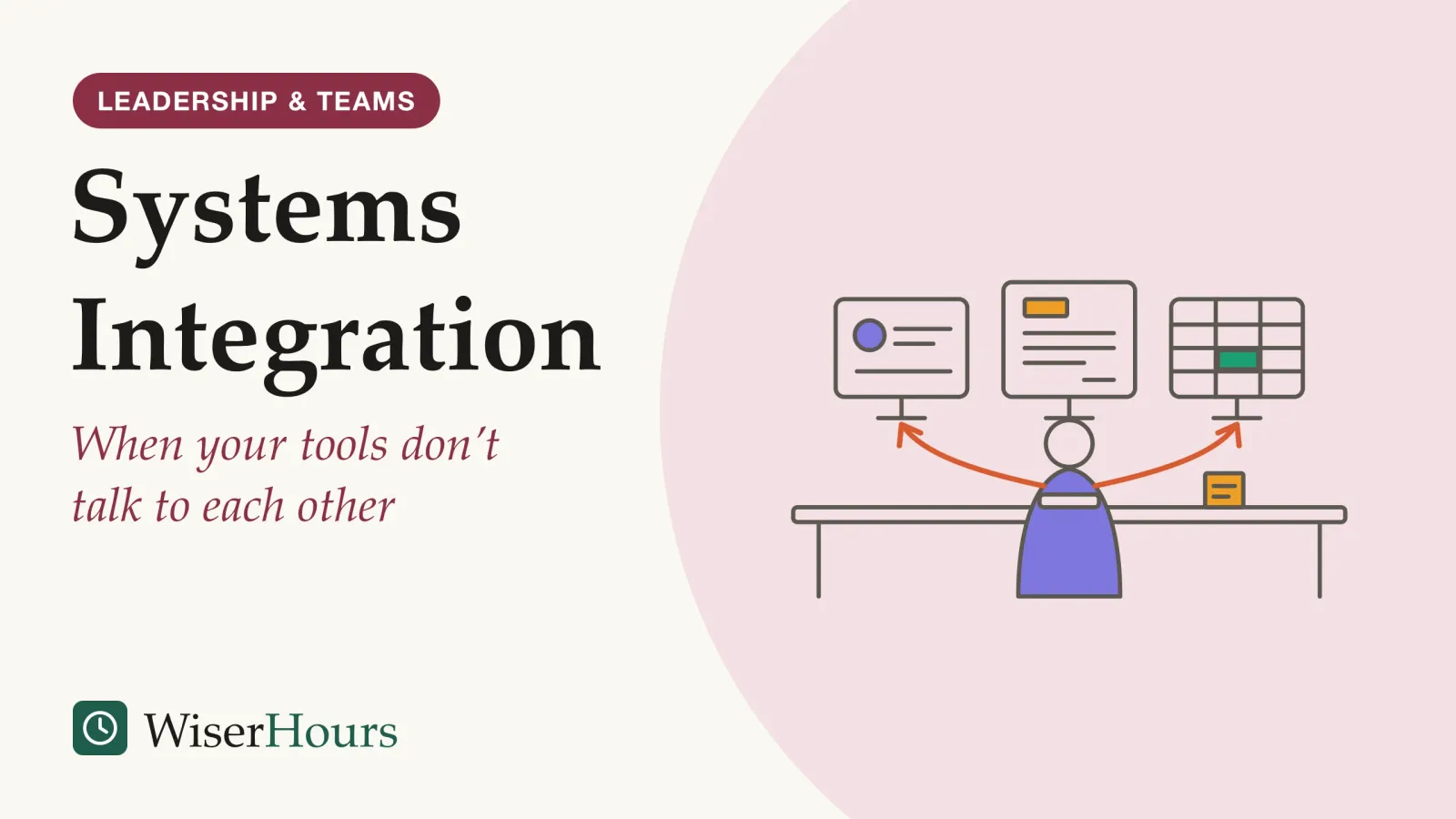
A new client signs on Monday. An account manager types her name, company and email into the CRM. The next day someone in finance types the same details into the invoicing tool, and on Wednesday a project lead adds her to the team’s tracking spreadsheet, spelling the company name a third way. By Thursday the client exists three times, in three slightly different versions.
Systems integration links separate pieces of software so they work as one coordinated whole, and data entered once reaches every tool that needs it. For a small business or a team, the practical choices come down to four routes: a connector built into one of the apps, a direct link through their APIs, an integration platform in the middle, or one shared system of record. Each has running costs. One reason to bother is accuracy: in a systematic reviewsystematic review: A review that fixes its question and its rules for including studies in advance, then searches out every study that fits and weighs them together. Some systematic reviews pool the results into a meta-analysis; others describe what the studies found without combining the numbers.Full entry in the glossary of clinical research data, copying by hand between systems was the least accurate method of the four it compared.1
What is systems integration?
In information technology, systems integration means linking different computing systems and software applications, physically or functionally, so they act as a coordinated whole, in Wikipedia’s definition. Its stated benefits include sharing data as it changes and reducing manual data entry, which can also cut errors.2
Systems integration in one sentence
Systems integration is the work of connecting separate software tools so they share data and steps automatically, and behave like one system instead of several islands.
The need grows with every tool a business adopts. Each new app solves one job well and stores its own copy of customers, orders or hours. Without connections, people become the connection, reading a value off one screen and retyping it in the next, and a change made in one place never reaches the others.
The problem is common even in large, well-funded IT departments. In MuleSoft’s 2025 Connectivity Benchmark Report, a survey run with Vanson Bourne and Deloitte Digital among 1,050 IT leaders at organizations with at least 1,000 employees in nine countries, respondents said that on average only 29 percent of their applications were connected. MuleSoft sells integration software and is owned by Salesforce, so read the figure as a vendor’s survey of large enterprises.3
Some organizations hand the work to a systems integrator, a person or company that brings separate subsystems together and makes sure they work as a whole; data quality problems are an important part of that job, Wikipedia’s entry notes.4
Integration is one tool among several for fixing a process, and the basics of process improvement cover the wider method of finding where work goes wrong. Start by listing every place your team types the same piece of information twice.
Why copying data by hand costs more than the minutes it takes
Retyping is slow, but the bigger cost is error. A 2025 systematic review of clinical research found that abstraction, where staff read records in one system and enter the values into another, had both the highest and the most variable error rates of the four data-processing methods it compared.1
The study
Limited evidence
Copying by hand from records had the highest error rate of four data methods, in a 2025 review
Pooling 84 of 93 published papers about clinical research data, the review found that medical record abstraction, copying values by hand from patient records into a study form or database, produced errors in about 6.6 percent of fields, roughly 1 in 15. Single data entry, one person typing from a structured form, averaged about 0.3 percent, or 3 in 1,000 fields.1
The review did not test why abstraction fares worse, though the two tasks differ. Abstraction means locating each value in a record system and copying it into a separate study form or database, while single data entry copies from a structured form. The studies date from 1978 to 2008 and come from one field, and the authors warn that differences in how errors were counted can shift rates by a factor of 2 or more, so treat the figures as a warning about the method rather than a forecast for your team.1
A sales assistant, in an invented example, copies 40 new contacts a week from a CRM into an invoicing tool, six fields each: about 240 fields a week. Even at a tenth of the review’s abstraction error rate, that would mean a wrong email address or company name every month or two, each one surfacing later as a bounced invoice or a duplicate customer.
Before deciding whether a connection is worth building, count how many fields your team copies by hand each week and what a wrong one would cost.
The four practical ways to connect tools
Most small and medium teams connect tools in one of four ways: a native integration built into one of the apps, a direct link through the apps’ APIs, an integration platform that sits in the middle, or a single system of record that every function shares. They differ in setup effort, in flexibility and in who has to maintain them.
Native integrations
A native integration is a connector one vendor has already built for another’s product, switched on from a settings page. It suits the common pairings, a CRM and an email tool or a shop and its accounting software, where the vendor has decided which fields sync. The trade-off is control: you get the fields and rules the vendor chose, and changing them means asking the vendor.
Point-to-point links through APIs
A direct link has one application call another’s interface, usually through custom code; how APIs and webhooks pass data between apps covers the mechanics. Each link is simple on its own. The trouble is the count: fully connecting every application to every other one needs n(n-1)/2 links, so 10 applications need 45, a pattern Wikipedia’s entry on enterprise application integration calls spaghetti.5 Each of those links is code someone has to keep working.
Integration platforms and automation tools
An integration platform as a service (iPaaS) is a set of cloud services for building, running and governing integration flows between applications, without installing or managing middleware yourself.6 The no-code automation tools many teams already use sit at the small end of this group, and choosing among them is the subject of Zapier, Make and n8n compared. The platform becomes the hub: each app connects once to it instead of to every other app. The platform is also a new subscription, and a new place where your data passes through.
A shared system of record
The fourth route reduces the number of separate tools. An enterprise resource planning (ERP) suite, for example, runs accounting, purchasing, sales and other functions as integrated applications, typically on a shared database, so there is less to connect in the first place.7 The cost is a large move: data migration, retraining and a period when old and new run side by side.
The classic vendor typology maps onto these routes. Wikipedia’s entry describes “star” or “spaghetti” integration, where every subsystem connects to every other, and “horizontal” integration through a dedicated communication layer, which cuts the links to one per subsystem.2
What is the difference between an API and an integration?
An API is the doorway one program offers to others; an integration is the whole arrangement that uses it. NIST’s glossary defines an API as a system access point or library function with a well-defined syntax that application programs can call to get well-defined functionality.8
An integration adds everything the API leaves open: which records move, in which direction, how often, how fields in one tool translate to fields in the other, what happens when a transfer fails, and who gets told. Two companies can use the same invoicing API and build very different integrations on it.
A shop’s sales platform may offer an API that lists every order. That alone moves nothing. The integration is the decision to send each paid order to the accounting tool every hour, match the customer by email, convert the currency field and alert the bookkeeper if a transfer fails. Whoever writes those rules down owns the integration, whatever tool runs it.
A simple data-mapping example
Data mapping is the step of matching each field in one tool’s data model to a field in another’s, and it is a first step for many data integration tasks, Wikipedia’s entry notes.9 The mapping below shows a CRM contact flowing into an invoicing tool.
| CRM field | Invoicing field | What has to happen |
|---|---|---|
| Full name | First name, last name | Split one field into two; decide what to do with a single word |
| Billing email | Use as the matching key, so an existing customer is updated, not duplicated10 | |
| Company | Customer name | Agree one spelling, or every variant becomes a new customer |
| Close date (03/04/2026) | Invoice date | Agree a date format: 3 April in much of the world, March 4 in the US5 |
| Deal amount | Line total | Carry the currency with the number |
The email row matters most. HubSpot’s documentation for its own sync tool says contacts are matched on email by default, and records that do not match go through the sync on their own.10 A customer who uses a different email address in each tool can end up as two records.
Write the mapping as a table before switching anything on. Mark which tool owns each field, and test with five real records, including one messy one.
The hidden costs: upkeep, breaking changes, duplicates and ownership
An integration is a small piece of software that keeps running after setup, so its real cost arrives later. The four costs that catch teams out are routine maintenance, changes made by the vendors at either end, duplicate records, and unclear ownership of the data.
Vendors change their APIs on their own schedule. Shopify, for example, releases a new API version every three months and supports each stable version for at least 12 months; after that, a request to the old version is answered by the oldest version still supported, not the one the connection was built for.11 A connection built once and left alone can drift out of date without any visible failure.
Duplicate records build up quietly. When separate departments keep separate customer databases, one customer becomes several records; Wikipedia’s entry on master data management gives the example of a bank customer who takes out a mortgage yet may still be sent advertisements for one, because marketing and customer service keep separate databases.12
Ownership is the cost nobody budgets for. Information systems can disagree about the same fact because of timing, differing definitions or plain bugs, and one fix is to name a system of record: the authoritative source for each piece of data.13 HubSpot’s sync settings make the same choice concrete, asking you to pick the app whose value wins when the two disagree.10
- Myth
- Once an integration is switched on, the job is done.
- Fact
- Vendors keep changing their APIs, so every connection needs a named owner who checks it and fixes it when it breaks.
Give each connection a named owner, a note of which tool is the system of record for each field, and a calendar reminder to check it at least once a quarter.
Integrate, replace or keep the manual step?
The right answer depends on how often the step happens, how costly its errors are and how settled the process is. Integration pays back on frequent, stable, error-prone steps; replacing tools makes sense when connections multiply; and a rare or still-changing step is often cheaper to leave manual for now.
Frequency matters because the upkeep (an owner, regular checks, fixes after vendor changes) is the same chore whether the connection moves ten records a month or ten thousand. Stability matters because every change to the process means changing the connection too. Wikipedia’s entry notes that an extensive cost-benefit analysis usually comes before an integration project, and challenges such as unclear responsibilities and data silos can erode the return.2
Before you connect two tools
A five-person agency that invoices 12 clients a month might keep invoicing manual and add a checklist. The same agency onboarding 50 clients a week has a different answer.
The bottom line
Systems integration earns its keep on steps that are frequent, stable and expensive to get wrong, because hand-copying between systems is where errors creep in. Pick the lightest route that works, starting with a native connector, and treat every connection as something that needs an owner and a check. This week, list each place your team types the same data twice and map the busiest one field by field.
Frequently asked questions
What does a systems integrator do?
A systems integrator is a person or company that specializes in bringing separate subsystems together and making sure they work as a whole, Wikipedia's entry explains. In IT the work usually means matching a client's needs to existing products, building the connections and a substantial amount of diagnosis and troubleshooting. In industrial automation, the entry adds, integrators often act as the engineering department of small manufacturers.
What is an example of systems integration?
A sales team closes a deal in its CRM, and the customer's name, billing address and agreed price flow straight into the invoicing tool, which creates a draft invoice. Accounting then sees the payment status back in the CRM. Nobody retypes the customer's details, and both tools hold the same version of them.
What is middleware?
Middleware is software that sits between applications and passes data among them, often translating formats on the way. In enterprise application integration, Wikipedia notes, a central broker or bus connects to each application through an adapter, so each application needs only one connection to the broker instead of one to every other application.
Sources
- Error rates of data processing methods in clinical research: A systematic review and meta-analysis of manuscripts identified through PubMed. Garza, M. Y., Williams, T., Ounpraseuth, S., Hu, Z., Lee, J., Snowden, J., Walden, A. C., Simon, A. E., Devlin, L. A., Young, L. W. & Zozus, M. N. (2025). International Journal of Medical Informatics, 195, 105749
- System integration. Wikipedia (accessed 17 October 2026)
- Agents Integration Key as 93% of IT Leaders Turn to AI Agents Amid Soaring Resource Demands – New Research. Salesforce News (29 January 2025), on MuleSoft's 2025 Connectivity Benchmark Report
- Systems integrator. Wikipedia (accessed 17 October 2026)
- Enterprise application integration. Wikipedia (accessed 17 October 2026)
- Cloud-based integration. Wikipedia (accessed 17 October 2026)
- Enterprise resource planning. Wikipedia (accessed 17 October 2026)
- Application Programming Interface (API). NIST Computer Security Resource Center Glossary (accessed 17 October 2026)
- Data mapping. Wikipedia (accessed 17 October 2026)
- Connect and use HubSpot data sync. HubSpot Knowledge Base (accessed 17 October 2026)
- About Shopify API versioning. Shopify developer documentation (accessed 17 October 2026)
- Master data management. Wikipedia (accessed 17 October 2026)
- System of record. Wikipedia (accessed 17 October 2026)
How we researched this
We read Wikipedia's entries on system integration and related terms, the NIST glossary, vendor documentation from Shopify and HubSpot, one vendor-run survey (labelled as such) and a 2025 systematic review of data-processing error rates in clinical research, in October 2026. Main limitation: we found no independent study of integration costs or outcomes in small businesses, so the practical advice rests on documentation and on evidence from other settings.
Keep reading
Business Process Reengineering: What It Is and Why It Got a Bad Name
Business process reengineering redesigns work from a blank sheet. Where the 70 percent failure claim came from, why BPR meant layoffs, and when it fits.

Little's Law Explained: The Simple Formula Behind Lead Time
Little's law links three averages: work in progress = throughput x lead time. How to use it, the 5 conditions it needs, and the mistake to avoid.

Efficiency vs. Effectiveness: Why the Difference Matters
Efficiency vs effectiveness: one asks what work costs, the other whether it hits the goal. Drucker's line, 4 combinations and how to measure each.

How to Write a Standard Operating Procedure: A Step-by-Step Guide
How to write a standard operating procedure in 7 steps, from deciding whether a task needs one to testing the draft on someone new. What the guidance says.