Personal Kanban: Visualize Your Work and Limit Work in Progress
Personal kanban's 2 rules, show your work and cap what is in progress, explained with the research on why fewer open tasks finish sooner.

Judges at the labor court in Milan were handed their new cases by lottery, so each received much the same workload. Some still took longer than others to close their cases, and the slower ones tended to have more cases open at once. Studying those judges’ records, economists Decio Coviello, Andrea Ichino and Nicola Persico reported in 2015 that judges who juggled more open cases took longer to finish them, with no sign of a trade-off in the quality of their decisions.1
Personal kanban applies the same lesson to one person’s work. Its creators, Jim Benson and Tonianne DeMaria, build it on two rules, which they call visualizing your work and limiting work in progress.2 The board shows every commitment you have taken on, and the limit makes you finish things before you start new ones. Among the major productivity systems, it is the one aimed squarely at half-finished work. Five steps put it into practice:
- Put every commitment on one board
- Set a small limit on what is in progress
- Finish something before you start something new
- Give waiting work its own column
- Check the limit after two weeks
What personal kanban takes from Toyota’s factory floor
Personal kanban borrows its central idea from Toyota: work is pulled in when there is room for it, not pushed in as soon as it exists. Toyota’s official history dates the idea to a 1954 “supermarket method”, in which each stage of production collected only the parts it needed from the stage before, the way a shopper takes goods from a shelf.3
Before that change, Toyota’s machining shop sent parts forward whether assembly needed them or not. Parts piled up in storage, assembly fell short of plan whenever parts were missing, and each month ended in a rush of catch-up production. The supermarket method then grew into the kanban system, named for the card or board that stated which product to make and how many.3
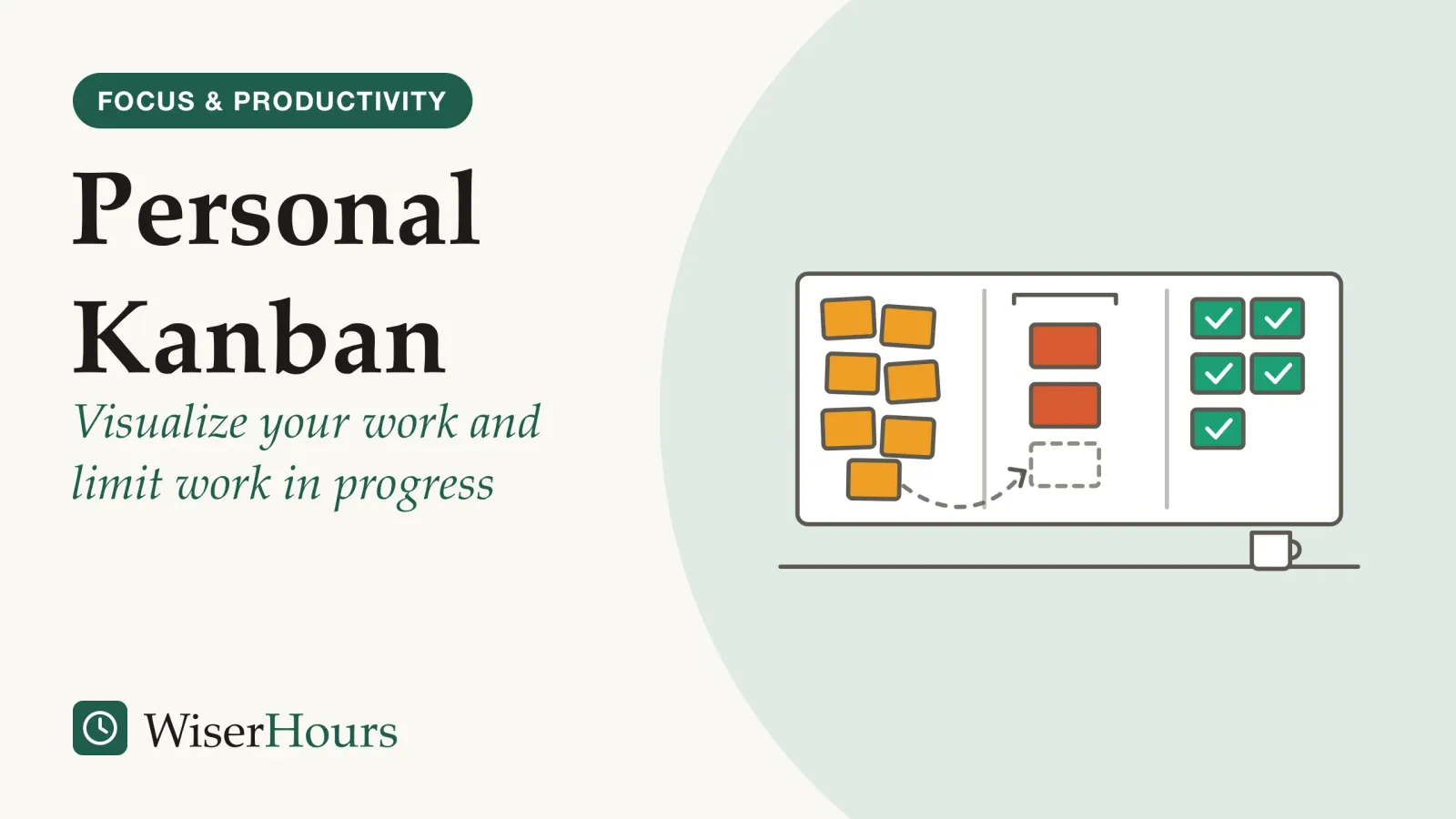
A crowded working week can look much the same. Requests arrive by email and in meetings, each gets started because someone asked, and by Thursday a dozen jobs are half done, each waiting on a missing piece. Benson and DeMaria’s version brings the idea to everyday knowledge work, where the inventory is ideas, emails, requests and projects, and their simplest board has three columns.2
- 1Optionseverything you might do, one card each
- 2Doingonly as many cards as your limit allows
- 3Donefinished work, kept in view
The creators call the first column Options rather than To Do, to stress that each card is a choice, not an obligation waiting in a fixed queue. They also say it is the limit on work in progress that turns a board from a wish list into a working system.2 The practical lesson: a board with no limit is only a tidier list.
Further reading
Personal Kanban: Mapping Work | Navigating Life
Benson and DeMaria's own guide to the two rules this article is built on, with more board layouts and advice on setting limits.

As an Amazon Associate WiserHours earns from qualifying purchases.
How to use personal kanban in five steps
The steps follow the creators’ own advice. The sections after them explain what research says about why a limit helps and how low to set it.
1. Put every commitment on one board
Write one card for each thing that has a claim on your time: projects, tasks, obligations and the things you keep meaning to do. Put nearly all of them in Options, and move only a few into Doing.2 Sticky notes, a whiteboard or an app will do, as long as the board holds everything. If the first pass feels endless, a step-by-step plan for getting organized from scratch begins the same way, with one complete list.
2. Set a small limit on what is in progress
Pick a number for Doing, write it at the top of the column and start low: the creators suggest 2 or 3 for one person.2 Count only tasks you are actively moving this week. A card that is not moving belongs back in Options, where it waits without claiming a place.
3. Finish something before you start something new
When Doing is full, a new card waits in Options until something reaches Done, unless you deliberately remove a card from Doing.2 Of the five steps, this is the one the Milan judges study supports most directly.
Order may matter as well. When six judges at Rome’s labor appeals court began giving priority to their oldest case by booking all its hearings at once, three authors of the Milan study estimated that average case duration fell by about 12 percent, compared with a control group of 44 judges.4 The six had volunteered for the change, so the comparison was not randomized. On a board, the nearest equivalent is to finish first the card that has been in Doing longest.
4. Give waiting work its own column
Add a Waiting column for tasks stuck on someone else, such as a reply, a signature or a delivery. Waiting cards stay visible without taking a place in Doing, which keeps the limit honest and gives you something to switch to when a task stalls. A Waiting column that keeps filling up shows where your work depends on other people.
5. Check the limit after two weeks
After two weeks, look back at what finished, what stalled and how long cards took to get from Doing to Done. The creators suggest reviewing the board daily or weekly and adjusting the limit as you learn.2 If you often had nothing you could work on, raise the limit by one; if cards sat in Doing for days without moving, lower it.
Your first two weeks
A board frees your mind only if you trust it
Putting your work on a board may help because a reliable record outside your head lets your memory stop holding it. Experiments on saving files, published in 2015 by Benjamin Storm and Sean Stone, suggest the benefit depends on trusting the record.5
In three experiments, people remembered a new file better when they had saved the previous one first. The benefit disappeared when the saving process was unreliable, and when the first file was too slight to interfere with memory for the second. The authors conclude that saving lets people offload memory, so information they do not need right now interferes less with what they are learning.5 The studies used computer files, not task lists, so applying them to a kanban board is our inference, and we had access to the abstract alone.
Think of a team lead who carries “chase the supplier, check the budget, reply to legal” through every meeting, rehearsing the list so nothing slips. Once those items sit on a board she checks each morning, she can stop rehearsing them. If the board is a week out of date, she cannot, because she no longer believes it is complete.
Keeping the board believable
A board earns your trust by being complete and current. Put every commitment on it, keep one board rather than several, and move a card the moment its work moves. Where the board lives matters less than whether you believe it.
Why fewer tasks in progress means each one finishes sooner
When the pace at which you finish work stays the same, every extra task in progress adds to the average time each one takes from start to finish. Little’s law, a rule from queueing theory, states the relationship precisely for averages over time, and the Milan judges study shows what juggling costs in practice.
John Little proved the law in 1961, and operations managers use it in this form: averaged over a period, the time a job takes from start to finish equals the work in progress divided by the rate at which work gets done.6
Suppose you finish about 5 tasks a week. With 20 tasks open, the average one takes about 4 weeks from start to finish; with 10 open, about 2. You are not working any faster, and the other 10 still wait in Options. The difference is that each task you start gets finished sooner, and fewer sit half done.
- Juggled: two tasks, each needing five days of work, done on alternate days: the first is finished on day 9, the second on day 10
- One at a time: the same two tasks done in turn: the first is finished on day 5, the second still on day 10
The judges study put a number on that cost. Because a lottery decided how many new cases each judge received, the researchers could treat it as a natural experimentquasi-experimental: Describes a study that compares a group that got something with a group that did not, where the researcher did not do the assigning: a policy, a rollout or people's own choices did. Because the groups were not formed at random, they may have differed before it started.Full entry in the glossary and separate the effect of juggling from the judges’ own differences in skill and effort.
The study
Moderate evidence
Caseloads by lottery at a Milan labor court, 2000 to 2005
Every judge drew a similar, lottery-assigned caseload, yet those who kept more trials open at once took longer to complete them. The authors estimated that about 2 extra active cases, a 1 percent rise in juggling, would lengthen the average trial of about 280 days by roughly 3 to 6 days. Appeal rates, their measure of quality, gave no sign that the juggling produced better decisions.1
Per case, the effect is modest: a few days on trials that last most of a year. But every open case pays it at once, and the authors judged the total large enough to matter for Italy’s slow courts. Their estimate also includes the cost of getting back into a case after an interruption, which they could not measure separately; research on attention residue, the mental pull a half-finished task leaves behind, describes that cost. The biggest limit is where the study took place: one court, one kind of work, and a caseload the judges did not choose.1
The authors draw a conclusion from their work that runs against a common instinct.
- Myth
- Starting a task early gets it finished sooner.
- Fact
- A started task that then waits finishes no sooner. Working on fewer tasks at a time delays when some of them start, not when they finish, the judges study's authors argue.
So when a new request arrives and your Doing column is full, leaving it in Options is not neglect. By the authors’ reasoning, it should finish no later than if you had started it today, and everything already open should finish sooner.1
The best limit is low, but not so low that you sit idle
The best limit is the smallest number that still leaves you something to work on when a task stalls. In a 2014 study of physicians in a busy hospital emergency department, Diwas KC found that taking on more patients at once was linked to faster discharges only up to a threshold; beyond it, work slowed, fewer diagnoses were detected and more patients returned within 24 hours.7
The reason is waiting. A doctor may be waiting for test results, a judge for the next hearing, an office worker for a reply or an approval. With only one task open, every wait leaves you idle. The judges study’s authors make the same point: judges cannot work on one case at a time without long idle stretches, so the aim is as few open cases as possible without idle time.1
Our theoretical model indicates that durations are minimized when the number of open cases is kept as small as possible – that is, as large as necessary to avoid idle periods but not larger.
Software teams show the same trade-off. In one company’s records of more than 8,000 work items from five teams over four years, Dag Sjøberg found that lower work in progress went with shorter lead times, but its link with productivity contradicted the claim that a low limit improves productivity, so an ideal limit was hard to pin down; he also notes weaknesses in how productivity was measured.8 The study covered teams, not individuals, and only its abstract was open to us.
The creators’ starting range, 2 to 3 items in Doing for one person and 3 to 7 for a team, is advice from experience.2 No study has tested a number for individuals, so start inside that range and treat your first number as a guess to correct.
How strong the case for kanban is
No study has tested personal kanban as one person uses it, so its case rests on the evidence for its two ideas and on reports from teams. For software teams, a 2018 synthesis of 20 studies by Paulo Sérgio Medeiros dos Santos and colleagues found that the benefits backed with the most confidence were work visibility, control of tasks, flow of work and shorter time to market.9
That record is weaker than it sounds. Almost all of the studies were observational and qualitative, and the authors noted that negative results seem not to get published, a form of publication biaspublication bias: The tendency for studies with striking or statistically significant results to be published, while quieter ones stay in the drawer. Since the missing studies are mostly the unimpressive ones, a pooled result tends to overstate the effect until it is corrected.Full entry in the glossary.9 Our own PubMed search for “personal kanban” in September 2026 returned seven records, and none tested an individual using it.
| What it is | What the best evidence found | Evidence |
|---|---|---|
| Fewer open tasks at once | Judges with more open cases took longer to finish them, with no sign of better decisions | Natural experiment, moderate: one court1 |
| A trusted outside record | Saving a file helped memory for the next one, unless saving was unreliable | Experiments, limited: abstract only5 |
| How many tasks at once | Faster discharges up to a threshold, then slower work and lower quality of care | Observational, limited: one emergency department7 |
| Work in progress in teams | Lower work in progress went with shorter lead times; its link with productivity contradicted the claim that low limits raise it | Observational, limited: one company8 |
| Kanban in software teams | Visibility, control and flow of work had the most support; no negative results reported | Synthesis of mostly observational studies, limited9 |
| Personal kanban for one person | No study found | Gap |
So treat personal kanban as a well-reasoned experiment on yourself rather than a proven method. Write the date on each card when it enters Doing and when it reaches Done. If that time shrinks over your first month and nothing important has slipped, keep the limit; if it does not, change the limit before you give up on the board.
The bottom line
Personal kanban rests on simple arithmetic: if you finish work at the same pace, fewer tasks open at once means each one you start is done sooner. Put everything on one board you trust, keep Doing small enough that cards keep moving but large enough that you are never idle, and start something new only when something finishes. After two weeks, check whether cards reach Done faster.
Frequently asked questions
Why do people take on too many tasks at once?
Pressure from the people waiting is one explanation. Coviello, Ichino and Persico suggest that the Milan judges they studied may have opened cases early because lawyers lobbied for their own case to start, or because rules required cases to be opened quickly. They present this as a conjecture, not a finding. A visible limit on your board gives you a way to show someone what starting their task now would delay.
Can a team use personal kanban?
Yes. Its creators, Jim Benson and Tonianne DeMaria, say the name was chosen to set knowledge-work kanban apart from factory kanban, not to limit it to individuals, and they suggest limits of 3 to 7 items in progress for teams. Teams also have more research behind them than individuals do, although the 2018 synthesis by dos Santos and colleagues found that studies of software teams were mostly observational and qualitative.
Does a kanban board work better on paper or in an app?
No study has compared them for personal use. Benson and DeMaria say sticky notes and digital tools both work, and that the method is about how you think and decide, not any particular software. The saving experiments by Benjamin Storm and Sean Stone point to what may matter more: whether you trust the record. Choose the board you will actually keep current and look at every day.
Sources
- The Inefficiency of Worker Time Use. Coviello, D., Ichino, A. & Persico, N. (2015). Journal of the European Economic Association, 13(5), 906-947
- Personal Kanban. Modus Cooperandi (Jim Benson and Tonianne DeMaria), page updated February 2026, accessed 2026-09-24
- Item 4. Supermarket Method. Toyota Motor Corporation, 75 Years of Toyota (official company history), accessed 2026-09-24
- Multitasking, Multiarmed Bandits, and the Italian Judiciary. Bray, R. L., Coviello, D., Ichino, A. & Persico, N. (2016). Manufacturing & Service Operations Management, 18(4), 545-558
- Saving-Enhanced Memory: The Benefits of Saving on the Learning and Remembering of New Information. Storm, B. C. & Stone, S. M. (2015). Psychological Science, 26(2), 182-188
- Little's Law as Viewed on Its 50th Anniversary. Little, J. D. C. (2011). Operations Research, 59(3), 536-549
- Does Multitasking Improve Performance? Evidence from the Emergency Department. KC, D. S. (2014). Manufacturing & Service Operations Management, 16(2), 168-183
- An empirical study of WIP in kanban teams. Sjøberg, D. I. K. (2018). Proceedings of the 12th ACM/IEEE International Symposium on Empirical Software Engineering and Measurement (ESEM 2018)
- On the benefits and challenges of using kanban in software engineering: a structured synthesis study. dos Santos, P. S. M., Beltrão, A. C., de Souza, B. P. & Travassos, G. H. (2018). Journal of Software Engineering Research and Development, 6, 13
How we researched this
During September 2026 we searched PubMed, OpenAlex, Crossref and publishers' websites for research on personal kanban, kanban in teams, work in progress and task juggling, and read the creators' and Toyota's own accounts of the method. Sources date from 2011 to 2026. No study has tested personal kanban used by one person, so most evidence here tests its two ideas; for three of the papers only the abstract was available to us.
Keep reading
Toxic Productivity: When Self-Optimization Goes Too Far
Toxic productivity has no clinical definition. What 4 lines of research show, from workaholism to busyness as a status symbol, and when to ease off.
Checklists: The Simple Tool That Prevents Expensive Mistakes
Why checklists work: from a 1935 bomber crash to a 19-item surgical checklist, the evidence suggests real use matters more than having a list.
The 80/20 Principle: A Complete Guide
The 80/20 rule tested against real data on software bugs, grocery sales and health spending: where the pattern holds, where the ratio breaks, how to use it.
Getting Things Done: A Beginner's Guide to GTD
Getting Things Done for beginners: GTD's 5 steps, a minimal setup and a first-week plan, with each step labelled by what backs it, research or David Allen.