How to Create Passwords You Can Remember and Attackers Can't Guess
How to create a strong password: join 3 or more random words, skip personal details and tricks, keep it until there is a reason to change it.

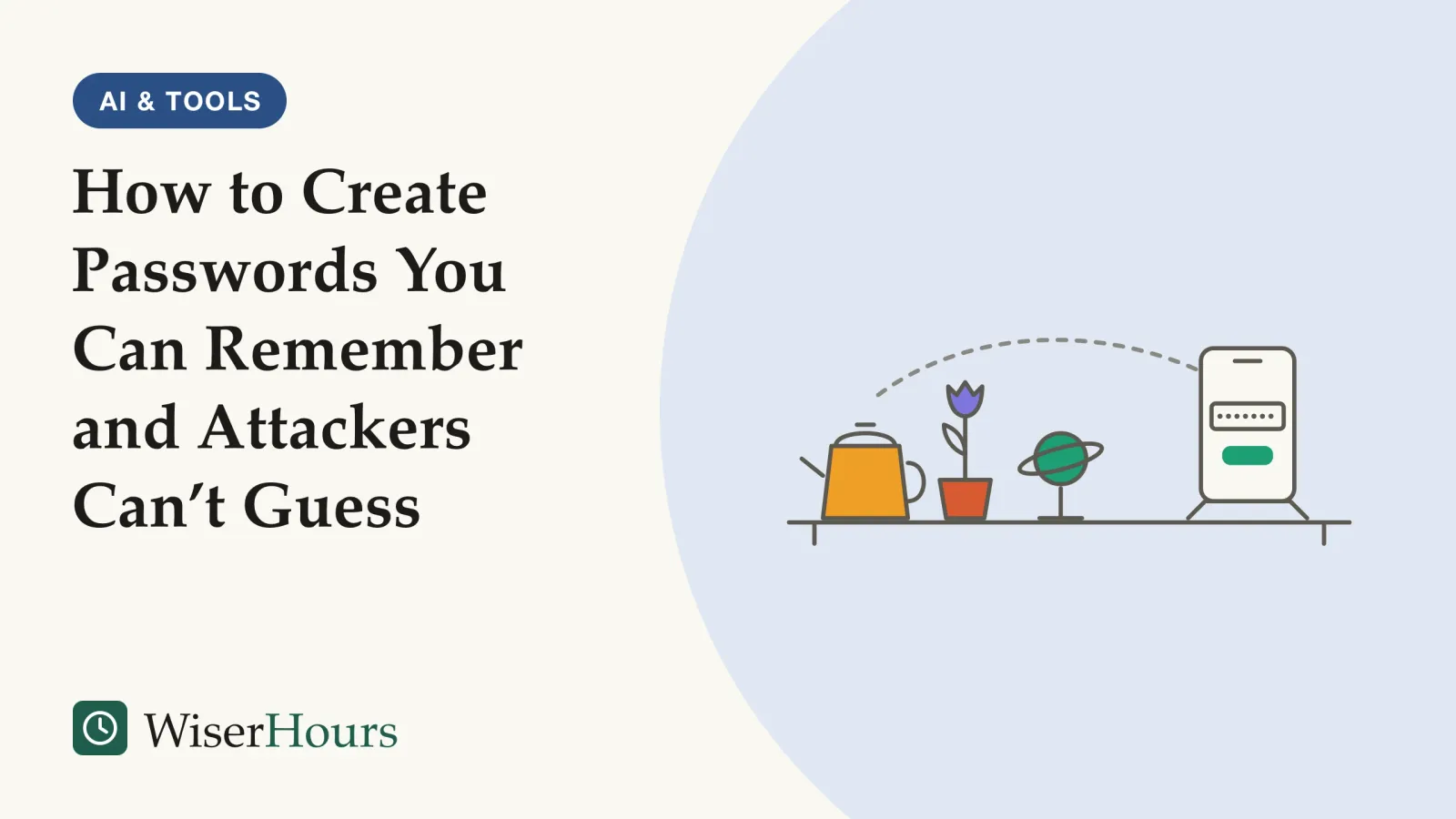
Capital letter, number, symbol: “Summer2024#” has all three, so it passes the rules on many sign-up forms. It is also the kind of password attackers try early, because it follows a recipe they know well. Three unrelated words run together tick fewer of those boxes and are harder to predict.
If you want to know how to create a strong password, start with length and unpredictability, and stop counting symbols. The US National Institute of Standards and Technology (NIST) now tells the services its guidelines cover to require at least 15 characters for a password used on its own, and forbids rules that demand a mix of letters, numbers and symbols.1 The UK’s National Cyber Security Centre (NCSC) suggests reaching that kind of length with three random words.2 Put together, the advice fits in five steps:
- Go for length: 15 characters or more
- Join three or more random words that have no link to one another
- Leave out anything about you, and the usual tricks such as a zero for the letter o
- Keep a good password until there is a reason to change it, such as a breach
- Memorize only a few, and let a manager hold the rest
This guide covers the passwords you still make up yourself. For the wider set of habits, including a password manager and two-step sign-in, start with the everyday digital safety basics.
Prefer to watch? The video covers the same ground as this article.
Attackers guess from lists before they try everything
Most password guessing starts with what people have used before, not with every possible combination. NIST’s 2025 guidelines explain that because people choose predictably, attackers try passwords that have worked in the past first, such as dictionary words and passwords from earlier breaches.1 A 2016 technology blog post from the US Federal Trade Commission (FTC) makes the same point about cracking tools: rather than working through every possible password in order, known as brute force, they guess the most likely ones first.3
The lists are real and public. In 2019 the NCSC analyzed the 100,000 passwords that turned up most often in breached account data worldwide. The top entry, “123456”, had been used by about 23 million accounts, and the list included first names, English football clubs, musicians and fictional characters.4 Germany’s Federal Office for Information Security (BSI) describes the tools attackers use: they test dictionary words, including with numbers added at the start or end, and try login details already published online.5
This explains why “Summer2024#” is weak even though it looks complex. It is a dictionary word with a number added on the end, a pattern the BSI says attackers’ tools already test, and then a symbol, which the BSI advises against. A guessing program that knows how people meet sign-up rules reaches it long before it reaches three words nobody has put together before.
A strong password is one that no list and no common recipe predicts, however messy it looks.
Why length beats complexity
Length adds more guessing work than symbols do, because people add symbols in predictable ways. NIST’s guidelines give the textbook case: someone who would have picked “password” tends to choose “Password1” when told to add a capital and a number, and then adds an exclamation mark when a symbol is required too.1
Complexity rules also backfire in a second way. An NCSC technical blog explains that people faced with them fall back on variations of passwords they already use, which pushes everyone toward the same patterns and makes the resulting passwords more predictable, not less.6 The same blog puts the point in six words:
security that’s not usable doesn’t work
The best direct test of length against complexity comes from a large online experiment at Carnegie Mellon University.
The study
Moderate evidence
Sixteen characters against the full set of rules
Researchers randomly assigned 5,000 volunteers, recruited through Amazon’s Mechanical Turk, to one of several password rules. Passwords made under a simple “at least 16 characters” rule were estimated to be harder to predict than those made under a rule demanding 8 characters with an uppercase and a lowercase letter, a number, a symbol and no dictionary word. The long rule was also easier to live with: about half of its group made an acceptable password on the first try, against under a fifth of the complex-rule group.7
The result supports the direction of today’s advice more than any exact number. The passwords were made for a study, the strength measure was an estimate, and the authors say they could not tell which rule better resisted their cracking tool. Still, the long rule matched or beat the complex one on every usability measure they took.7 A larger follow-up by the same group, published in 2016 with more than 20,000 US online volunteers, found a catch: under length-only rules, many people still made very weak long passwords. The authors advised adding a further requirement, such as a mix of character types or a check against a list of common passwords.8 NIST’s 2025 rules take the second route, pairing the length minimum with a blocklist of common and breached passwords.1
- Myth
- A strong password needs a capital letter, a number and a symbol.
- Fact
- NIST's 2025 guidelines bar services from demanding a mix of character types, because people meet such rules in predictable ways. Length does more.
So when you want a stronger password, add a word rather than a symbol. “kettletulip” should become “kettletulipsaturn”.
How to create a strong password in five steps
These five apply to the passwords you type from memory. For every other account, a password manager’s generator does better than any method a person can follow.
1. Go for length: 15 characters or more
Aim for at least 15 characters for any password that guards an account on its own. That is NIST’s minimum for passwords used without a second sign-in step; it allows 8 only where the password is one part of a multi-factor login. Longer is fine: NIST says services should accept at least 64 characters, spaces included.1 Canada’s Get Cyber Safe sets the same 15-character minimum for passphrases of four or more random words.9
Fifteen characters sounds like a lot until you count a few words: “kettle” and “tulip” together already make 11. If a site caps you at something short, use as many characters as it allows.
2. Join three or more random words
Pick three words with no link to one another and run them together, as in the NCSC’s own example, “applenemobiro”.2 The words should be random to anyone who knows you: “kettle”, “tulip” and “saturn” work; “chelsea”, “rover” and “paris” from your own life do not. Don’t use any example you have seen in print, including these.
A picture helps you remember the words. A kettle boiling on the rings of Saturn, with a tulip in the spout, is odd enough to stick. Evidence that passphrases are easier to remember is thin, though. In a 2012 Carnegie Mellon online experiment, three- and four-word passphrases handed out by a computer were forgotten about as often as random passwords of similar strength.10 Words you choose and picture yourself may do better, but we found no study showing it, so type a new passphrase a few times in its first week.

3. Leave out anything about you, and the usual tricks
Leave out birthdays, anniversaries, your team, and the names of family members and pets. The NCSC points out that most of these details can be found on your social media profile.2 NIST tells services to reject passwords built from the service’s own name or your username, for the same reason.1
The usual tricks don’t help either. The NCSC warns that swapping letters for look-alike characters, such as a zero for the letter o, is known to criminals, so it makes a password harder for you to remember without making it much stronger.2 The BSI adds that a single number or a common symbol stuck on the end of a simple password is not recommended, and that keyboard runs such as “asdfgh” are unsuitable.5
Before you save, think of what a stranger who has read your public profiles and knows the usual tricks would try. If any word or pattern in the password would occur to them, swap it out.
4. Keep a good password until there is a reason to change it
Forced changes on a timetable are no longer recommended. NIST says services shall not require periodic password changes and must force a change when there is evidence a password has been compromised.1 The NCSC has advised against regular expiry since 2015, because people forced to change passwords tend to pick new ones similar to the old ones, which attackers can work out.11
The FTC blog, written by Lorrie Cranor when she was the agency’s chief technologist, describes the evidence. In a study of old university accounts in the US whose passwords had to change every three months, researchers who knew a user’s previous password could guess the next one in fewer than five tries for about one account in six. Changing “Tulip#2023” to “Tulip#2024” looks like work but adds almost nothing. The same blog lists the moments when a change is worth making, and says any new password should be unrelated to the old one.3
Some workplaces and services still force changes; follow their rules, but make each new password a fresh one rather than the old one with a new number.
5. Memorize only a few, and let a manager hold the rest
With a password manager, the passwords you must remember shrink to the ones it cannot fill in for you. The NCSC calls the manager’s primary password the key to everything inside it, and recommends switching on two-step verification for that account as well.12 Use your three-random-words passphrase there. The other candidates are the logins you type before any manager is available, such as the password that unlocks your computer. That part is our reasoning, not an agency rule.
For everything else, let the manager generate the password. Picking the manager itself is covered in choosing a password manager you will keep using, along with why a generated password beats anything you invent.
Before you save a new password
Download PDF
When a site’s rules differ from this advice
Password rules at banks, shops and employers differ by country and provider, and many predate the current advice. NIST’s guidelines are written for US government systems and say they are not meant to constrain standards outside that purpose, so they do not bind every bank or shop.1 Germany’s BSI still counts a short password of 8 to 12 characters as secure if it mixes four types of character, next to a long password of 20 to 25 characters made from words, and suggests stringing unrelated words together with special characters between them rather than adding one at the end.5 Canada’s Get Cyber Safe, for sites that won’t take a passphrase, still suggests mixing cases, numbers and symbols.9
The table below rates the evidence behind each piece of advice in this guide.
| Advice | What the best evidence found | Evidence |
|---|---|---|
| Length over complexity | Passwords made under a long rule were estimated harder to predict and were easier to create than those made under a complex rule; a larger follow-up found length alone still let weak passwords through | Randomized online experiments, moderate: study passwords, US volunteers78 |
| Three or more random words | Recommended as long enough and easier to remember; computer-assigned passphrases were forgotten as often as random passwords | Agency guidance plus one online experiment, limited210 |
| No personal details or swaps | Personal details are easy to find online, and criminals know the common swaps | Expert guidance, several agencies2 |
| No scheduled changes | Knowing an old password let researchers guess many new ones quickly | Observational studyobservational study: A study in which researchers record what people already do or are exposed to, rather than assigning anyone to anything. It can show that two things go together, not that one causes the other, because the groups being compared may differ in other ways as well.Full entry in the glossary of one US university’s accounts3 |
Outside this guide you will still meet a bank that demands a symbol, or caps passwords at 12 characters. Meet the rule without falling into the predictable pattern: put the required symbol or number between your words, as the BSI suggests, not on the end. Better still, let your manager generate one that fits. Readers outside the countries named here should check what their own national cyber-security agency advises; the core ideas of length, unpredictability and uniqueness appear in every agency page we read.
The bottom line
Make the passwords you remember long and random: three or more unrelated words, nothing from your life, and no swaps or add-ons that people commonly use. Keep a good password until there is a real reason to change it. And keep the number you memorize small, the password manager’s own and your device login, so a generator can make every other password stronger than anything a person would invent.
Frequently asked questions
Can I write my passwords down?
Yes, if you store the note securely. The UK's NCSC says writing a password down is fine provided it is stored securely, and its technical staff list paper next to password managers and browsers as reasonable ways to store passwords. A note in a drawer at home is a different risk from a note stuck to a work laptop, so think about who could reach it.
Can I use spaces between the words?
Often, yes. NIST's 2025 guidelines say services should accept the space character so people can use phrases, and Canada's Get Cyber Safe describes a passphrase as words with or without spaces. Some sites still refuse spaces. If one does, run the words together or, as Germany's BSI suggests, join them with a special character.
Is a password from a password manager stronger than three random words?
Yes. An NCSC technical blog from 2021 says the random passwords that password managers create are stronger than either three random words or complex passwords made up by people. Three random words are for the handful of passwords you must type from memory; for everything else, letting a manager generate the password is the stronger choice.
Does the three-random-words method work for work accounts?
The NCSC promotes it at home and at work, and expects it to be used alongside secure storage such as a password manager. Your employer may still set its own rules for work systems, and those come first. If a work system demands symbols or numbers, add them between the words rather than as a predictable ending.
Sources
- Digital Identity Guidelines: Authentication and Authenticator Management (NIST SP 800-63B-4). US National Institute of Standards and Technology (July 2025; checked current on 28 September 2026)
- Top tips for staying secure online: Three random words. UK National Cyber Security Centre (published and reviewed 21 December 2021; accessed 28 September 2026)
- Time to rethink mandatory password changes. Cranor, L. F., US Federal Trade Commission, Technology Blog (2 March 2016; accessed 28 September 2026)
- Most hacked passwords revealed as UK cyber survey exposes gaps in online security. UK National Cyber Security Centre, news release (April 2019; accessed 28 September 2026)
- Creating Secure Passwords. German Federal Office for Information Security, BSI (English page; accessed 28 September 2026)
- The logic behind three random words. UK National Cyber Security Centre, blog post by Kate R (6 August 2021; accessed 28 September 2026)
- Of Passwords and People: Measuring the Effect of Password-Composition Policies. Komanduri, S., Shay, R., Kelley, P. G., Mazurek, M. L., Bauer, L., Christin, N., Cranor, L. F. & Egelman, S. (2011). Proceedings of the SIGCHI Conference on Human Factors in Computing Systems (CHI '11), ACM
- Designing Password Policies for Strength and Usability. Shay, R., Komanduri, S., Durity, A. L., Huh, P., Mazurek, M. L., Segreti, S. M., Ur, B., Bauer, L., Christin, N. & Cranor, L. F. (2016). ACM Transactions on Information and System Security, 18(4)
- Passphrases, passwords and PINs. Get Cyber Safe, Government of Canada (modified 3 November 2021; accessed 28 September 2026)
- Correct horse battery staple: Exploring the usability of system-assigned passphrases. Shay, R., Kelley, P. G., Komanduri, S., Mazurek, M. L., Ur, B., Vidas, T., Bauer, L., Christin, N. & Cranor, L. F. (2012). Proceedings of the Eighth Symposium on Usable Privacy and Security (SOUPS '12), ACM
- The problems with forcing regular password expiry. UK National Cyber Security Centre, blog post by Emma W (5 October 2016; accessed 28 September 2026)
- Top tips for staying secure online: Managing your passwords. UK National Cyber Security Centre (page reviewed and updated 21 May 2026; accessed 28 September 2026)
How we researched this
Every source listed was opened and read in full on 28 September 2026: NIST SP 800-63B-4 (2025); consumer and technical password pages from national agencies in the UK (NCSC), Canada (Get Cyber Safe) and Germany (BSI); a 2016 US FTC technology blog post; and three peer-reviewed online experiments from Carnegie Mellon University (2011, 2012 and 2016). Main limitation: the experiments used paid online volunteers creating study passwords, and we found no trial counting how often real accounts protected by each method are broken into.
Keep reading
Passkeys Explained: What They Are and Whether to Switch
What is a passkey? A sign-in made of 2 matching keys, with no password for fake sites to steal. How it works, where it lives, which accounts to switch first.
Two-Step Verification: Which Kind to Use and Why
Two-step verification ranked: 5 kinds from passkeys down to email codes, how to set it up on your email first, and how to refuse prompt floods.
How to Spot a Phishing Email in Seconds
How to spot a phishing email with 6 quick checks, from the real sender address to lookalike links, and where to report scam emails in your country.
Smishing and Scam Texts: The Messages to Delete
Many scam text messages follow 7 familiar scripts, from parcel fees to 'Hi Mum'. How to spot, block and report them, and what to do if you replied.