Passkeys Explained: What They Are and Whether to Switch
What is a passkey? A sign-in made of 2 matching keys, with no password for fake sites to steal. How it works, where it lives, which accounts to switch first.

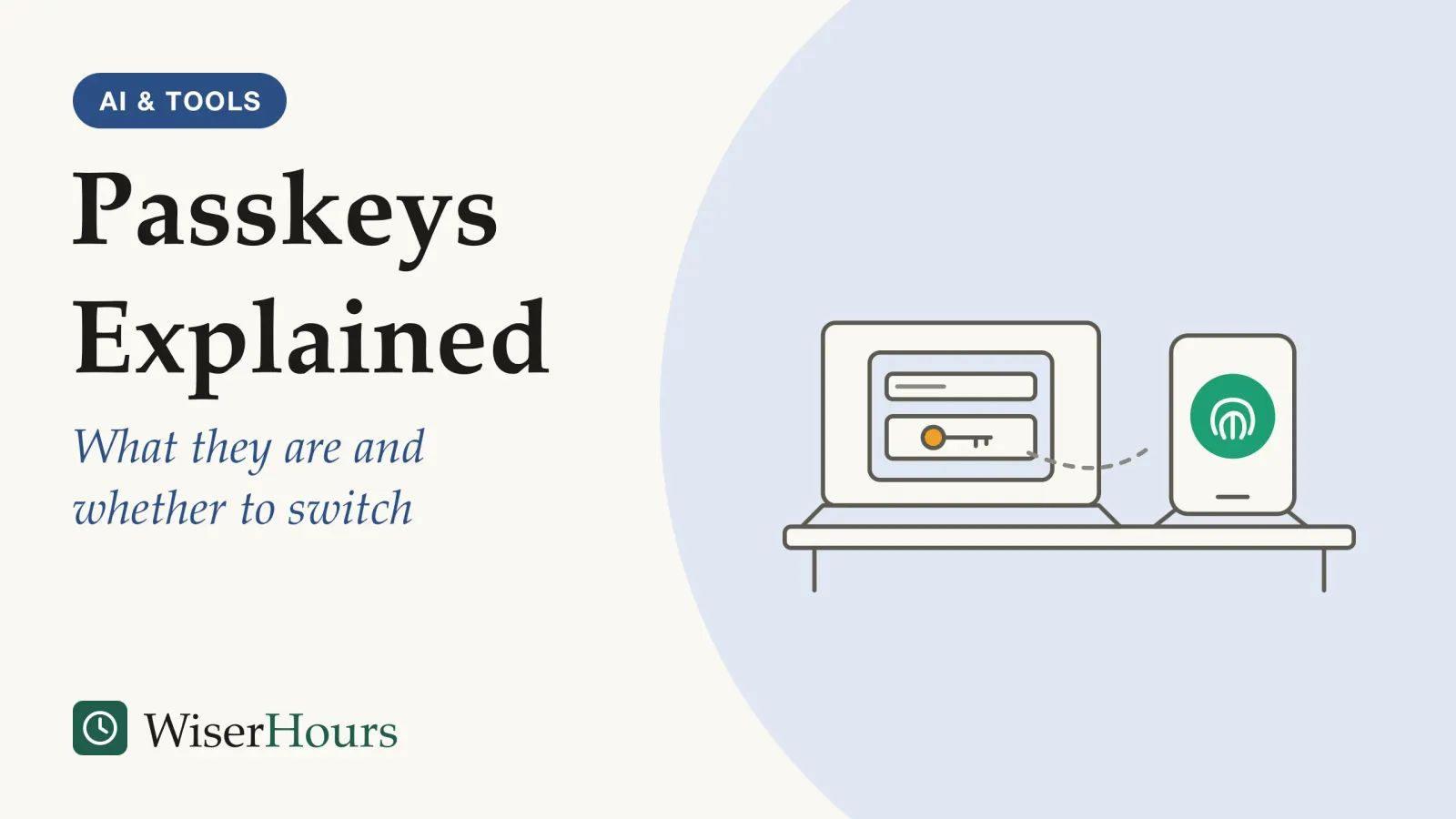
Signing in with a passkey involves nothing to type, and that is the point: a fake login page cannot collect what you never enter.
So what is a passkey? It is a sign-in that replaces your password with a pair of matching digital keys. One stays on your phone, computer, password manager or security key; the other sits with the website. You approve each login the way you open your device, with a fingerprint, a face scan or a PIN.1 In April 2026 the UK’s National Cyber Security Centre (NCSC) told consumers to pick a passkey over a password on any service that offers one, judging a passkey at least as secure as the strongest password paired with a second sign-in step.2
Whether to switch has a short answer too: yes, one account at a time. Start with your main email and with the Apple, Google or Microsoft account (or password manager) that will hold your passkeys, because those two can reset the rest, and keep a strong password wherever a site still asks for one. The full switch order closes this guide.
What is a passkey and how does it work?
A passkey is a pair of cryptographic keys that your device creates for one account, as Apple’s security documentation explains it. The website stores the public key, which anyone may see. Your device keeps the private key, which is what signs you in, and the website never learns it.3
At sign-in, the website sends your device a small challenge. Once you confirm it is you, the device signs the challenge with the private key, and the site checks that signature against the public key it holds.4 Think of a wax seal. The site keeps a picture of your seal’s imprint, good enough to recognize a letter you sealed but useless for making a new one. Only the seal itself, locked inside your device, can do that.
“Passkey” is a general term, not one company’s feature. Passkeys are built on the FIDO2 standards from the FIDO Alliance, an industry group, and the word works like “password”: the same kind of credential on every platform.1 Apple announced passkey support for its devices in 2022, Google followed later that year for Android and Chrome, and Microsoft brought them to Windows 11 in 2023.5
- Myth
- A passkey sends my fingerprint or face to the website.
- Fact
- The fingerprint or face check happens on your device and stays there; the FIDO Alliance says the server only sees that the check succeeded.
So when a site offers to “create a passkey,” it is asking your device to make a new key pair for that account. You invent nothing, remember nothing and write nothing down. The one thing worth checking is that you say yes on a device you own and keep locked.
Why a fake website can’t get your passkey
A passkey resists phishing because it is tied to the web address that created it. Microsoft’s help pages give the example of a passkey made for netflix.com: it works only on netflix.com, and if you land on a lookalike site, your device will not offer it.4
Compare that with a password and a texted code. Both are codes you hand over, so a convincing fake page can pass them to the real site while you watch. The NCSC calls every traditional second step, from text codes to app approvals, inherently phishable, because a code or an approval can be relayed to the real site during a live session.6 A passkey gives the fake page nothing to pass on. And if the real website is breached, the NCSC notes that attackers get only the website’s half of the key pair, which cannot be used anywhere else.7
An email says your delivery account is locked, with a link to a page that looks right. With a password, you might type it in before you notice the address is off. With a passkey, your phone shows no passkey for that site, and that missing prompt is the warning.
The US Cybersecurity and Infrastructure Security Agency (CISA) reached the same verdict for organizations in 2022, calling FIDO/WebAuthn the only widely available phishing-resistant sign-in method.8 The NCSC’s 2026 paper made the comparison for personal accounts.
The study
Moderate evidence
Where passkeys hold up and where they don't: the NCSC's attack-by-attack review (2026)
The UK’s NCSC rated each sign-in method against the attacks it sees used on individuals. A password with a second step was always vulnerable to real-time phishing that relays the code, and potentially to floods of approval requests; passkeys were never vulnerable to either. Passkeys were not immune everywhere: malware on your device and phishing of the account that syncs them depended on the situation, and a stolen device with a weak PIN left them potentially vulnerable. So the NCSC says you still need to keep your device secure and protect the account your passkeys sync through.9
The paper is analysis, not a count of prevented break-ins, so read it as expert judgment rather than a measured result. The NCSC’s Dave Chismon, writing on the agency’s blog, put the central point plainly.
Passkeys remove this class of attack entirely by cryptographically binding authentication to the legitimate service.
The habit to build from this is small: when a page that claims to be a site you use offers no passkey and asks for your password instead, close it and open the site from its app or a bookmark you saved yourself.
Where passkeys are stored and synced
Every passkey lives with a passkey provider. According to the FIDO Alliance, that is either the credential manager built into your phone or browser, such as iCloud Keychain or Google Password Manager, or a separate password manager such as 1Password or Dashlane. A passkey can also live on a hardware security key. Synced passkeys copy themselves to your other devices through your provider’s account; device-bound ones never leave the phone, computer or key where they were made.1 Where a passkey lives decides which devices can use it and what happens when one goes missing.
| Where the passkey is saved | Where you can use it | If you lose the device |
|---|---|---|
| Apple iCloud Keychain (the Passwords app) | Your Apple devices on the same Apple Account; end-to-end encrypted | Recoverable even if you lose every Apple device3 |
| Google Password Manager | Android, and Chrome on Windows, Mac, Linux and ChromeOS, on the same Google Account | Available on a new device once you sign in to the same Google Account and enter your Google Password Manager PIN or Android screen-lock PIN10 |
| Microsoft Password Manager in Edge | Windows computers on the same Microsoft account; a gradual rollout began in November 2025 | Restored on a new device with your Microsoft Password Manager PIN11 |
| Windows Hello, saved to one computer | That computer only | Cannot be recovered if the computer is lost or Windows is reinstalled10 |
| A hardware security key | Devices that accept FIDO2 security keys, when you plug it in or tap it | Lost with the key unless you registered a backup passkey4 |
For most people, synced is the forgiving choice. So pick one main home for your passkeys and make it one that runs on every device you use. If your household mixes an iPhone with a Windows laptop, the NCSC’s advice for password managers applies: it suggests a reputable independent manager for people whose devices come from several makers, or who would rather not depend on one company.7 Comparing password managers that also hold passkeys is the next step if you go that way.
What happens if you lose your phone
With synced passkeys, a lost phone costs you a device, not your sign-ins. Microsoft’s help pages say that when you sign in to your credential manager on a new device, whether that is Microsoft’s, Google’s or Apple’s, your passkeys are there without creating new ones.12
Apple goes further: its documentation says iCloud Keychain passkeys can be recovered even when every one of your Apple devices is gone, through an encrypted escrow that requires your Apple Account password, a text code and your device passcode.3 Device-bound passkeys are different. Microsoft says that if you lose the device, you lose the passkey unless you have another way in, and suggests making passkeys on your other devices too, as a spare key.4
The bigger risk is someone else opening your phone. Google warns that once you create a passkey, anyone who can open your device can get into your Google Account, and advises creating passkeys only on devices you personally own.13 A four-digit PIN your nephew has watched you type is now guarding your inbox.
In practice, that means a longer device PIN, two-step verification on your Apple, Google or Microsoft account, and a plan for getting into that account from a new phone.

Rough edges: other devices, shared logins and password fallbacks
Passkeys work well inside one ecosystem and less smoothly at its edges. Four gaps are worth knowing before you switch.
Other people’s devices
You can sign in on a library or friend’s computer by choosing the option to use a passkey from a nearby device, then scanning the QR code it shows with your iPhone.14 Google’s help pages describe the same QR-code route for a Google Account and ask you to switch Bluetooth on.13 Try it once at home, on your own laptop, so the first time is not at a hotel desk with a queue behind you.
Moving between providers
Until recently, a passkey saved in one manager stayed there. A credential exchange format developed within the FIDO Alliance is changing that. Since iOS 26 and macOS 26, passkeys can move between password apps on Apple devices that support the transfer, such as Apple Passwords, 1Password, Bitwarden and Dashlane (not every app supports it on the Mac yet), according to Ricky Mondello, who works on passwords at Apple and writes his blog in a personal capacity.15 Elsewhere, check your manager’s export options, or create a new passkey in the new manager and delete the old one.
Shared accounts
Google points out that, unlike passwords, passkeys can’t be shared or copied.13 Apple is the exception within its own ecosystem: shared password groups let family members use the same passkeys, if each has an Apple device on iOS 17, macOS 14 or later.16 A streaming account shared across mixed phones may be one to leave on a strong, managed password for now.
The password is usually still there
As of 2026 most platforms still offer other sign-in methods alongside passkeys, which can reduce the benefit.5 An attacker who can’t phish your passkey can still try the old password or the recovery route. Keep that password long, unique and in a manager, and keep the second step on it.
Banks are a special case. Under the EU’s payment rules, banks in the European Economic Area must check two independent factors for online payments, and in the UK the consumer group Which? found in 2019 that many banks did so with a text message or an app notification.17 Wherever you live, your bank may use its own app-based scheme rather than passkeys, even when your phone supports them; use its official app and the sign-in it provides.
Which accounts to switch first
Switch the accounts that protect other accounts first. The NCSC’s advice is simple: use a passkey wherever a service offers one, and where it doesn’t, use a password manager to create strong passwords and keep two-step verification on. It named Google, eBay and PayPal among popular services that already support them, and cited Google data showing that just over half of active users of Google services in the UK had registered a passkey.2 Readers in other countries can find the matching advice from their own government’s cyber agency.
You won’t be early elsewhere either. The FIDO Alliance estimated in May 2026 that about 5 billion passkeys were in use worldwide, a figure from the industry body’s own mix of public and member data.18 A sensible order, based on which accounts can reset or impersonate the rest:
- Your main email account. Whoever controls it can reset most of your other passwords, which is why a starter routine for protecting accounts and devices puts it first.
- The account that stores your passkeys. Your Apple Account, Google Account, Microsoft account or password manager now holds the keys to everything else.
- Accounts with money or saved cards. Shopping, payment and marketplace accounts that offer passkeys.
- Social and messaging accounts. People trust messages from you, so a hijacked account is a ready-made scam channel.
- Everything else, as sites offer it. Accept the “create a passkey?” prompt when it appears on a device you own.
A no means the screen lock and the syncing account need work before anything else moves to passkeys.
Before and while you switch
Download PDF
The bottom line
A passkey is a key pair your device keeps for one website, opened with the same fingerprint, face or PIN you use for your phone, and it can’t be typed into a fake page. Switch your email and the account that stores your passkeys first, protect your phone with a strong screen lock, and keep good passwords in a manager for the many sites that still ask for one.
Frequently asked questions
Will passkeys work on the phone or laptop I already have?
Most likely yes. Google's help pages say its passkeys work on phones running Android 9 or iOS 16 and later, on computers running Windows 10, macOS Ventura or ChromeOS 109 and later, and in current versions of Chrome, Safari, Edge and Firefox. Turn on your phone's screen lock first, and keep the operating system and browser updated so passkey prompts work.
Is a passkey already two-factor, or do I still need a code?
It already is, when your device checks it is you. The UK's NCSC says a passkey then combines something you have, the key on your device, with something you are or know, your fingerprint, face or PIN. Google says a passkey on a Google Account skips the separate second step for that reason, because it proves you hold the device.
How is a passkey different from a security key?
A security key is a small device you plug in or tap; a passkey is the credential, which can live on that key, on your phone or in a password manager. The FIDO Alliance calls passkeys that stay on one device, including those on security keys, device-bound, and those copied between your devices through a cloud service synced.
Sources
- FIDO Passkeys: Passwordless Authentication. FIDO Alliance, industry standards body (accessed 28 September 2026)
- NCSC: Leave passwords in the past - passkeys are the future. UK National Cyber Security Centre, news release (23 April 2026; accessed 28 September 2026)
- About the security of passkeys. Apple Support (published 16 September 2024; accessed 28 September 2026)
- What are passkeys and why they matter. Microsoft Support (accessed 28 September 2026)
- Passkey (authentication). Wikipedia (revision 1375267249; accessed 28 September 2026)
- Passkeys are more secure than traditional ways to log in. Chismon, D., UK National Cyber Security Centre blog (23 April 2026; accessed 28 September 2026)
- Trusting the tech: using password managers and passkeys to help you stay secure online. UK National Cyber Security Centre blog (24 June 2025; accessed 28 September 2026)
- Implementing Phishing-Resistant MFA. US Cybersecurity and Infrastructure Security Agency, fact sheet (October 2022; accessed 28 September 2026)
- Comparing the security properties of traditional user credentials and FIDO2 credentials for personal use. UK National Cyber Security Centre, paper (23 April 2026; accessed 28 September 2026)
- Manage passkeys in Chrome. Google Chrome Help (accessed 28 September 2026)
- Microsoft Edge introduces passkey saving and syncing with Microsoft Password Manager. Microsoft Edge Blog (3 November 2025; accessed 28 September 2026)
- Manage your saved passkeys. Microsoft Support (accessed 28 September 2026)
- Sign in with a passkey instead of a password. Google Account Help (accessed 28 September 2026)
- Use passkeys to sign in to websites and apps on iPhone. Apple, iPhone User Guide (accessed 28 September 2026)
- Switching Password Managers in 2026. Mondello, R., personal blog; the author works on passwords at Apple and writes for himself (7 September 2026; accessed 28 September 2026)
- Share passwords and passkeys with people you trust on iPhone. Apple, iPhone User Guide (accessed 28 September 2026)
- Strong customer authentication. Wikipedia (accessed 28 September 2026)
- FIDO Alliance Reports Accelerating Global Passkey Adoption on World Passkey Day 2026. FIDO Alliance, press release (7 May 2026; accessed 28 September 2026)
How we researched this
Every source behind this explainer was opened and read end to end during September 2026: the UK NCSC's April 2026 paper and announcements on passkeys, CISA's 2022 fact sheet, the FIDO Alliance's passkey pages, and current Apple, Google and Microsoft help pages, plus Wikipedia and one Apple engineer's personal blog for background. Main limitation: nobody has independently measured how many account takeovers passkeys prevent for ordinary users; the evidence is technical analysis and vendor documentation.
Keep reading
Two-Step Verification: Which Kind to Use and Why
Two-step verification ranked: 5 kinds from passkeys down to email codes, how to set it up on your email first, and how to refuse prompt floods.
How to Create Passwords You Can Remember and Attackers Can't Guess
How to create a strong password: join 3 or more random words, skip personal details and tricks, keep it until there is a reason to change it.
How to Spot a Phishing Email in Seconds
How to spot a phishing email with 6 quick checks, from the real sender address to lookalike links, and where to report scam emails in your country.
Smishing and Scam Texts: The Messages to Delete
Many scam text messages follow 7 familiar scripts, from parcel fees to 'Hi Mum'. How to spot, block and report them, and what to do if you replied.