Two-Step Verification: Which Kind to Use and Why
Two-step verification ranked: 5 kinds from passkeys down to email codes, how to set it up on your email first, and how to refuse prompt floods.

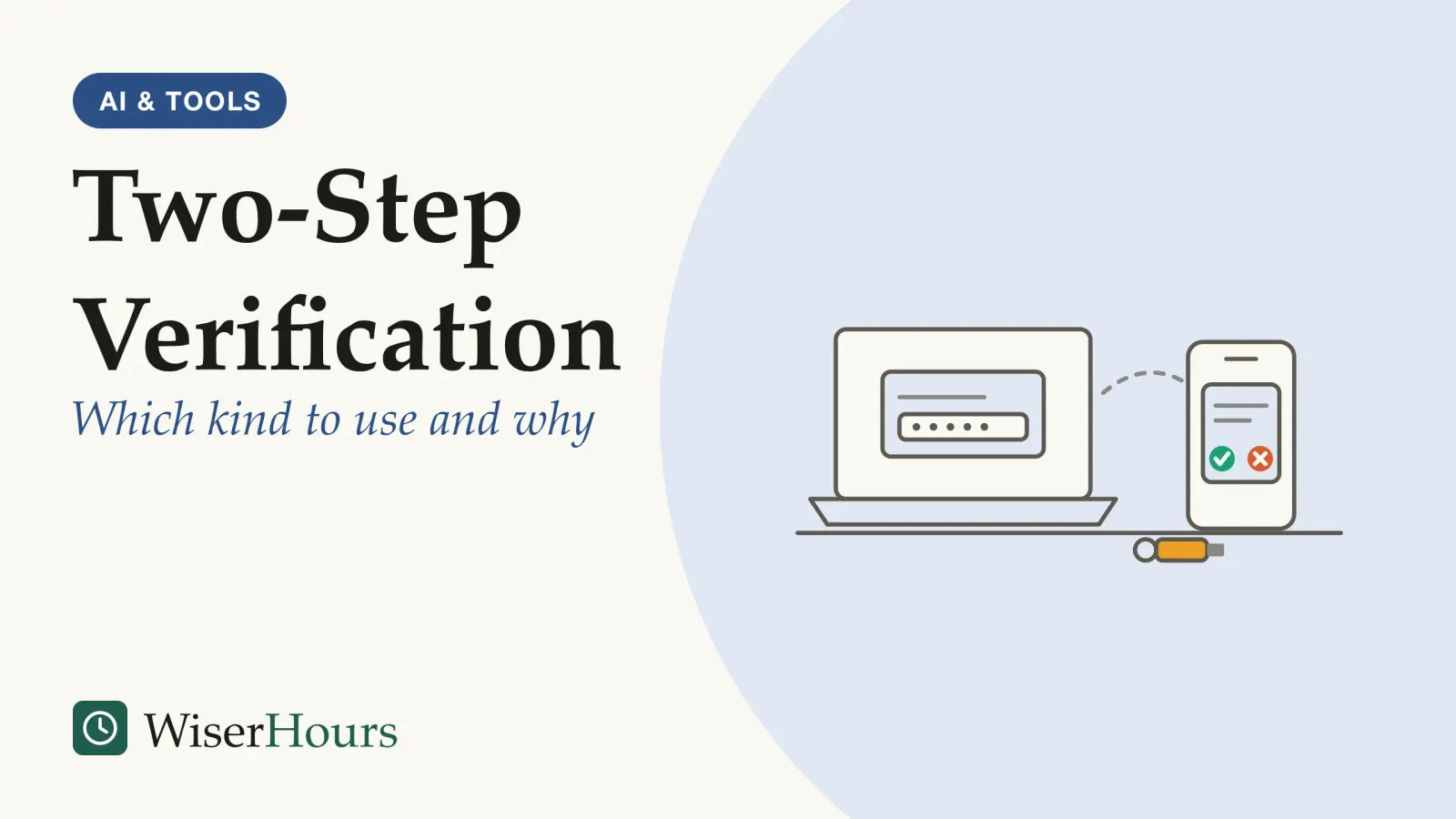
The attacker who broke into Uber’s systems in September 2022 already had a contractor’s work password, most likely bought online, and kept trying to sign in with it. Each attempt sent the contractor a request to approve the login, and at first those requests kept the attacker out. Then the contractor accepted one, and the attacker was in.1
That story holds the whole case for two-step verification, and its one weak spot. Two-step verification (2SV; you will also see two-factor authentication, 2FA, and multi-factor authentication, MFA) adds a second proof after your password, so someone holding only the password still can’t get in. Not every second step is equally hard to get around. The US Cybersecurity and Infrastructure Security Agency (CISA) ranks the options from strongest to weakest, with phishing-resistant methods such as security keys at the top and codes sent by text message at the bottom, and it notes that any form is better than none.2 Setting it up well comes down to four steps:
- Turn it on for your email first
- Choose the strongest method the account offers
- Save your backup codes where you can find them
- Refuse any sign-in request you didn’t start
Why a second step stops most stolen-password attacks
Two-step verification works because the second proof is something a person holding your stolen password usually does not have: your phone, a key on your keyring or your device’s screen lock. The UK’s National Cyber Security Centre (NCSC) counts switching it on among the most effective protections an online account can have. Passwords leak through no fault of yours: the NCSC names breaches at organizations that store your details as the most common source of stolen passwords, which criminals then try on other sites, and it points out that making a password harder to guess does nothing to stop it being stolen.3
Unique passwords limit the damage from one breach, and how to choose between password managers makes them practical. Two-step verification covers the rest, which is why it ranks among the handful of habits that make up everyday digital safety.
Picture a food-delivery site you used once. It is breached, and your email address and password end up on a list that someone feeds into a login script aimed at your inbox. Without a second step, the script signs straight in. With one, it meets a request for a code or an approval on a phone it does not hold, and gets no further.
One large measurement of how much this matters comes from Microsoft’s own sign-in data.
The study
Moderate evidence
Microsoft (2023): multi-factor authentication on work accounts
Microsoft researchers estimated how many work and school accounts on the company’s sign-in service were taken over during five months of 2022. Without multi-factor authentication, about 1 in 100 accounts were compromised; with it, fewer than 1 in 10,000 were, a drop the authors put at 99%.4
The second step turned a common outcome into a rare one. Keep the limits in view: the paper is a preprintpreprint: A research paper posted publicly before it has been peer reviewed or published in a journal; in economics and finance the same stage is usually called a working paper. Its findings may change, or fail to hold up, by the time it is published.Full entry in the glossary by Microsoft staff about Microsoft’s own service, it covers work accounts rather than personal ones, and we found no independent replication. Google’s 2019 study of its consumer sign-ins, a different company’s data, pointed the same way.5
The biggest gain comes from having any second step at all. Choosing the best kind comes next, and it matters mostly against one threat, the fake login page.
Five kinds of second step, from strongest to weakest
From strongest to weakest, the five common kinds of second step are passkeys and security keys, app prompts, authenticator-app codes, text-message codes and email codes. The order follows CISA’s 2022 ranking with one adjustment: CISA puts codes level with app prompts that make you match a number, and plain tap-to-approve prompts below both. Either way, the ranking turns on one question: can a fake website trick you into handing the second step over?2
A code is only a number, so a fake login page can ask for it and pass it on. CISA describes exactly this: a phishing email leads to a copy of a company’s login page, and the victim types in a username, a password and the six-digit code from an authenticator app.2 Passkeys and security keys work differently. They refuse to sign in to an impostor site without relying on you to spot the fake, which is how the US government’s 2025 NIST guidelines define phishing resistance.6 The NCSC’s April 2026 comparison found passkeys and security keys at least as secure as a password with any traditional second step, at every stage and against every commonly seen attack, and not open to the prompt-flooding attacks that app approvals can suffer.7
| Kind of second step | How it works | Strength and ease | Evidence |
|---|---|---|---|
| Passkey or security key | Your phone, computer or a small USB or NFC key confirms the sign-in, unlocked with a fingerprint, face or PIN | Resists fake sites and prompt floods; a hardware key must be bought, and a lost one needs a backup | UK official guidance, NCSC 20267 |
| App prompt | You tap to approve a notification on a phone signed in to the account | Not tied to your phone number, so SIM swaps don’t apply; open to prompt floods unless it asks you to match a number | US official guidance, CISA 20222 |
| Authenticator-app code | An app on your phone shows a short-lived code | Not tied to your phone number; a fake page can still collect the code | US official guidance, CISA 20222 |
| Text or voice code | A code is sent to your phone number | Open to phishing, SIM swaps and phone-network attacks; CISA calls it a last resort | US official guidance, CISA 20222 |
| Email code | A code is sent to your inbox | Only as safe as the email account; the 2025 NIST guidelines bar email for this job in systems that follow them | US federal standard, NIST 20256 |
Google’s help pages add the ease side of the ranking, and they are why prompts sit above codes here. If you don’t use a passkey, Google recommends its sign-in prompts, saying a prompt is easier to tap than a code is to type and helps protect against SIM swaps. It notes that authenticator apps work without an internet connection or mobile service, and that texted codes can be vulnerable to attacks on your phone number.8 The Microsoft study found the same direction in practice: among work accounts whose passwords had leaked, texted codes failed more often than its authenticator app.4
- Myth
- Text-message codes are so weak they aren't worth turning on.
- Fact
- CISA ranks them last among second steps yet says any form of multi-factor authentication is better than none. Use texts until something stronger is offered.
So don’t wait for the perfect option. If an account offers only text codes, turn them on today and switch when it adds something stronger. The fine print on authenticator apps versus texts, and how passkeys behave day to day, deserves its own guide.
Turning on two-step verification, account by account
Setting up two-step verification takes a few minutes per account. The NCSC says the switch is usually found in an account’s security settings, sometimes under another name such as two-factor authentication.3 Have your phone and a pen nearby, and start with the account that matters most.
1. Turn it on for your email first
Your email comes first because the password-reset links for most of your other accounts go there, so whoever controls it can take over the rest. The paths below are the ones each provider gives today; menus change, so search the provider’s help pages if yours looks different.
- For Gmail and other Google accounts, open your Google Account, go to Security & sign-in and, under “How you sign in to Google,” select Turn on 2-Step Verification.8
- For Outlook and other Microsoft accounts, go to the Security tab at account.microsoft.com/security, choose Manage how I sign in, then turn on two-step verification. Microsoft says it is starting to phase out texted codes for personal accounts.9
- For iCloud and other Apple accounts, Apple says most accounts already use two-factor authentication; if yours does not, turn it on in Settings on an iPhone or iPad, or System Settings on a Mac.10
Once email is done, give banking, social media and online shopping the same treatment.
2. Choose the strongest method the account offers
Pick from the top of the ranking down: a passkey or security key if the account supports one, then app prompts, then an authenticator app, with text codes as the fallback. Then add a second method, so that losing one phone does not shut you out. Microsoft warns that if you lose your only contact method, getting back into an account can take 30 days, or fail, and recommends three pieces of security information.9
Be careful with the “Don’t ask again on this device” box. Google advises ticking it only on devices you use regularly and don’t share with anyone.8 Your own laptop, yes; a shared family tablet or a library computer, no.
3. Save your backup codes where you can find them
Backup codes are single-use codes that stand in for your second step when your phone is lost, replaced or out of signal. Google, for example, gives a set of 10, and each works once; creating a new set cancels the old one. It suggests printing them and keeping them somewhere safe, such as where you keep your passport, and says it never asks for a backup code except at sign-in.11

Keep the codes away from the phone they back up: a set saved only on that phone disappears with it. If a stranger, a caller or a website asks for one, the request itself is the warning sign. The wider question of how to plan for losing access belongs to a guide of its own.
4. Refuse any sign-in request you didn’t start
A sign-in request you didn’t trigger means someone is trying to get into your account, usually with your correct password. CISA calls the tactic “MFA fatigue” or “push bombing”: an attacker who has your password can send hundreds of approval requests to your phone in a short time, hoping you tap Approve by accident, out of annoyance, or because you assume one of them is real. That is what happened to the Uber contractor.1 Services can defend against it with number matching, where you must type a number shown on the login screen into your phone before it approves anything, so an attacker who cannot see your screen cannot get your approval. CISA recommends it wherever phishing-resistant methods are not yet possible.12
- 1Password enteredon the real login page
- 2Page shows a numberunique to this sign-in
- 3Phone asks for ityou type the number in
- 4No number, no approvala flood of prompts gets nowhere
That small extra step is why a stranger’s flood of prompts goes nowhere: each prompt needs a fresh number that only appears on the attacker’s own screen, and you never see it. The 2025 NIST guidelines go further and no longer accept prompts that only ask you to compare a code and tap approve, citing these “authentication fatigue” attacks; the code has to be carried across, for example by typing it in.6
The rest is up to you. ENISA, the EU agency for cybersecurity, puts the rule in two parts: give your verification codes to nobody, and approve only sign-ins you began yourself.13 Watch for a prompt that arrives when you aren’t signing in, several in a row, or a message or call from “support” asking you to approve one.
An unexpected prompt is not a glitch to dismiss. Tap No or Deny, treat it as a sign someone knows your password, and change that account’s password and the password of any other account that shares it.
Two-step verification in one sitting
Download PDF
When your bank chooses the method for you
Banks often decide which second step you may use, and the rules differ by country. In July 2024, the Monetary Authority of Singapore and the Association of Banks in Singapore announced that major retail banks would phase out one-time passwords for logins by customers who had activated a digital token in their banking app. Their reason matches the ranking above: the announcement says scammers had found it easier to phish one-time passwords, for example through fake bank websites that closely resemble the real ones, while the app-based token confirms a login without a code anyone can steal.14
The United Arab Emirates is moving the same way: Gulf News reported in 2025 that the UAE central bank’s guidelines require banks to switch to app-based authentication, with texted codes due to end by March 2026; we could not check the central bank’s own notice.15
In practice, that means your bank may insist on its own app even if you would rather use a security key, while a bank elsewhere may still send only text codes. Use what your bank offers, keep its app updated, and check your bank’s website or your national banking regulator for the rules where you live.
Treat a banking app’s approval request like any other prompt: approve only a login or payment you started yourself.
The bottom line
Any second step makes a stolen password far less useful, so the first move is simply to turn it on, starting with your email. Where you have a choice, pick a passkey or security key, then an app prompt, and keep text and email codes as fallbacks. Store your backup codes away from your phone, and never approve a sign-in you did not start, however many times your phone asks.
Frequently asked questions
Will I have to enter a code every time I sign in?
Usually not. The UK's NCSC says that, depending on how a service sets it up, you may be asked for the second step only when something looks unusual, such as a sign-in from a new device. Apple says that after the first sign-in on a device, it won't ask again unless you sign out completely, erase the device or need to change your password for security reasons.
Can I use two-step verification without a smartphone?
Often, yes. The NCSC notes that some organizations let you receive codes on a landline or use a separate device, such as a card reader for online banking or a USB stick. A hardware security key needs no phone at all, and Google lets you print backup codes. Check which options each service offers in its security settings.
Does a passkey replace the second step?
For Google accounts, yes: Google says signing in with a passkey skips the separate second step because it already proves you hold your device. The NCSC's April 2026 comparison rated passkeys as secure as, or more secure than, a password with any traditional second step, and less open to fake login pages and prompt floods.
Sources
- Security update. Uber Technologies, Uber Newsroom (September 2022, last updated 19 September 2022; accessed 28 September 2026)
- Implementing Phishing-Resistant MFA (fact sheet). US Cybersecurity and Infrastructure Security Agency, CISA (October 2022; accessed 28 September 2026)
- Top tips for staying secure online: Turn on 2-step verification (2SV). UK National Cyber Security Centre (published 17 December 2018, reviewed 21 December 2021; accessed 28 September 2026)
- How effective is multifactor authentication at deterring cyberattacks? Meyer, L. A., Romero, S., Bertoli, G., Burt, T., Weinert, A. & Lavista Ferres, J. (2023). arXiv preprint 2305.00945, Microsoft Corporation
- Evaluating Login Challenges as a Defense Against Account Takeover. Doerfler, P., Marincenko, M., Ranieri, J., Jiang, Y., Moscicki, A., McCoy, D. & Thomas, K. (2019). Proceedings of The World Wide Web Conference (WWW '19), ACM
- NIST Special Publication 800-63B-4: Digital Identity Guidelines, Authentication and Authenticator Management. US National Institute of Standards and Technology (August 2025; accessed 28 September 2026)
- Comparing the security properties of traditional user credentials and FIDO2 credentials for personal use. UK National Cyber Security Centre, technical paper (23 April 2026; accessed 28 September 2026)
- Turn on 2-Step Verification. Google Account Help (accessed 28 September 2026)
- How to use two-step verification with your Microsoft account. Microsoft Support (accessed 28 September 2026)
- Two-factor authentication for Apple Account. Apple Support (accessed 28 September 2026)
- Sign in with backup codes. Google Account Help (accessed 28 September 2026)
- Implementing Number Matching in MFA Applications (fact sheet). US Cybersecurity and Infrastructure Security Agency, CISA (October 2022; accessed 28 September 2026)
- Cyber Hygiene. European Union Agency for Cybersecurity, ENISA (accessed 28 September 2026)
- Banks in Singapore to Strengthen Resilience Against Phishing Scams. Monetary Authority of Singapore and The Association of Banks in Singapore, media release (9 July 2024; accessed 28 September 2026)
- UAE banks to end SMS OTPs by 2026: What in-app approval means for customers. Varghese, J. (24 July 2025, last updated 17 December 2025). Gulf News
How we researched this
We started from official guidance and read each source in full during September 2026: CISA's 2022 fact sheets on phishing-resistant MFA and number matching, NIST SP 800-63B-4 (US, 2025), the UK NCSC's 2SV advice and its April 2026 comparison of FIDO2 and traditional credentials, a 2023 Microsoft study of work accounts, Google, Microsoft and Apple help pages, Uber's 2022 incident note, and bank-authentication news from Singapore and the UAE. The main gap: no randomized trial has pitted second-step methods against each other, and the effectiveness data come from companies measuring their own services.
Keep reading
Passkeys Explained: What They Are and Whether to Switch
What is a passkey? A sign-in made of 2 matching keys, with no password for fake sites to steal. How it works, where it lives, which accounts to switch first.
How to Create Passwords You Can Remember and Attackers Can't Guess
How to create a strong password: join 3 or more random words, skip personal details and tricks, keep it until there is a reason to change it.
How to Spot a Phishing Email in Seconds
How to spot a phishing email with 6 quick checks, from the real sender address to lookalike links, and where to report scam emails in your country.
Smishing and Scam Texts: The Messages to Delete
Many scam text messages follow 7 familiar scripts, from parcel fees to 'Hi Mum'. How to spot, block and report them, and what to do if you replied.