Add a second lock · Lesson 5 of 11
What Is a Passkey? Sign In With No Password to Steal
Understand how a passkey signs you in with your face, fingerprint or PIN, why a fake site gets nothing, and which accounts to switch first.
 Video coming soon
In this lesson, you will meet passkeys, a way to sign in without typing a password. That matters because a fake website cannot steal what you never type. You will also see what happens if you lose your phone, and which accounts to switch first.
Two matching keys
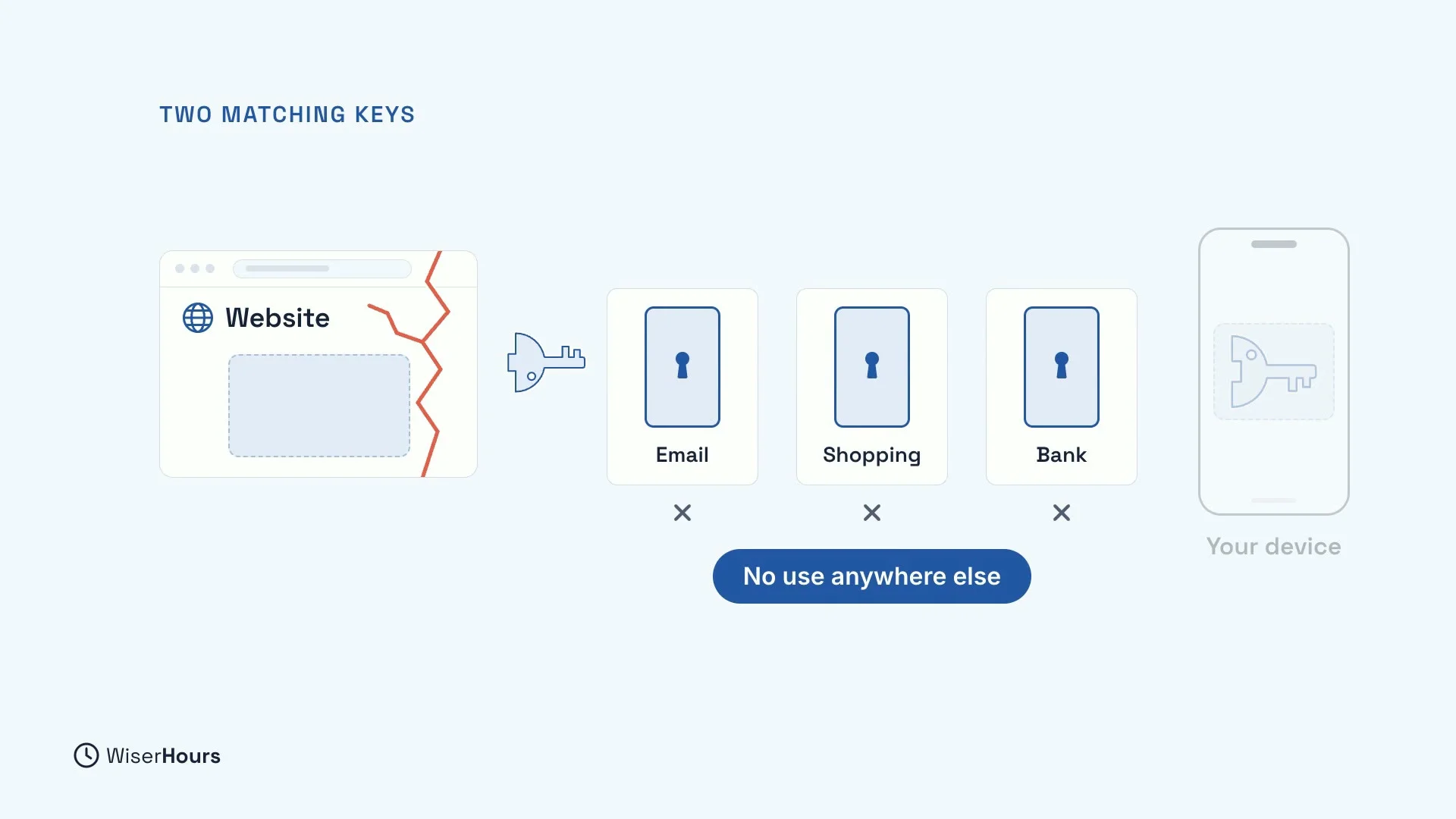
A passkey is made of two matching keys. The website keeps one. Your phone or computer keeps the other, and the website never sees it. When you sign in, your device uses its key to prove it is you, and the website checks that proof against its own key.
This has a handy side effect. If the website is broken into, thieves get only the website’s half, which is no use anywhere else. There is no password in the leak to try on your other accounts.
 (opens the full-size picture)
Your face, finger or PIN
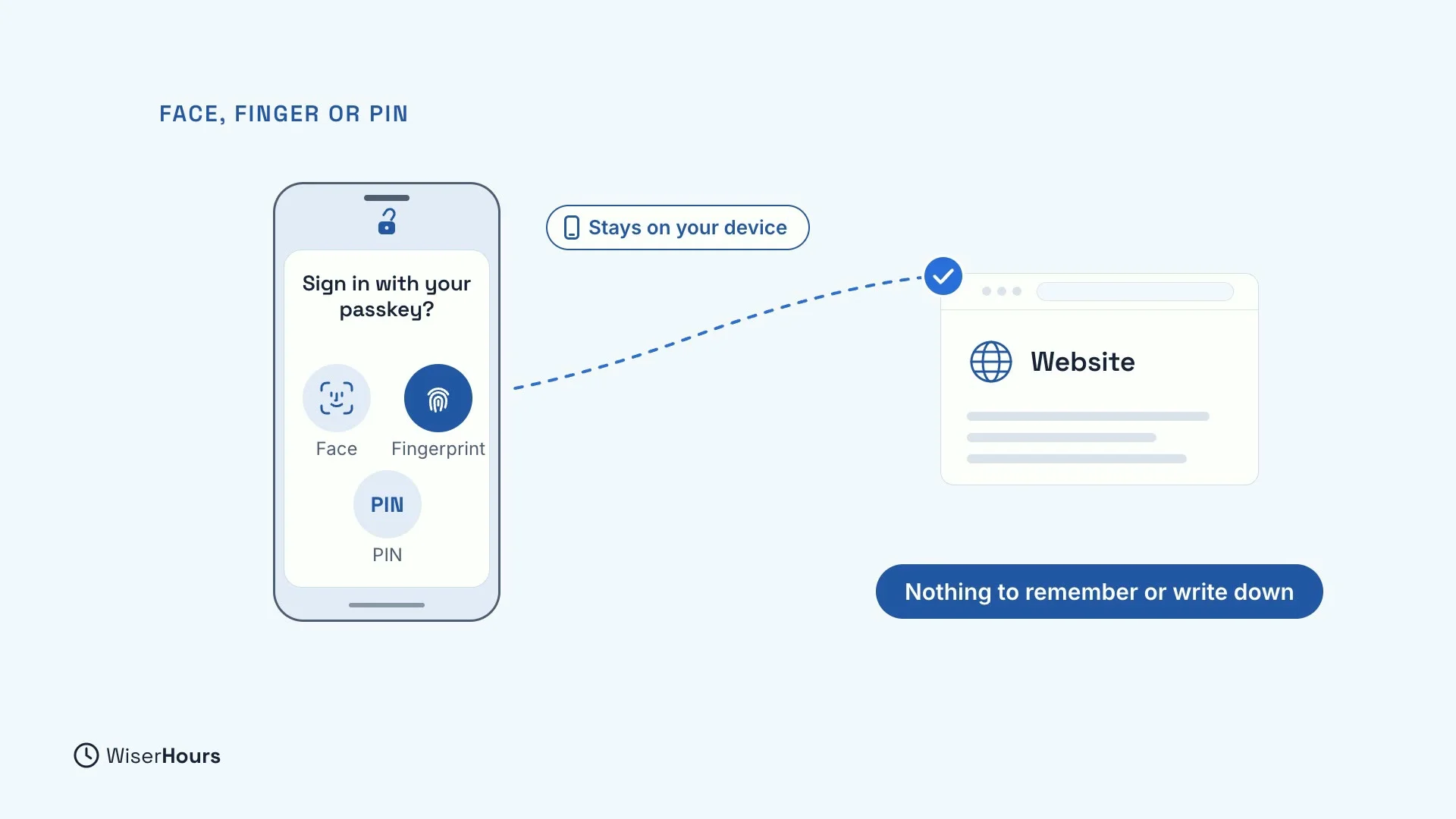
To sign in, your device asks for your face, fingerprint or PIN, just like unlocking your phone. Your face or fingerprint stays on your device: the website only learns that the check worked.
There is nothing to remember or write down. When a site offers to “create a passkey”, your device makes the new pair of keys for you.
 (opens the full-size picture)
A fake site gets nothing
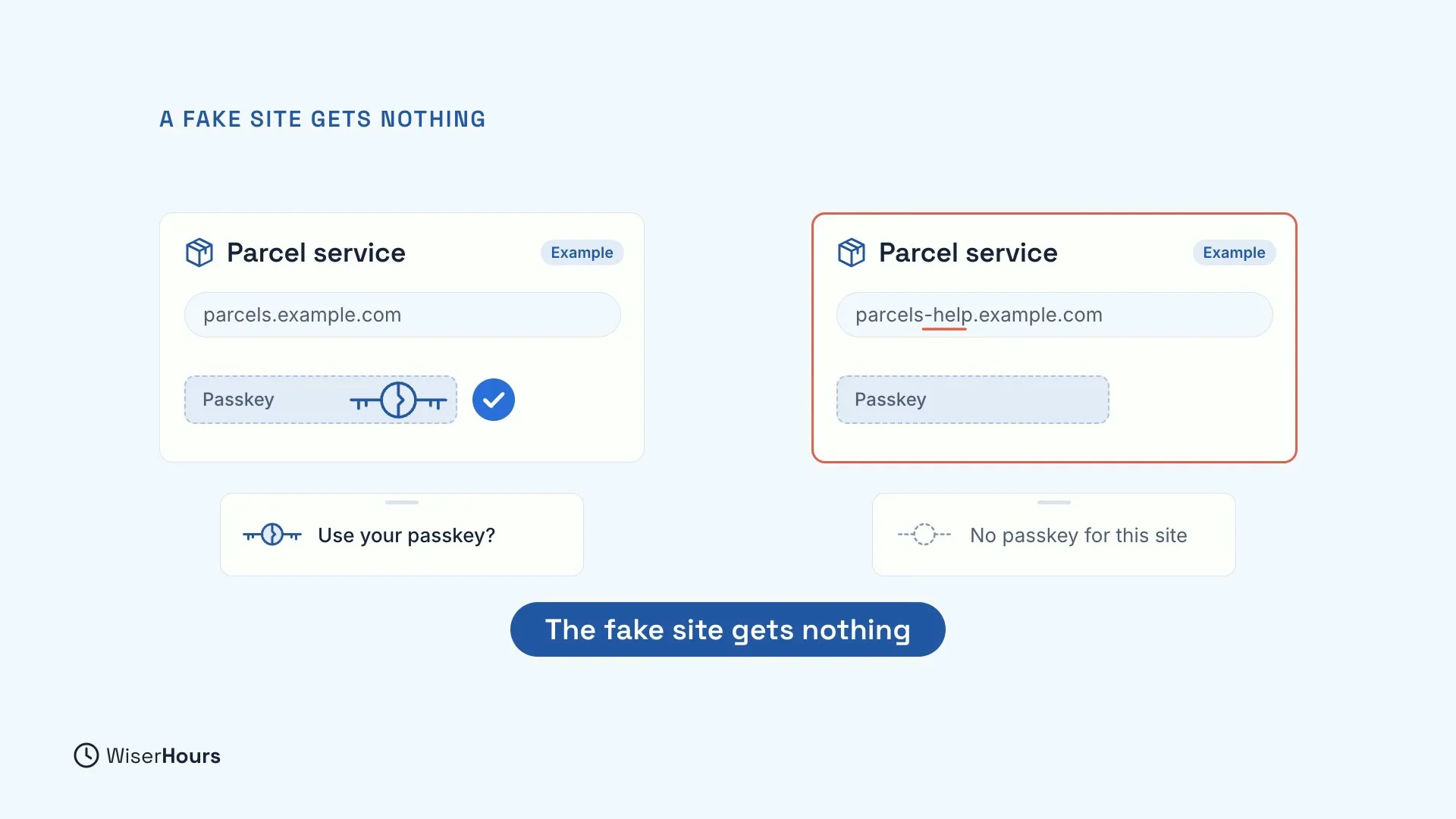
Each passkey only works on the website it was made for. On a fake copy of that site, your phone will not offer your passkey, even if the page looks exactly right. The fake site gets nothing to steal.
For example, a real parcel service at one address offers “Use your passkey?”. A lookalike at a slightly different address gets “No passkey for this site”.
 (opens the full-size picture)
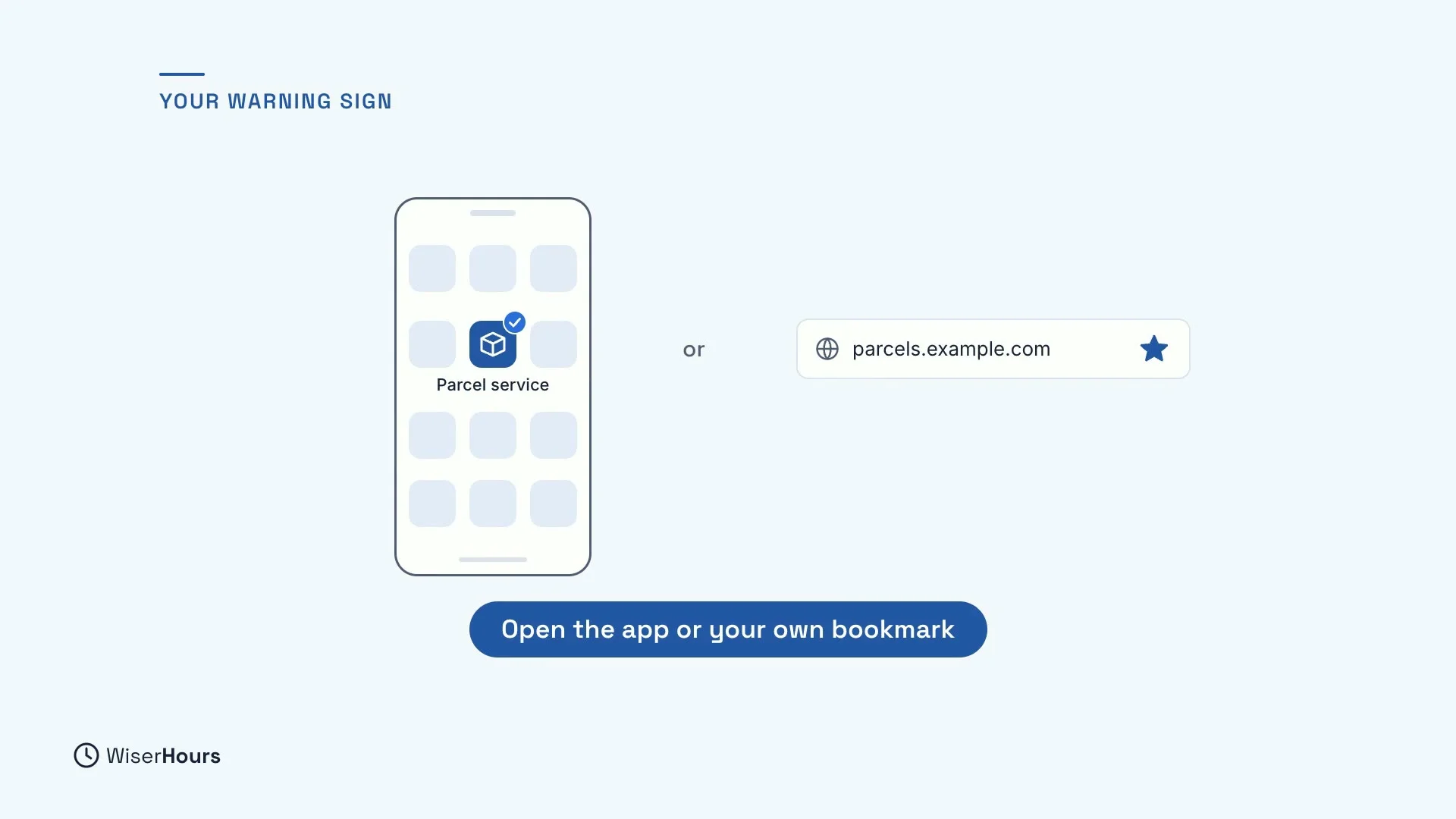
Your warning sign
So if your passkey does not appear, and the page asks for your password instead, take that as a warning. Close the page. Then open the site from its app, or from a bookmark you saved yourself, and sign in there.
 (opens the full-size picture)
If you lose your phone
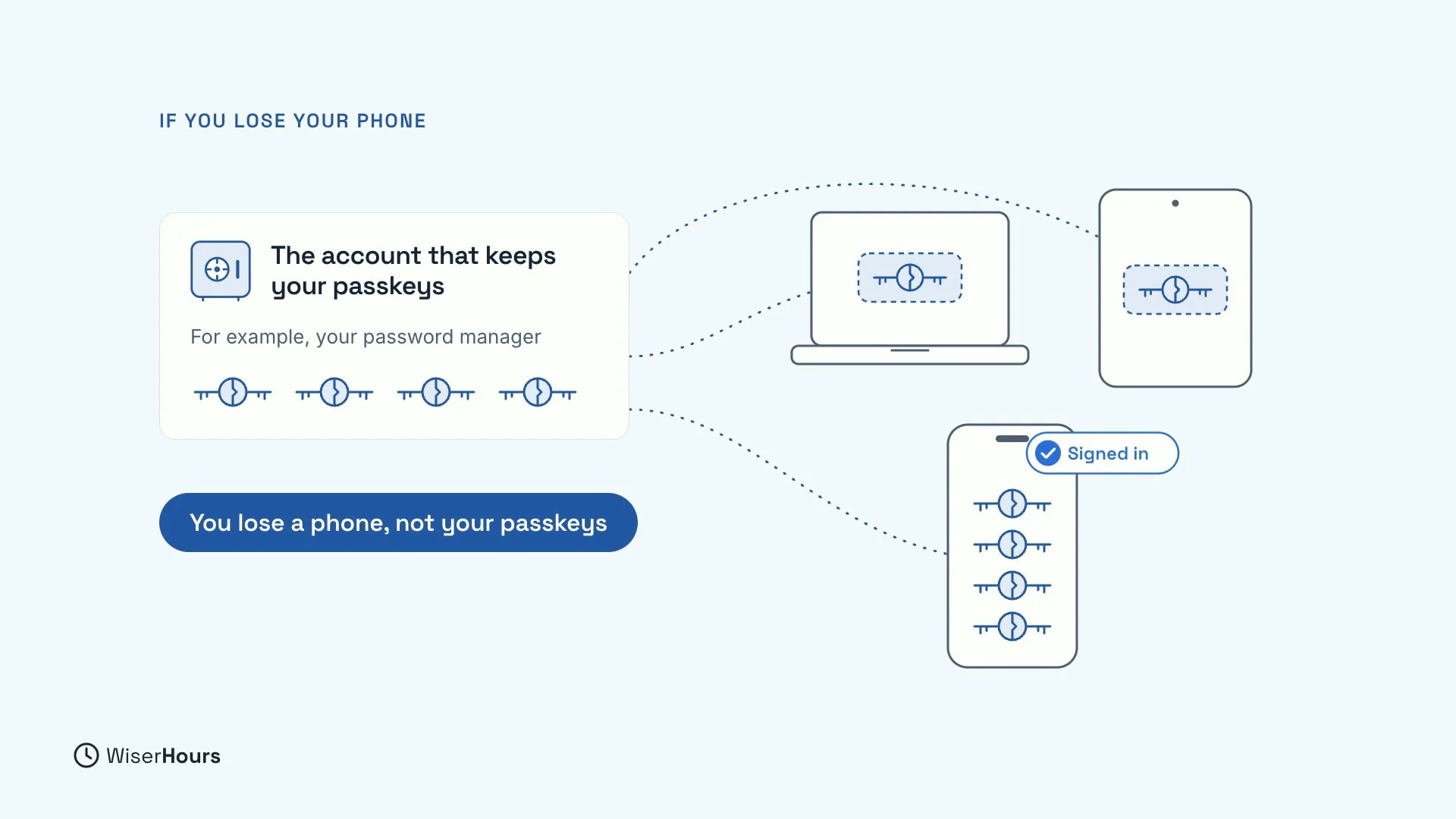
What if you lose your phone? Synced passkeys are copied to your other devices through the account that keeps them, like your password manager. So you lose a phone, not your passkeys. On a new phone, sign in to that account, and they are there.
That makes the account that keeps your passkeys very important. Protect it with a strong password and two-step verification, from the lesson on two-step verification.
 (opens the full-size picture)
Lock your phone well
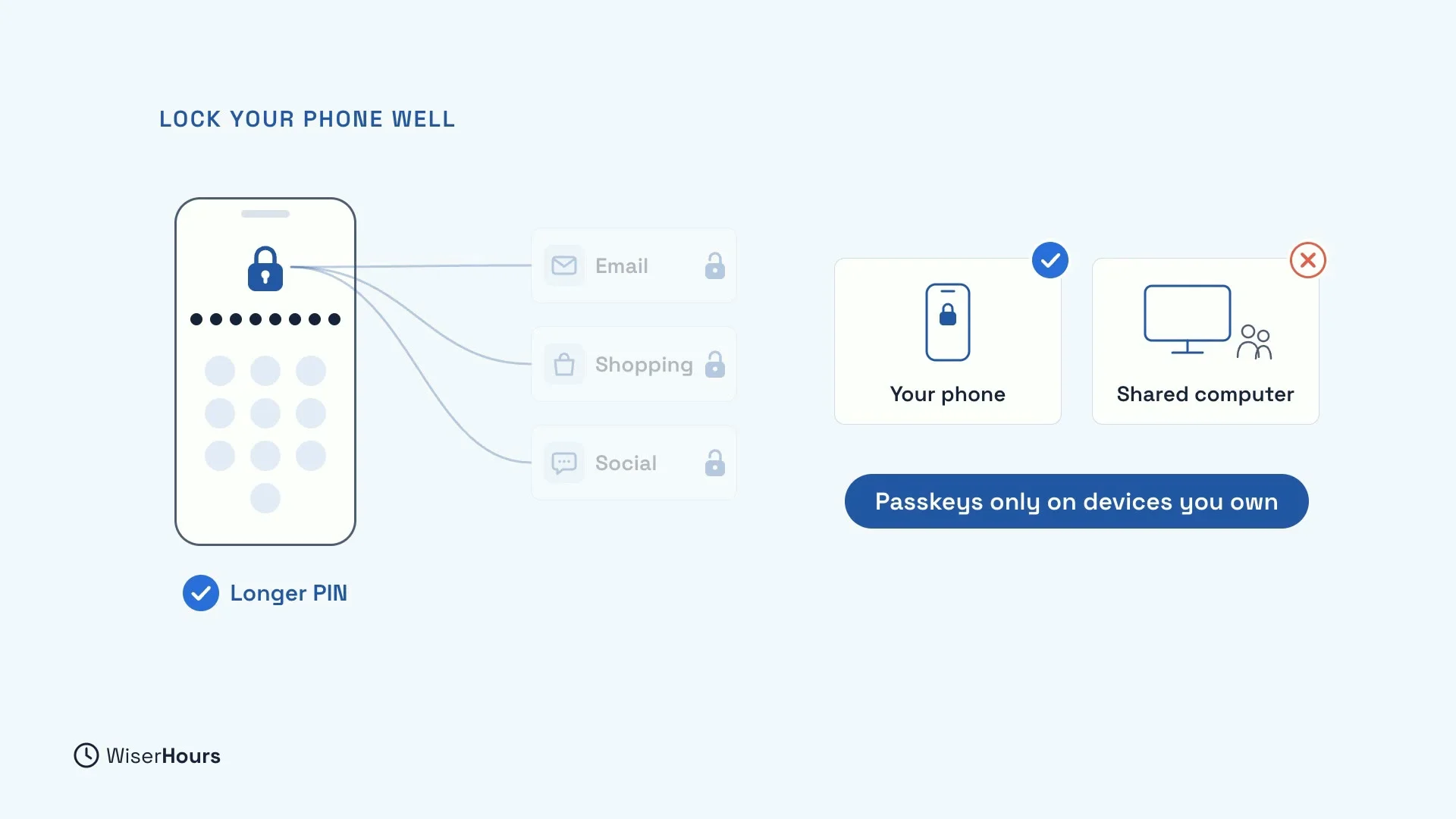
The bigger risk is someone else opening your phone. With passkeys, whatever unlocks your phone also unlocks your accounts. A short PIN that someone has watched you type is now guarding your email.
So use a longer PIN, and make passkeys only on devices you own, never on a shared computer.
 (opens the full-size picture)
Which accounts to switch first
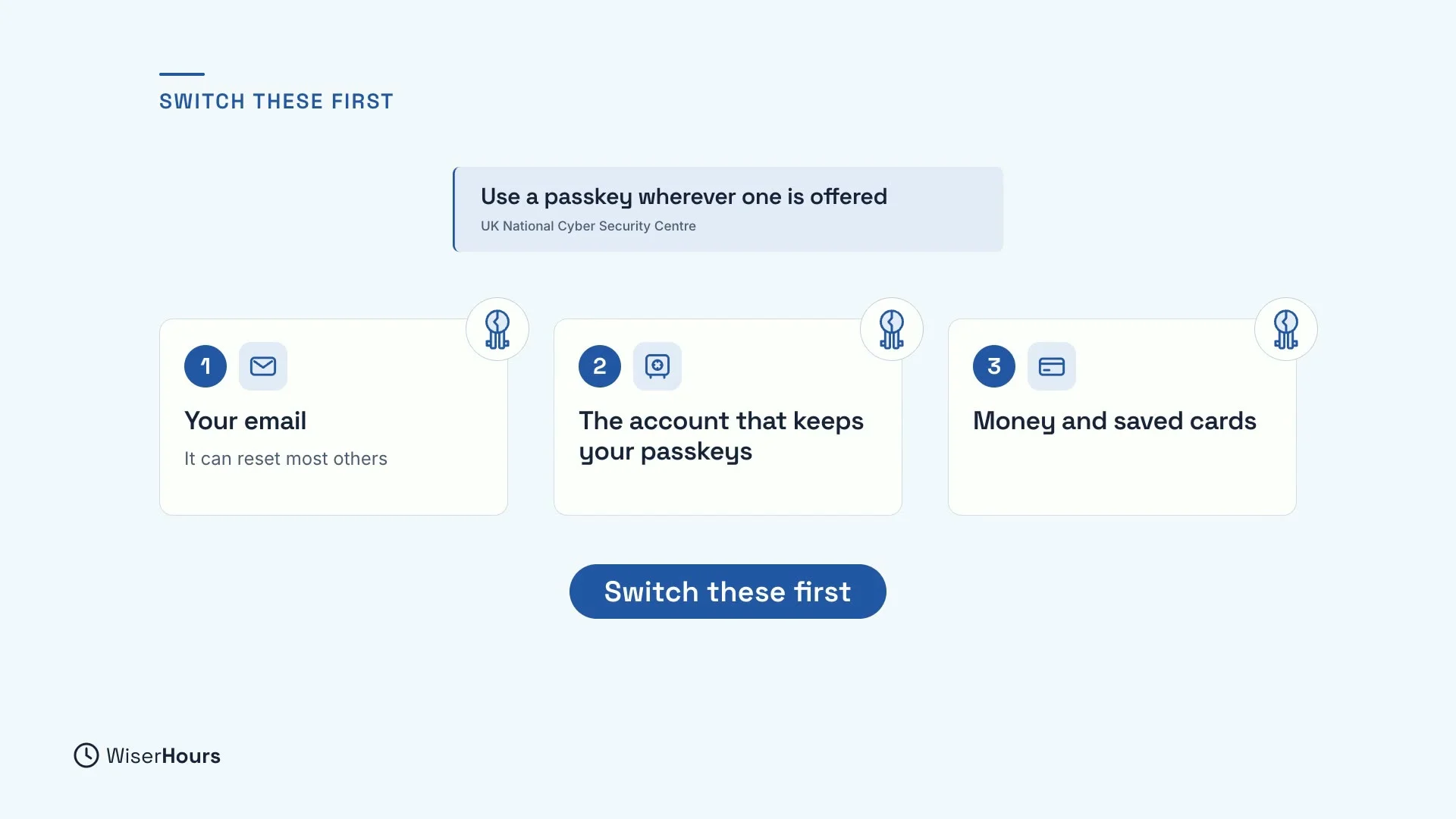
Britain’s National Cyber Security Centre advises using a passkey wherever one is offered. If you can’t do them all at once, go in this order:
- Your email, because whoever controls it can reset most of your passwords.
- The account that keeps your passkeys, such as your password manager.
- Accounts with money or saved cards, like shopping and payment accounts.
Many sites still keep a password as well. Keep that password strong and unique, and keep two-step verification on it.
 (opens the full-size picture)
YOUR TURN
Read more
- Passkeys Explained: What They Are and Whether to Switch: how passkeys work, where they are stored, and the full order for switching.
Read the full lesson script
In this lesson, you will meet passkeys, a way to sign in without typing a password. That matters, because a fake website cannot steal what you never type.
A passkey is made of two matching keys. The website keeps one. Your phone or computer keeps the other, and the website never sees it. If the website is broken into, thieves get only its half, which is no use anywhere else.
To sign in, your device asks for your face, fingerprint or PIN, just like unlocking your phone. Your face or fingerprint stays on your device. There is nothing to remember or write down.
Each passkey only works on the website it was made for. On a fake copy of that site, your phone will not offer your passkey. The fake site gets nothing.
So if your passkey does not appear, and the page asks for your password, take that as a warning. Close it, and open the site from its app or your own bookmark.
What if you lose your phone? Synced passkeys are copied to your other devices, through the account that keeps them, like your password manager. So you lose a phone, not your passkeys. On a new phone, sign in to that account, and they are there.
The bigger risk is someone else opening your phone. With passkeys, whatever unlocks your phone also unlocks your accounts. Use a longer PIN, and make passkeys only on devices you own.
Britain's National Cyber Security Centre advises using a passkey wherever one is offered. Start with your email, because whoever controls it can reset most of your passwords. Then the account that keeps your passkeys. Then accounts with money or saved cards.
So, a passkey is two matching keys, and a fake site gets nothing. Before the next lesson, check whether your email account offers a passkey, in its security settings. Next, you will learn to spot scam texts and emails.
MAKE IT A SMALL WIN
Finished this lesson?
Mark it complete to save your progress on this device.