Getting read · Lesson 2 of 10
Put the Point First: Write Emails That Get Read
Learn to put your request and deadline in the first two lines of an email, and to write a subject line that says what it is for.
 Video coming soon
Putting your point first is the most useful habit in work writing. It lets the reader know what you need before they stop reading. In this lesson you will see why readers stop early, how to turn an email upside down, and how to write a subject line that does its job.
Readers stop early
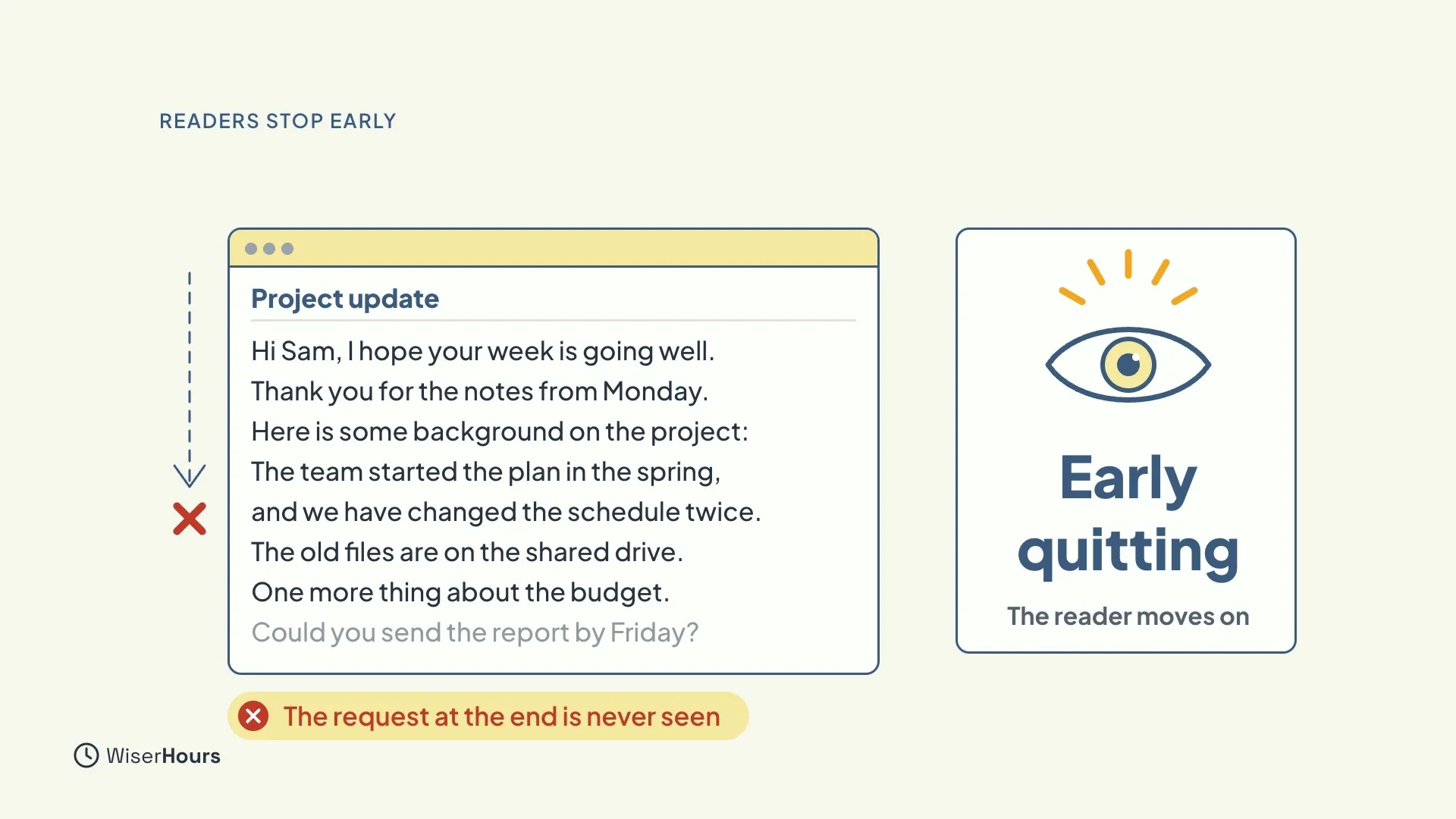
Busy readers skim from the top, and they often stop before the end. This is called early quitting: the reader decides they have got the gist, or that the message is too much for now, and moves on. A request hidden in the last paragraph may never be seen at all.
 (opens the full-size picture)
Picture your reader
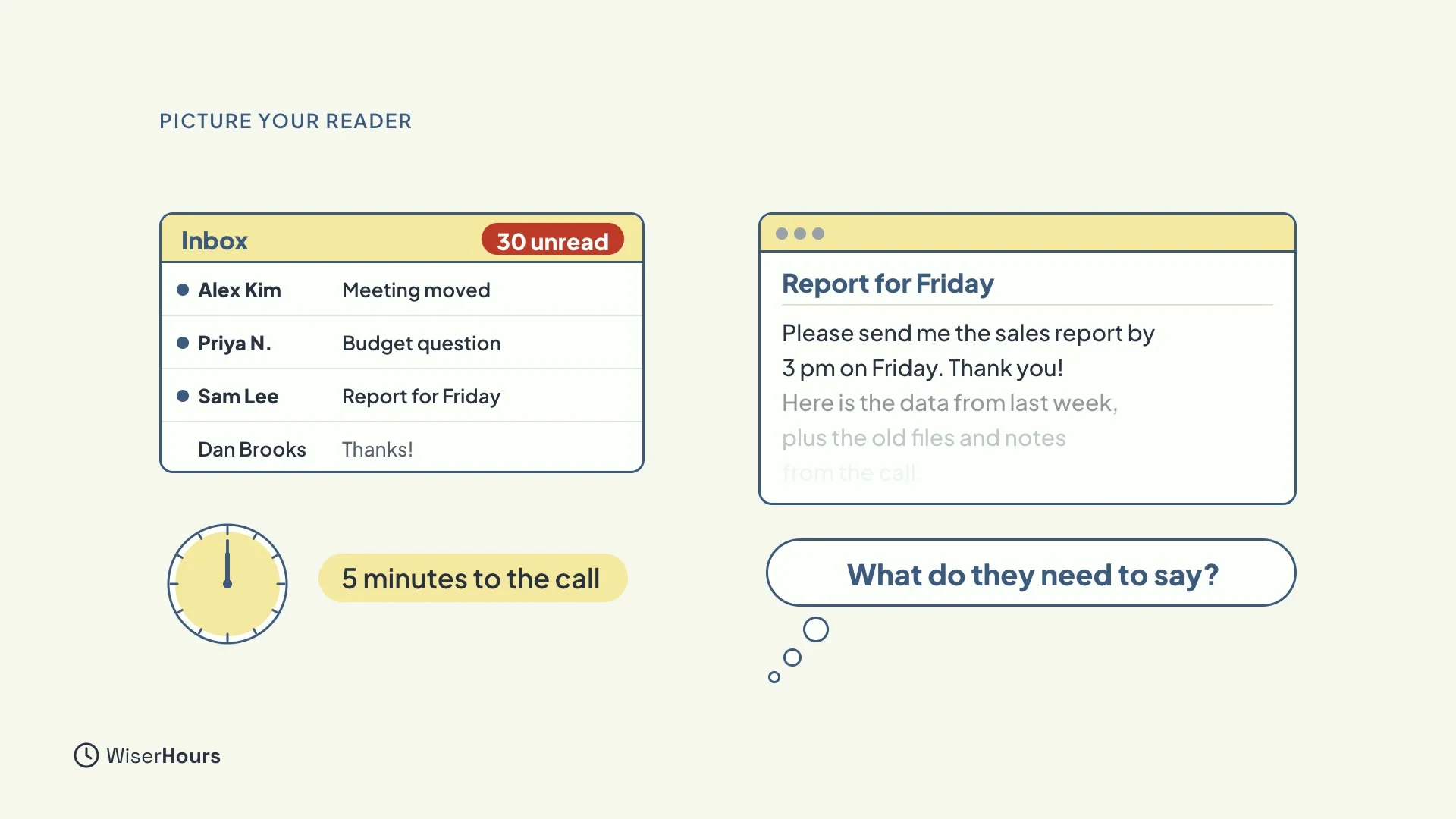
Imagine a manager with thirty unread emails and five minutes before a call. They open yours and read the first two lines. What do those two lines need to say? If you can answer that, you already know what to write first.
 (opens the full-size picture)
Turn it upside down
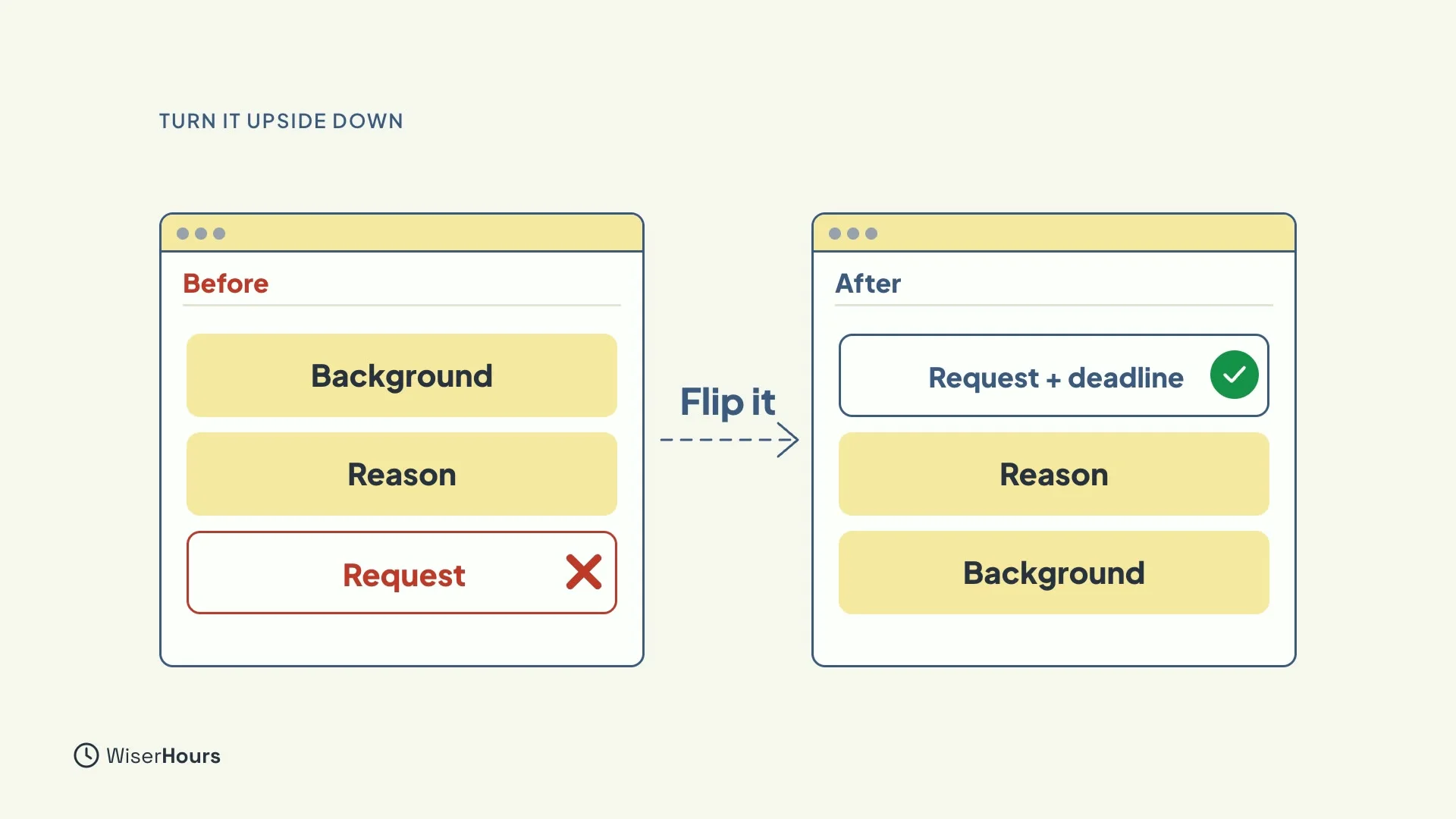
Most of us write in the order we think: background first, then the reason, then the request. Flip it. Put what you need, and by when, first. Then the reason. Then any background, if it is needed at all.
 (opens the full-size picture)
The subject line
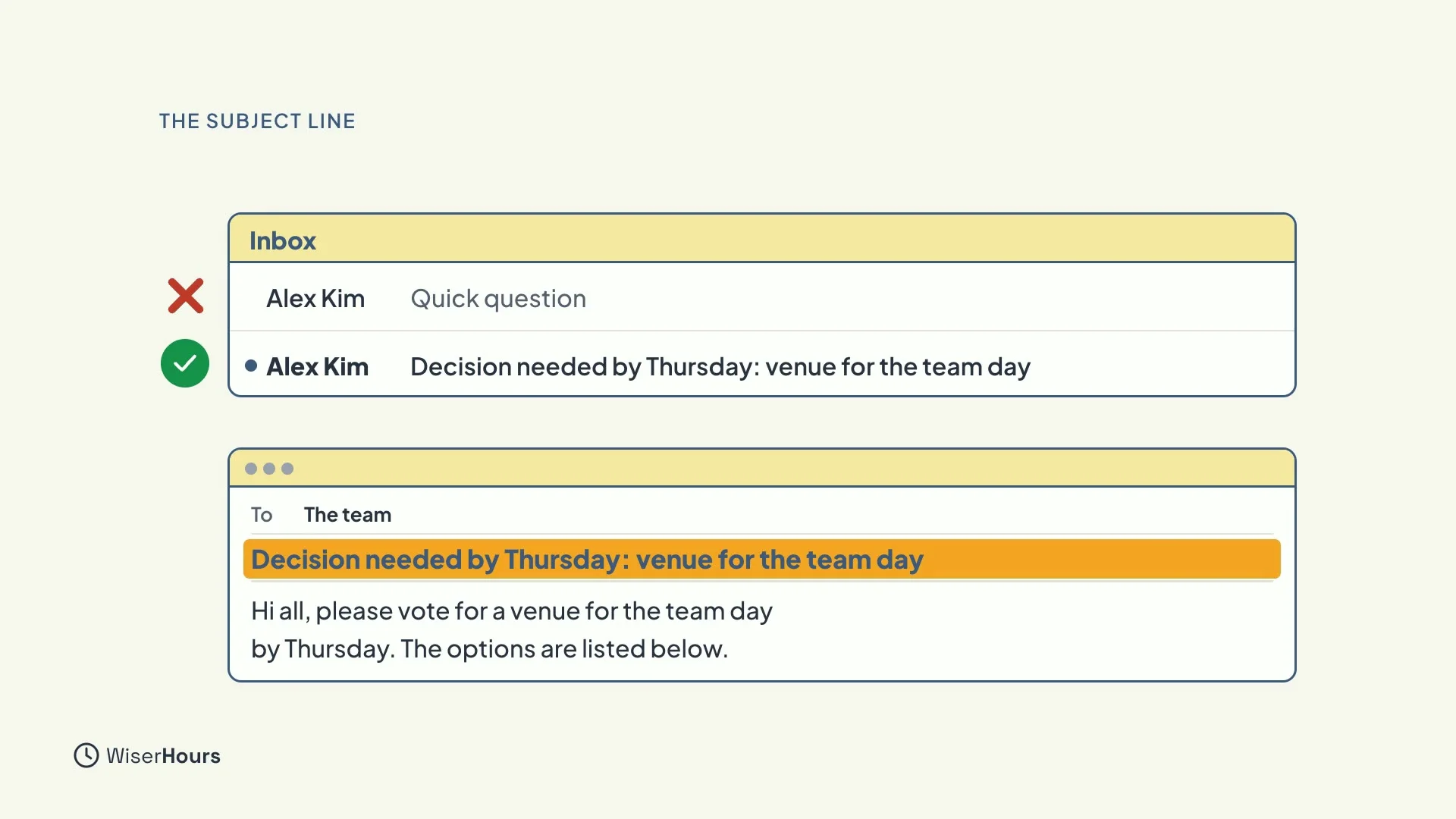
The subject line is the first line of all, so make it say what the email is for. Add the key date if there is one. Compare “Quick question” with “Decision needed by Thursday: venue for the team day”. The second one tells the reader what to do before they even open it.
 (opens the full-size picture)
The two-line test
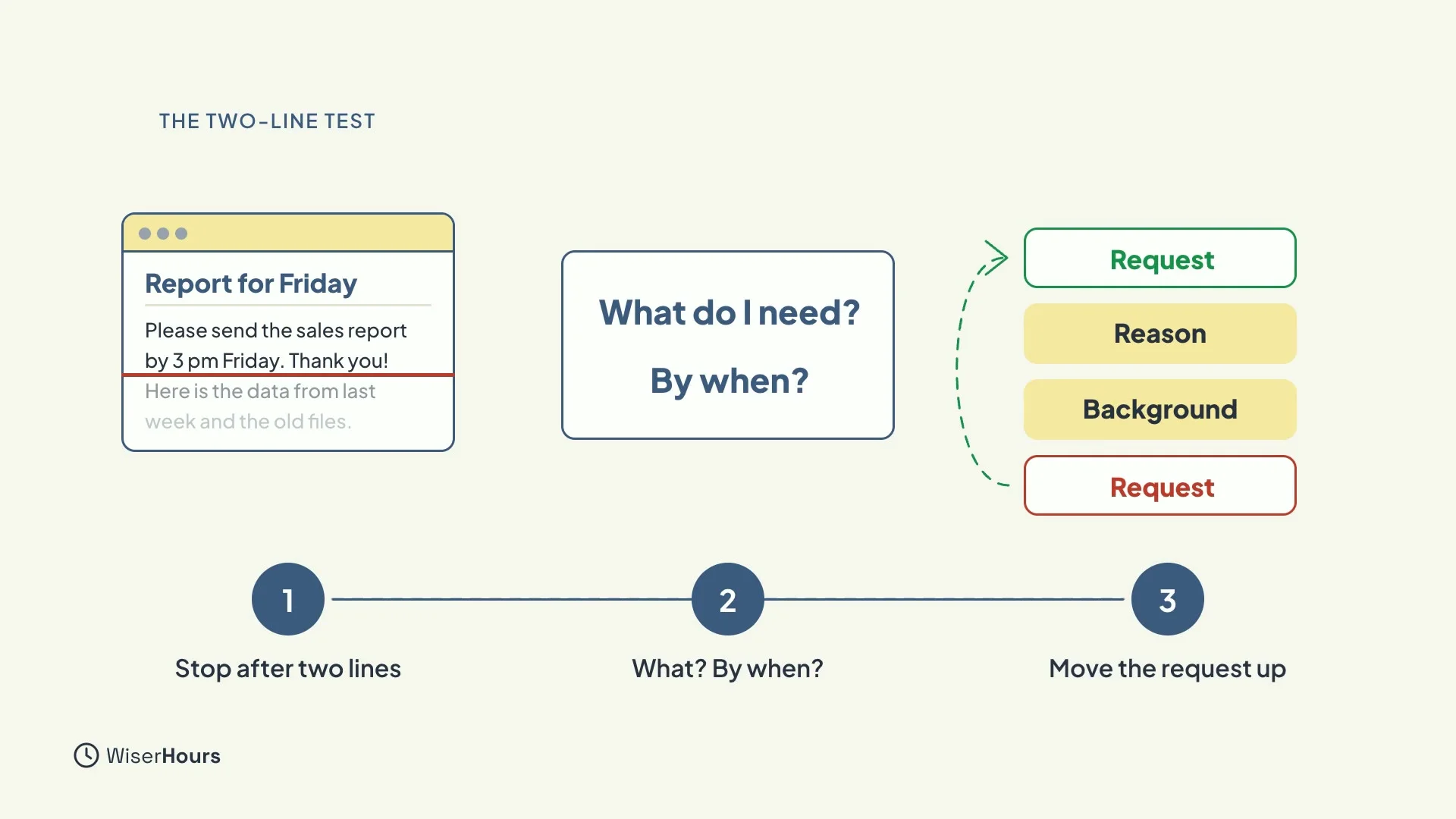
Before you send, try the two-line test. If the reader stopped after your first two lines, would they know what you need, and by when? If not, move the request up.
 (opens the full-size picture)
YOUR TURN
Read more
- How to write a professional email: structure, length and tone, including early quitting and the two-line test.
- Asynchronous communication explained: how to write messages that stand alone, with the request and the date.
Read the full lesson script
Welcome back. In this lesson, you'll learn the most useful habit in work writing: putting your point first, so the reader knows what you need before they stop reading.
Busy readers skim from the top, and they often stop before the end. Researchers call this early quitting: the reader decides they've got the gist, and moves on. So a request hidden in the last paragraph may never be seen at all.
Picture a manager with thirty unread emails, and five minutes before a call. They'll open yours and read the first two lines. What do those two lines need to say?
Most of us write in the order we think: the background, then the reason, then the request. Flip it. Put what you need, and by when, first. Then the reason. Then any background, if it's needed at all.
The subject line is the first line of all. Make it say what the email is for, and include the key date if there is one. Decision needed by Thursday: venue for the team day. The reader knows what to do before they even open it.
Before you send, try the two-line test. If the reader stopped after your first two lines, would they know what you need, and by when? If not, move the request up.
So remember: busy readers stop early, so the end of an email is the worst place for a request. Put what you need and by when in the first two lines, then the reason. And make the subject line say what the email is for. Before the next lesson, rewrite one recent email so the request is in the first two lines. Next, you'll learn to keep it short, without sounding curt.
MAKE IT A SMALL WIN
Finished this lesson?
Mark it complete to save your progress on this device.