Staying on top · Lesson 9 of 10
Your Inbox: Fewer Checks, Filters and Spotting Phishing
Check email less often, let filters sort it, write a good out-of-office message, and spot a fake email before you click.
 Video coming soon
Writing well is half the job. The other half is handling what comes in. In this lesson you learn to check email less, let filters sort it, set a good out-of-office and spot fake emails.
Check less often
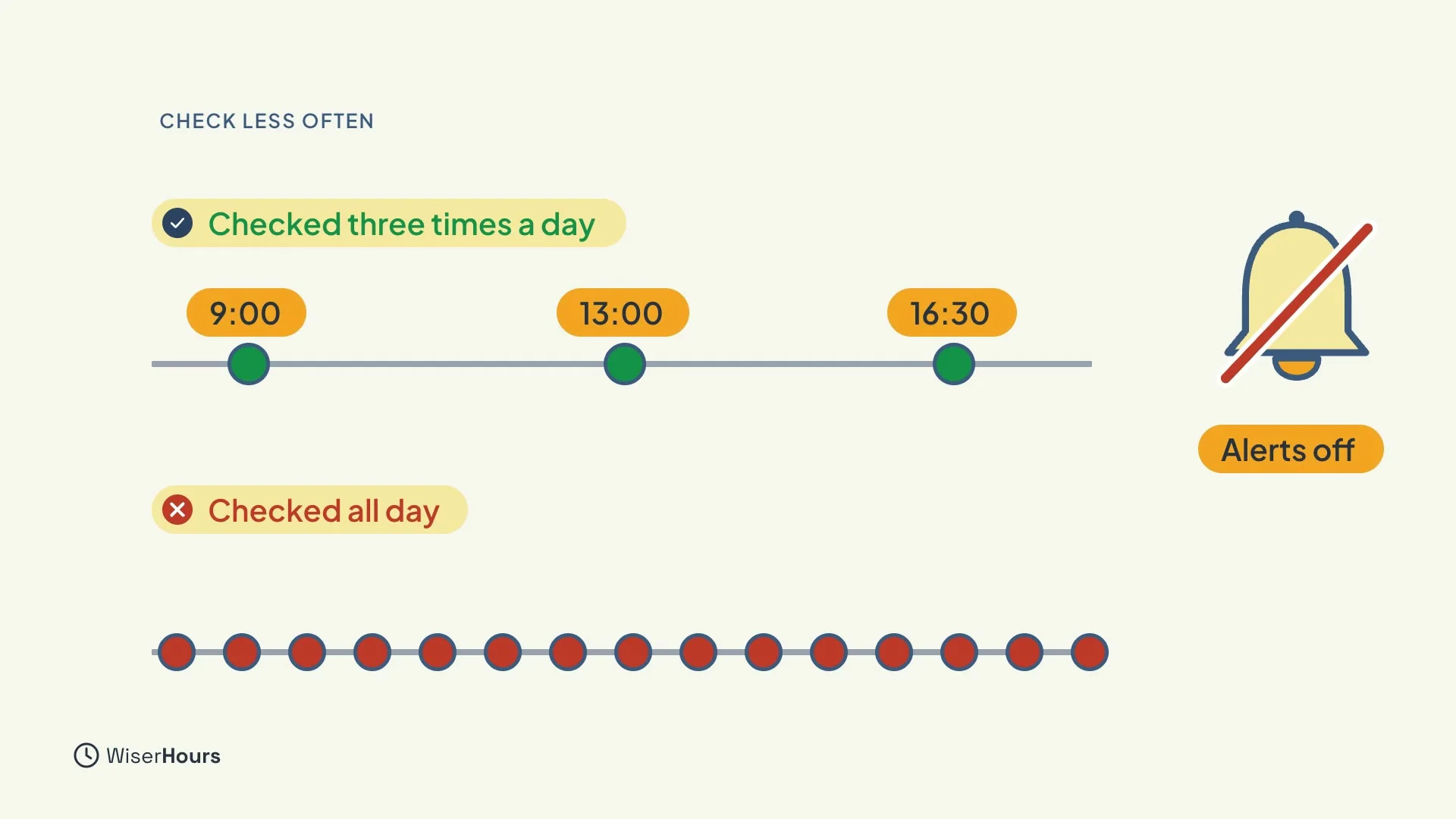
Constant checking is tiring. In one study, people who checked email about three times a day, with alerts off, felt less stressed than people who checked all day. Pick three times that suit your work, and close the inbox in between.
 (opens the full-size picture)
Let filters sort it
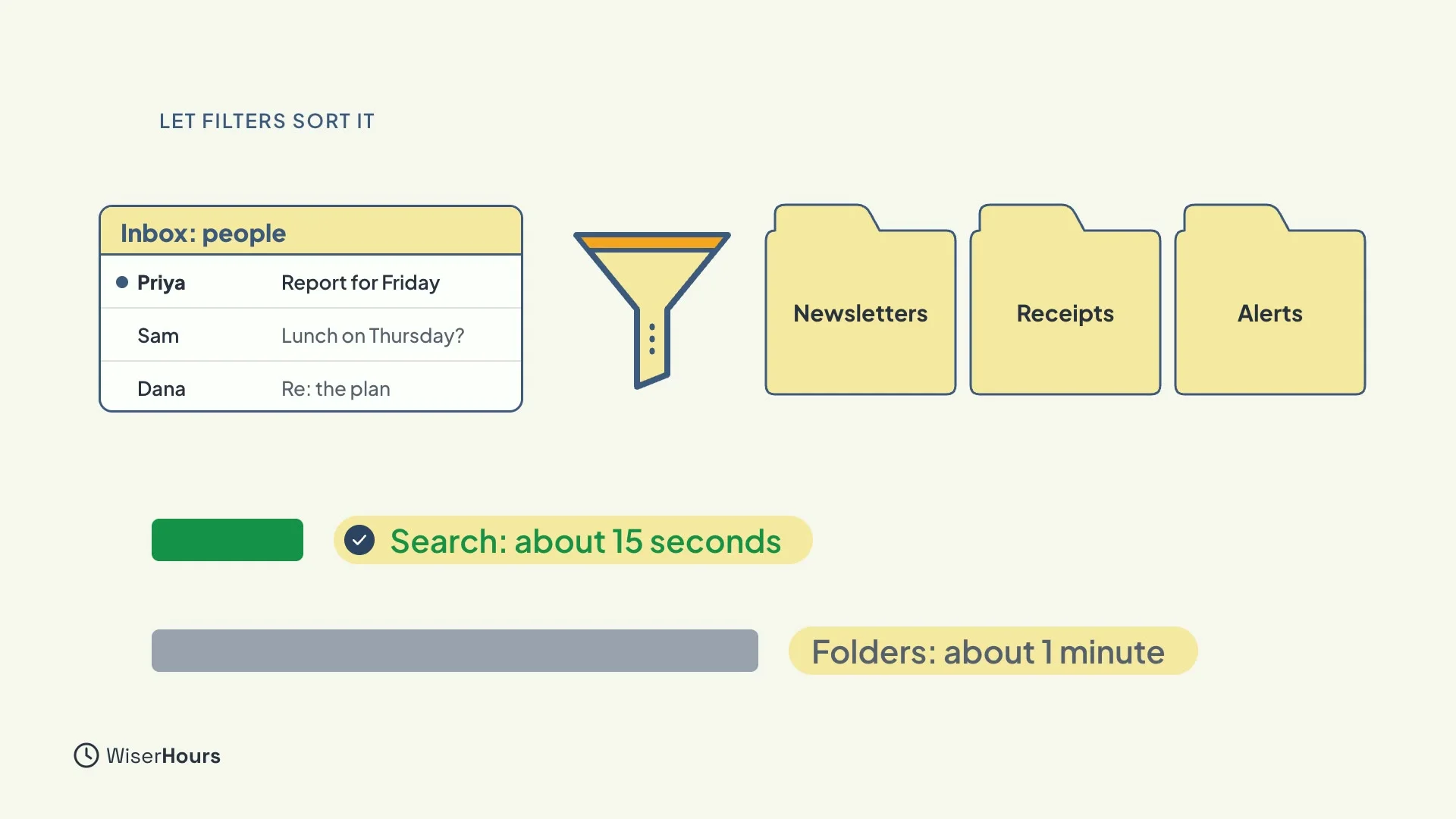
Filters sort mail for you. Send newsletters, receipts and automatic alerts into their own folders, so your inbox holds only messages from people. And when you need an old email, search for it: searching was about four times faster than hunting through folders.
 (opens the full-size picture)
A good out-of-office
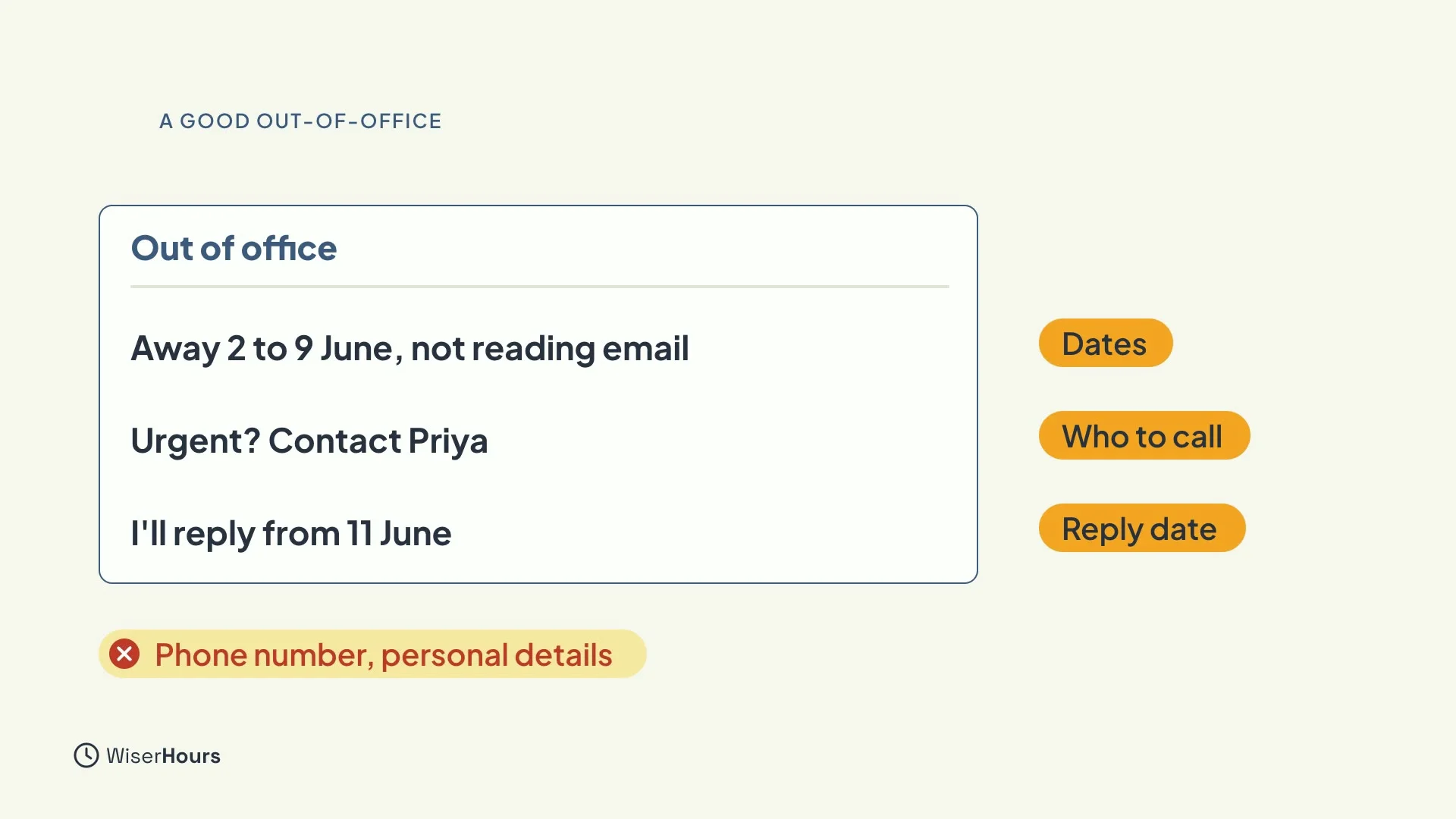
Before you go away, set an out-of-office that does its job. Say the dates you’re away and that you’re not reading email. Name a contact for anything urgent. And say when you’ll reply, ideally the day after you’re back. Leave out your phone number and personal details.
 (opens the full-size picture)
Spot a fake email
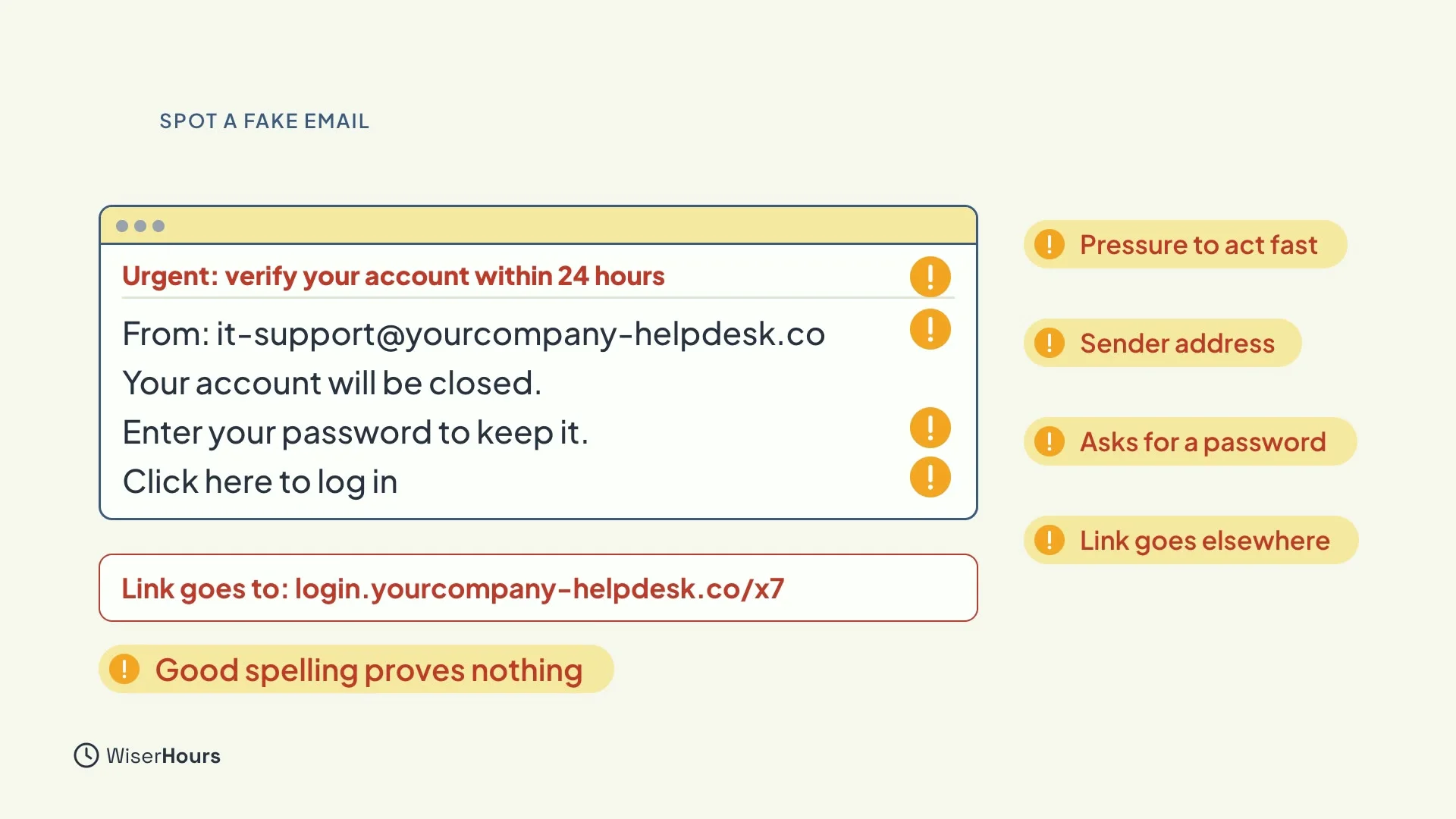
Some emails aren’t what they seem. Check four things: the real sender address, pressure to act fast, any request for money, a login or a code, and where a link really goes. Clean spelling proves nothing, because scammers use AI tools too.
 (opens the full-size picture)
Check, then report
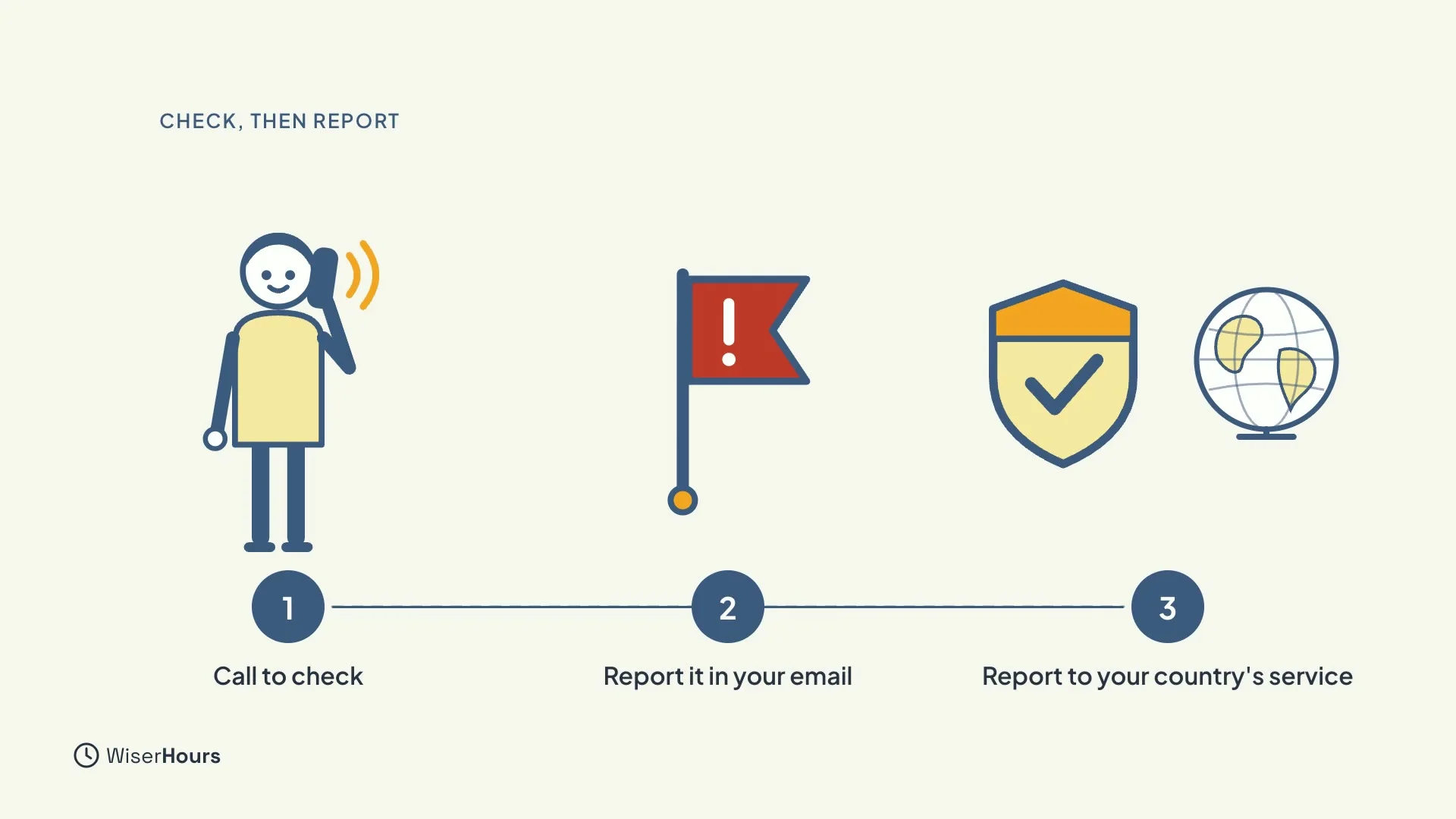
If a request seems odd, even from a colleague’s real address, call them on a number you already know. Then report the email, both in your email program and to your country’s scam reporting service.
Check, then report
Calling to check is the safest step, because a scammer can copy a colleague’s name but not answer the phone as them. After that, report it so others are protected too.
 (opens the full-size picture)
YOUR TURN
Read more
- Email Filters and Rules: how to make your inbox sort itself.
- How to Write an Out-of-Office Message: what to include and what to leave out.
- How to Spot a Phishing Email in Seconds: the warning signs, and what to do next.
Read the full lesson script
Welcome back. Writing well is half the job. The other half is handling what comes in. In this lesson, you'll learn to check email less, let filters sort it, set a good out-of-office, and spot fake emails.
Constant checking is tiring. In one study, people who checked email about three times a day, with alerts off, felt less stressed than people who checked all day. Pick three times that suit your work, and close the inbox in between.
Filters can sort mail for you. Send newsletters, receipts and automatic alerts into their own folders, so your inbox holds only messages from people. And when you need an old email, search for it: searching was about four times faster than hunting through folders.
Before you go away, set an out-of-office that does its job. Say the dates you're away and that you're not reading email. Name a contact for anything urgent. And say when you'll reply, ideally the day after you're back. Leave out your phone number and personal details.
Some emails aren't what they seem. Check four things: the real sender address, pressure to act fast, any request for money, a login or a code, and where a link really goes. Clean spelling proves nothing, because scammers use AI tools too.
If a request seems odd, even from a colleague's real address, call them on a number you already know to check. Then report the email, both in your email program and to the scam reporting service in your country.
So remember: check email a few times a day, with alerts off. Let filters sort newsletters and receipts, and search instead of digging through folders. And before you act on an urgent request, check the sender, the pressure, and the link. Before the next lesson, set up one filter, and choose your three checking times. Next, you'll use AI safely, and make your writing checklist.
MAKE IT A SMALL WIN
Finished this lesson?
Mark it complete to save your progress on this device.