Put it to work · Lesson 8 of 16
Write Emails and Messages With ChatGPT
Use ChatGPT as a writing helper: ask for a draft with the facts, make it firmer but still polite, and let it check your own text for mistakes.

English captions available in the player. Prefer reading? Follow the written lesson below.
ChatGPT can be your writing helper. Give it the facts and it writes a clean draft in a few seconds. It can also check your own text for mistakes. In this lesson you write a real message, change its tone, and then fix the mistakes in a sentence, using three moves: draft, adjust, and check.
Ask for a draft with the facts
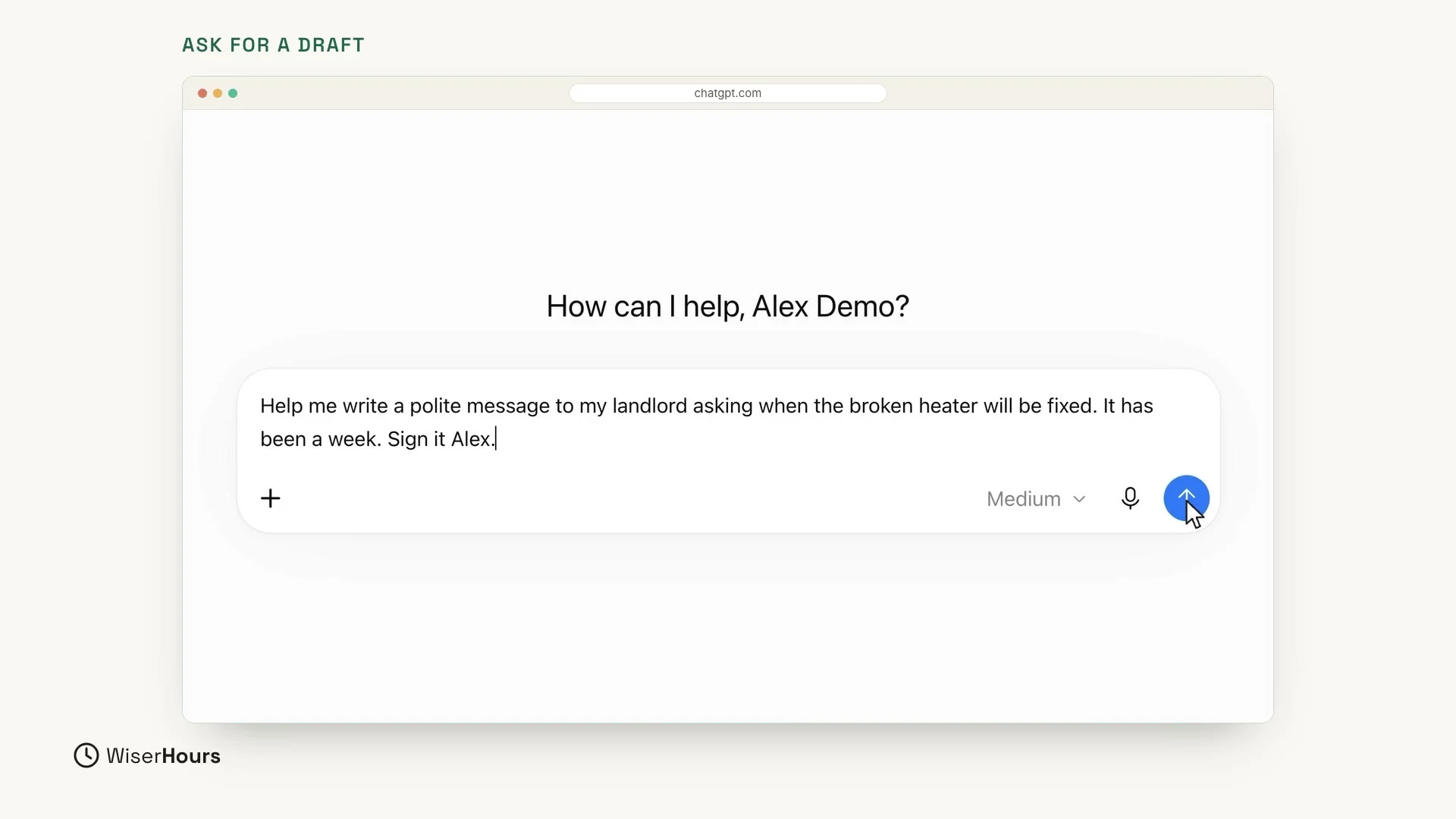
Say your heater is broken, and it has been a week. You want to ask your landlord when it will be fixed, so you ask ChatGPT to write the message and you give it the facts. Click in the message box and type:
This one request holds everything the message needs: the kind of message (polite), the problem (the broken heater), how long it has been (a week), and your name (Alex). When it is typed, click the round arrow button on the right to send it.
 (opens the full-size picture)
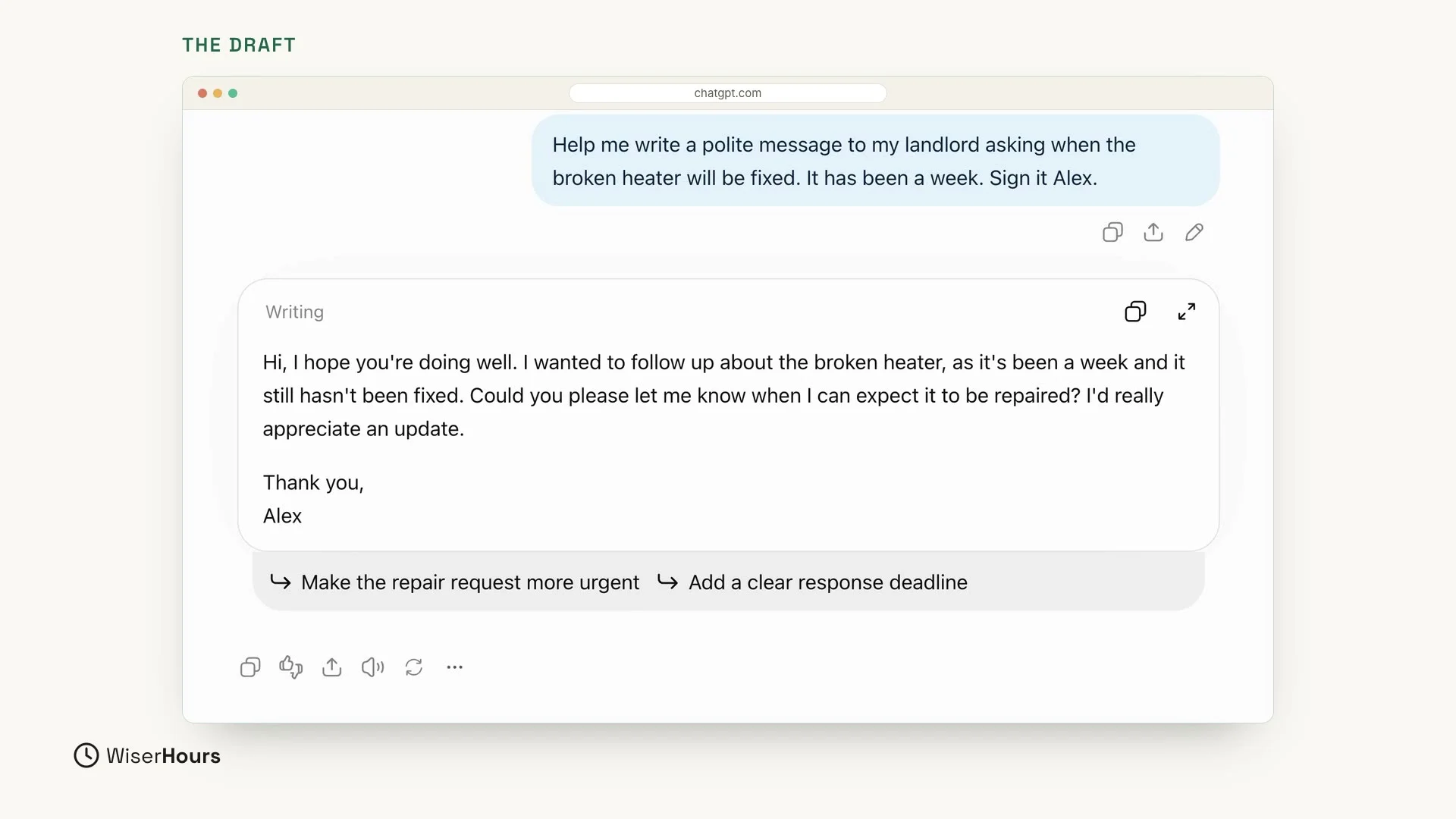
In a few seconds, you have a clean draft. It mentions the heater and the week, it politely asks when the heater will be fixed, and it is signed Alex.
The draft sits in its own box. When you are happy with it, click the copy button at the top right of that box (two small overlapping squares). Then paste the message into your text message or email.
 (opens the full-size picture)
Adjust the tone
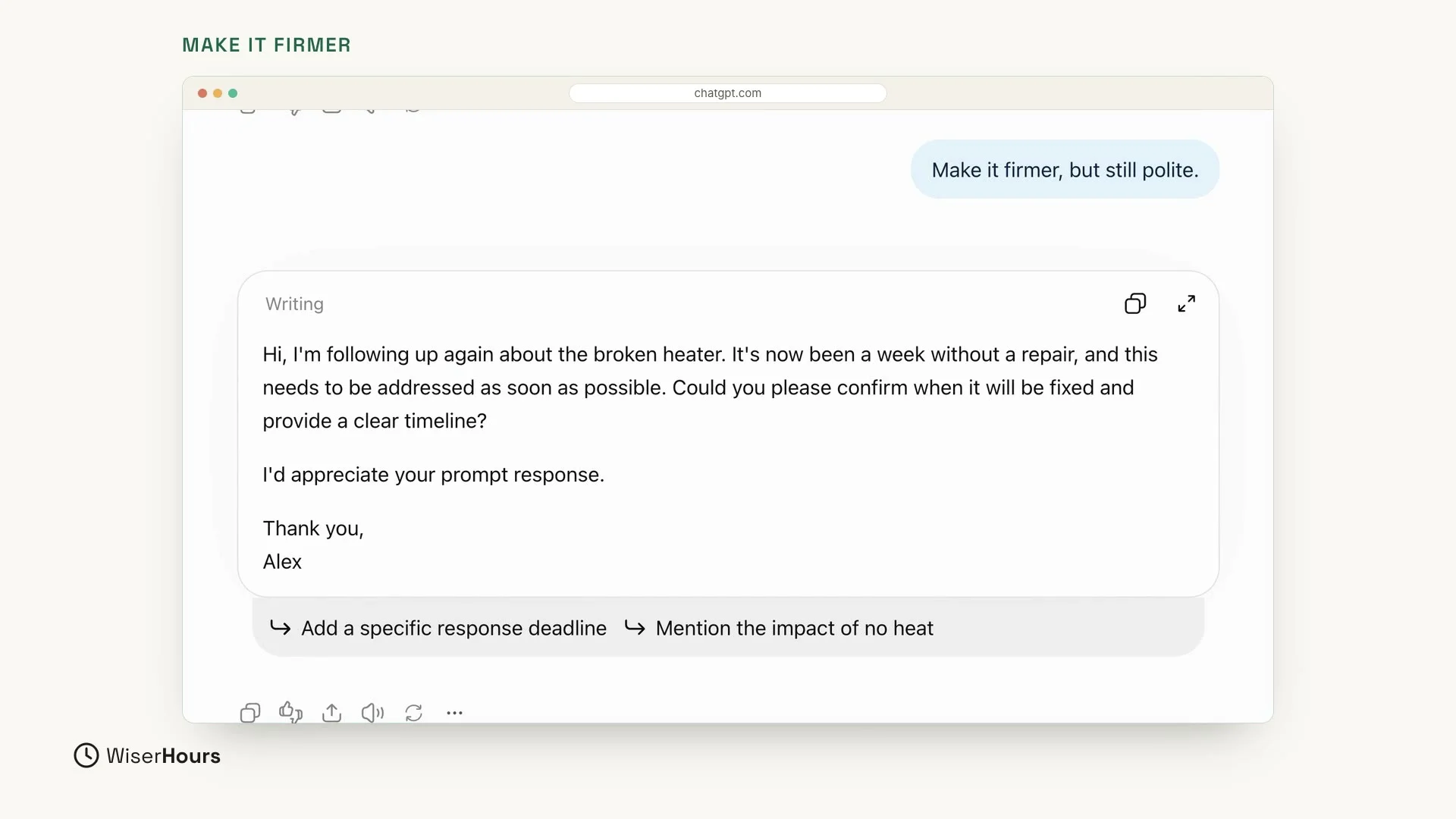
But a week is a long time, so you may want the message to sound firmer. You don’t need to start over. Talk back, like in Lesson 6: type your reply in the message box at the bottom of the same chat, and send it.
The new version makes it clear that the heater needs fixing soon. It says it has now been a week without a repair and that this “needs to be addressed as soon as possible”. It asks the landlord to confirm when the heater will be fixed and to give a clear timeline. It is firmer, but not rude: it still ends with “Thank you, Alex”. The facts stay the same.
 (opens the full-size picture)
You can change the tone in other directions the same way, for example by asking for a softer or a shorter message.
If you write a lot of emails, How to use AI to write emails has more prompts to copy, for requests, updates, and follow-ups.
Check for mistakes
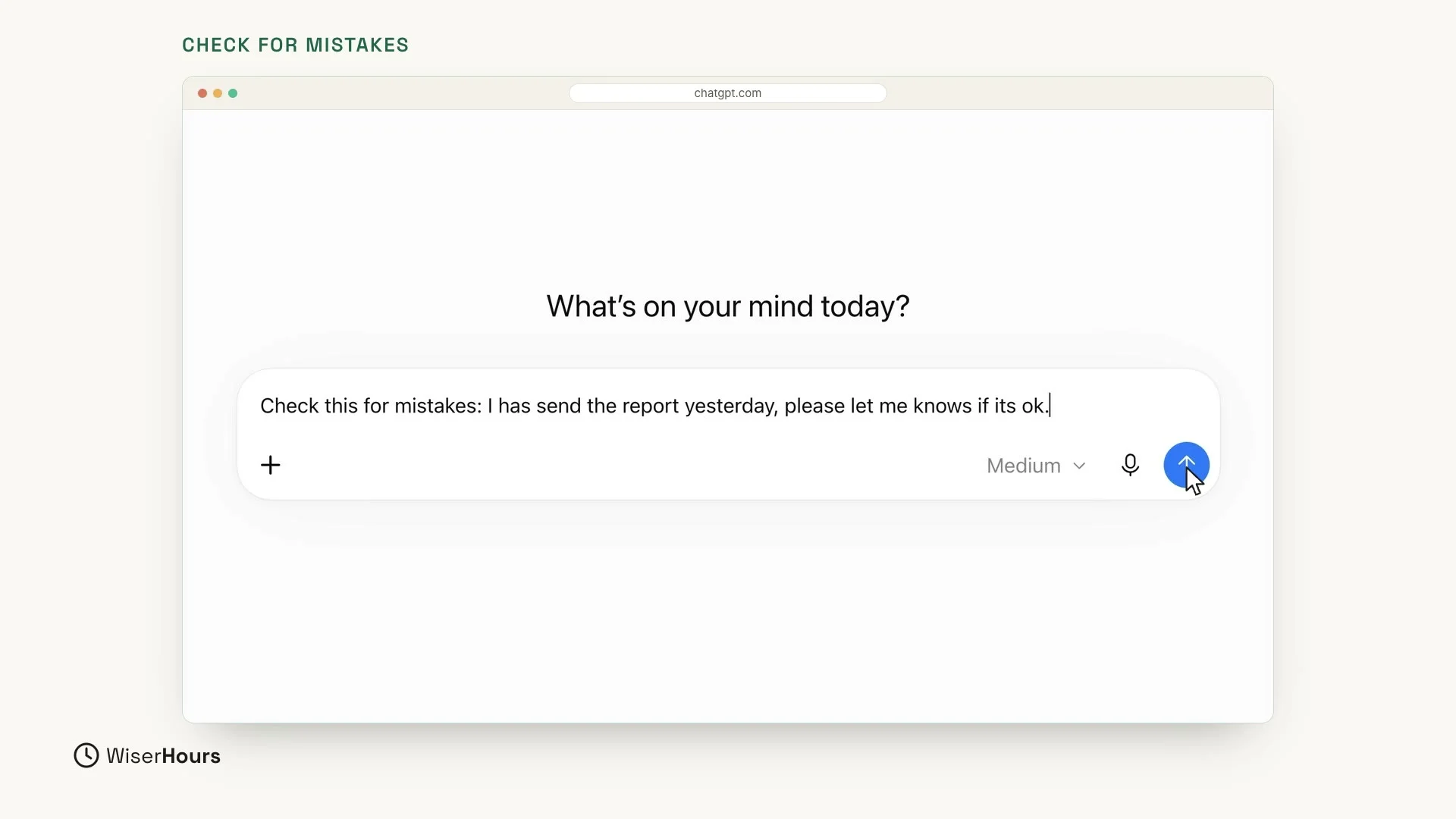
ChatGPT is also a patient proofreader. This is a new task, so start a new chat. Type “Check this for mistakes:” and then add your text after it.
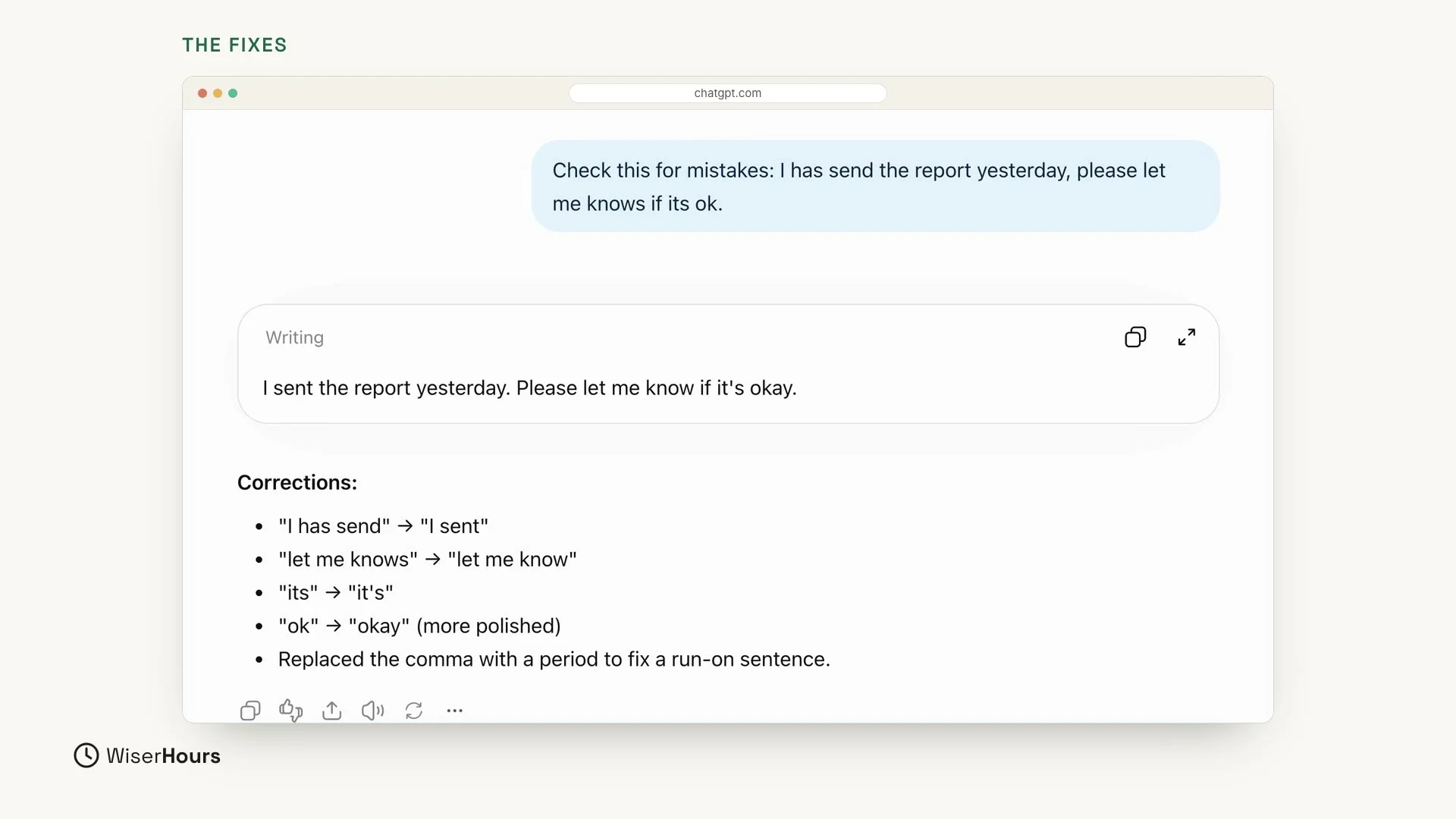
To try it, use this sentence. It has a few errors on purpose, so ChatGPT has something to fix. Type it exactly as it is, mistakes and all:
Then click the round arrow button to send it.
 (opens the full-size picture)
ChatGPT gives you the corrected sentence: “I sent the report yesterday. Please let me know if it’s okay.” And it lists the main fixes, so you can learn from them:
- “I has send” becomes “I sent”.
- “let me knows” becomes “let me know”.
- “its” becomes “it’s”.
In this example the list also shows two smaller changes: “ok” becomes “okay”, and the comma is replaced so the long sentence becomes two.
 (opens the full-size picture)
One important habit
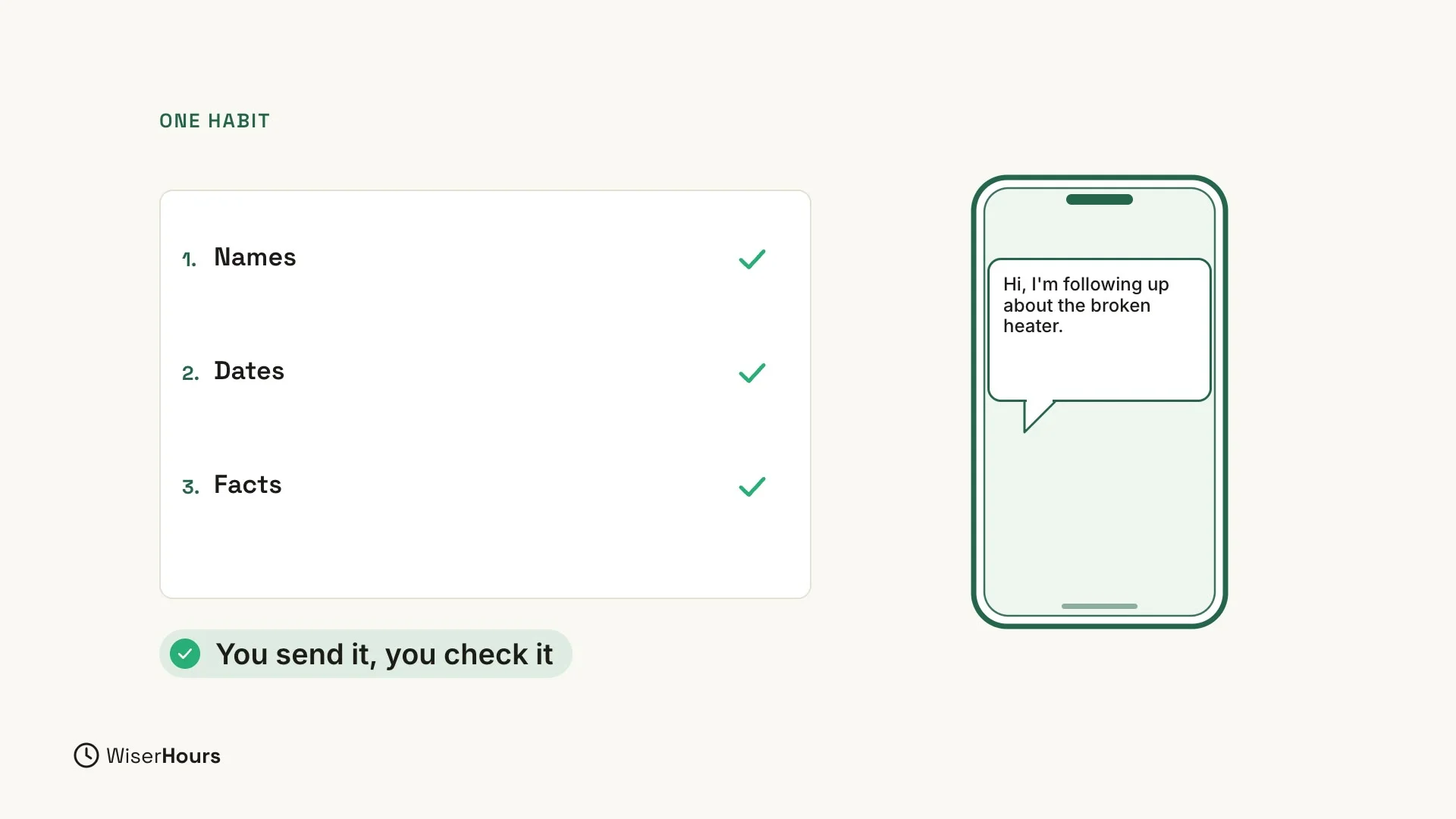
Always read the message before you send it. Check names, dates, and facts. ChatGPT writes the draft, but you are the one who sends it.
 (opens the full-size picture)
YOUR TURN
In the next lesson, ChatGPT becomes your patient tutor: Learn anything with ChatGPT as your tutor.
Read the full video transcript
In this lesson, ChatGPT becomes your writing helper. We'll write a real message, change its tone, and then fix the mistakes in a sentence.
Here's the situation. Your heater is broken, and it's been a week. So we ask: Help me write a polite message to my landlord asking when the broken heater will be fixed. It's been a week. Sign it Alex.
In a few seconds, you have a clean draft. It mentions the heater and the week, politely asks when it'll be fixed, and it's signed Alex. When you're happy with it, copy it and paste it into your text or email.
But a week is a long time. So let's talk back, like in lesson six. Make it firmer, but still polite. Now it's clear that this needs fixing soon, and it's still friendly.
ChatGPT is also a patient proofreader. In a new chat, type: Check this for mistakes. Then add your text. Here's a sentence with a few errors: I has send the report yesterday, please let me knows if its ok.
It gives you the corrected sentence, and lists the main fixes, so you can learn from them. I has send becomes I sent. Let me knows becomes let me know. And its becomes it's.
One important habit. Always read the message before you send it. Check names, dates, and facts. ChatGPT writes the draft, but you're the one who sends it.
So remember: ask for a draft with the facts, adjust the tone, and check for mistakes. Before the next lesson, ask ChatGPT to draft one real message you need to send. Next, ChatGPT becomes your patient tutor.
MAKE IT A SMALL WIN
Finished this lesson?
Mark it complete to save your progress on this device.