Get comfortable · Lesson 3 of 16
Your First ChatGPT Conversation, Step by Step
Four simple moves for talking with ChatGPT: ask a question, reply with a follow-up, try again for a fresh answer, and start a new chat.
English captions available in the player. Prefer reading? Follow the written lesson below.
Talking to ChatGPT works like a conversation in a messaging app: you write, it answers, and you can reply. In this lesson you have your first real conversation and learn four simple moves you will use every time: ask a question, ask a follow-up, try again, and start a new chat.
Ask a question
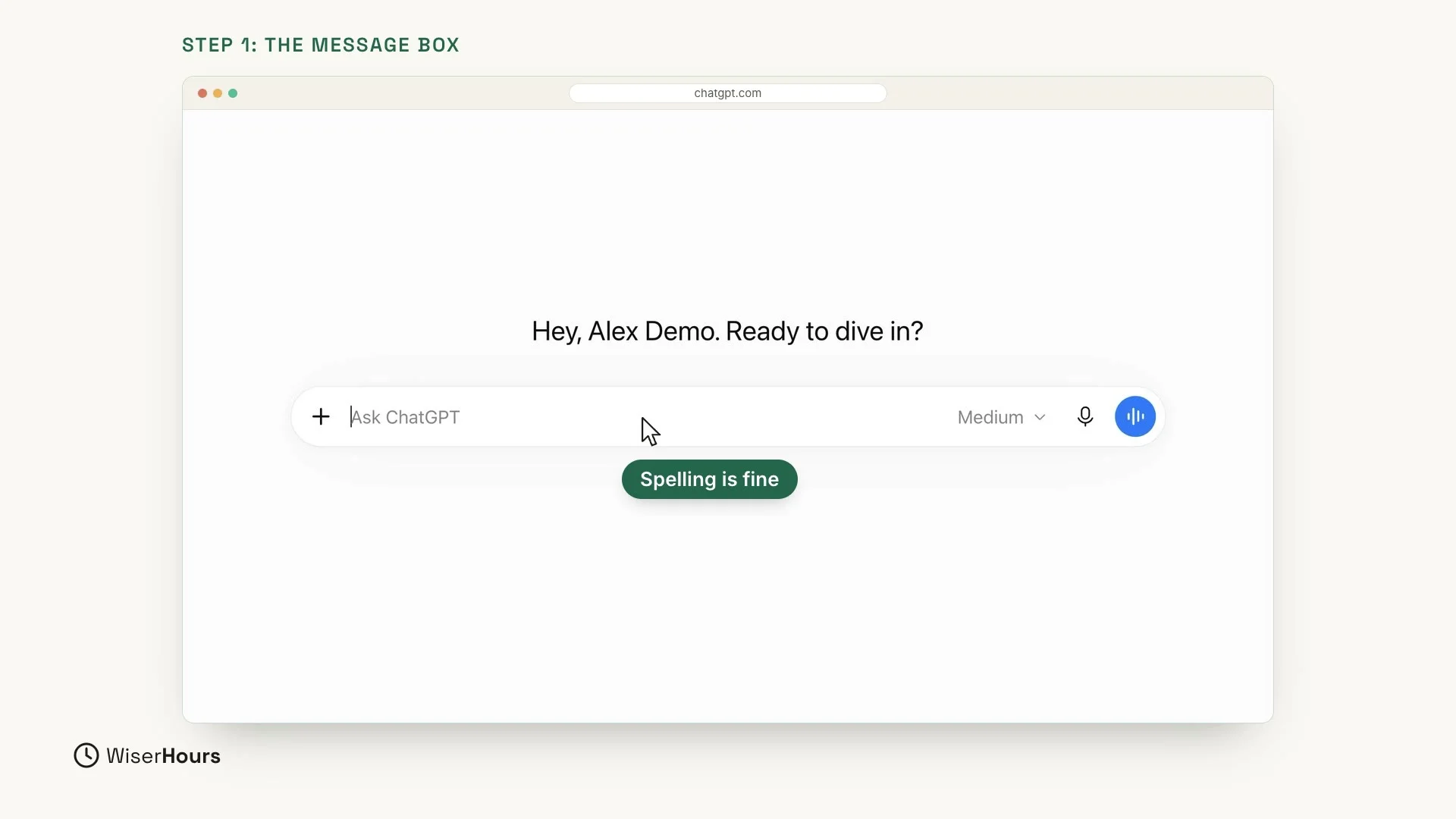
Everything starts in the message box in the middle of the screen. It says Ask ChatGPT. Click inside it and type your question the way you would ask a friend. You do not need special words, and your spelling does not have to be perfect.
 (opens the full-size picture)
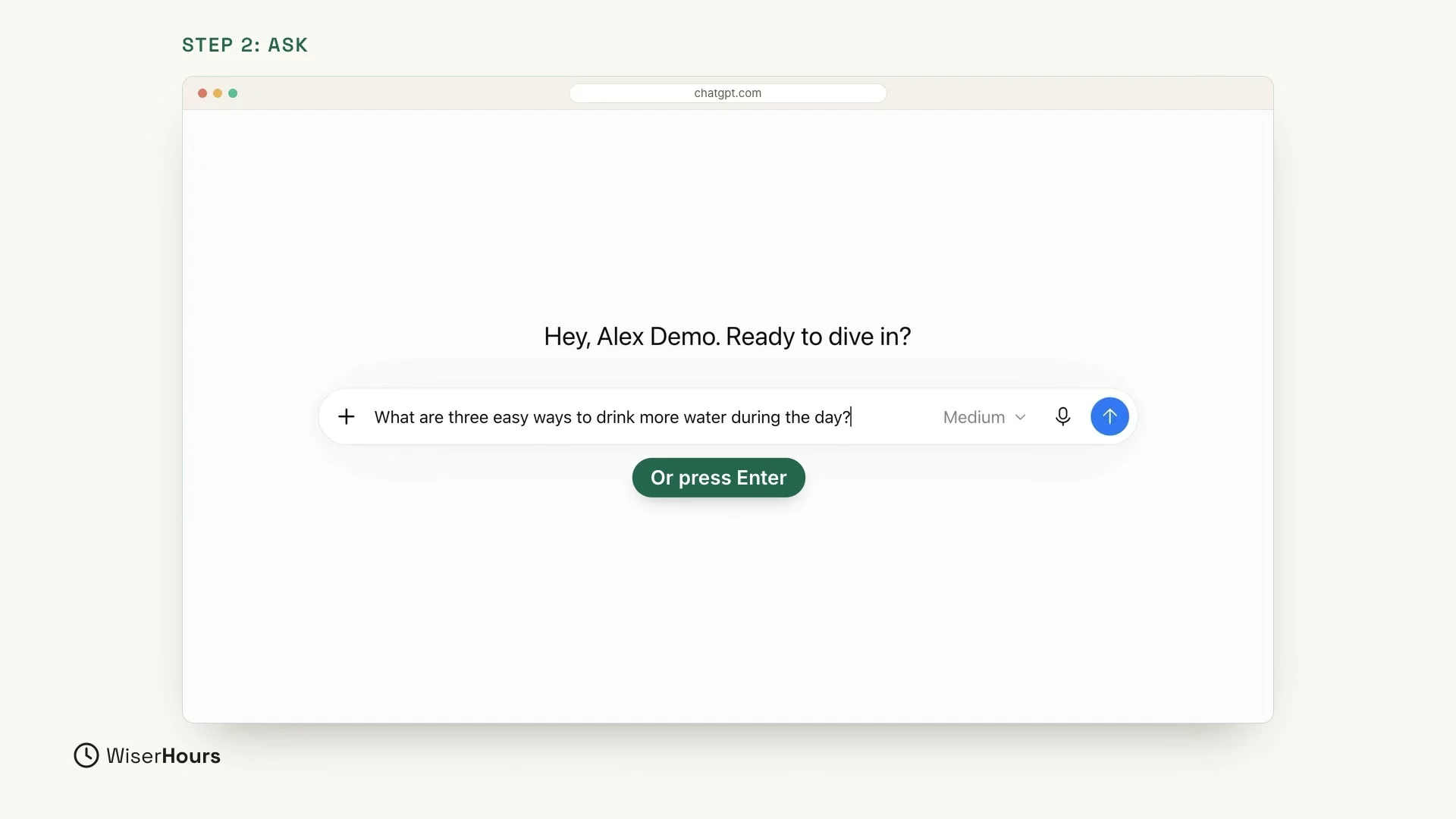
Let’s try one. Type this question:
Then press Enter on your keyboard, or click the round arrow button at the right end of the box.
 (opens the full-size picture)
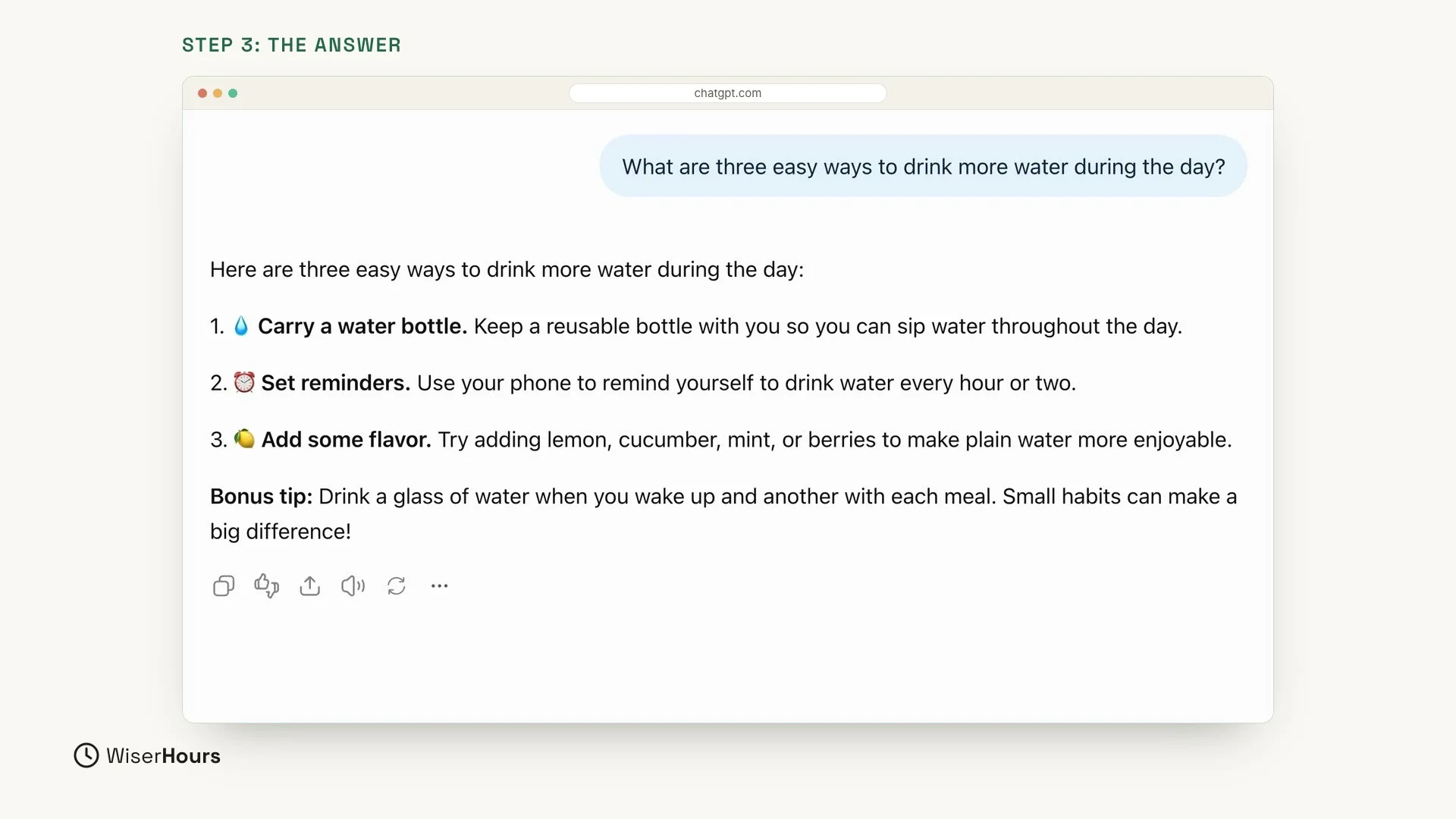
A few seconds later, the answer appears. Your question sits on the right, in a small light blue bubble. The answer is on the left. Take a moment to read it, just like a message from a friend.
In our example, ChatGPT gave three numbered tips (carry a water bottle, set reminders, add some flavor) and a bonus tip at the end. A row of small buttons sits under the answer. You will use one of them later in this lesson.
 (opens the full-size picture)
Follow up
Now the most useful habit of all. You don’t need to start over. Just reply, like in a normal conversation. Type this into the same message box, under the answer:
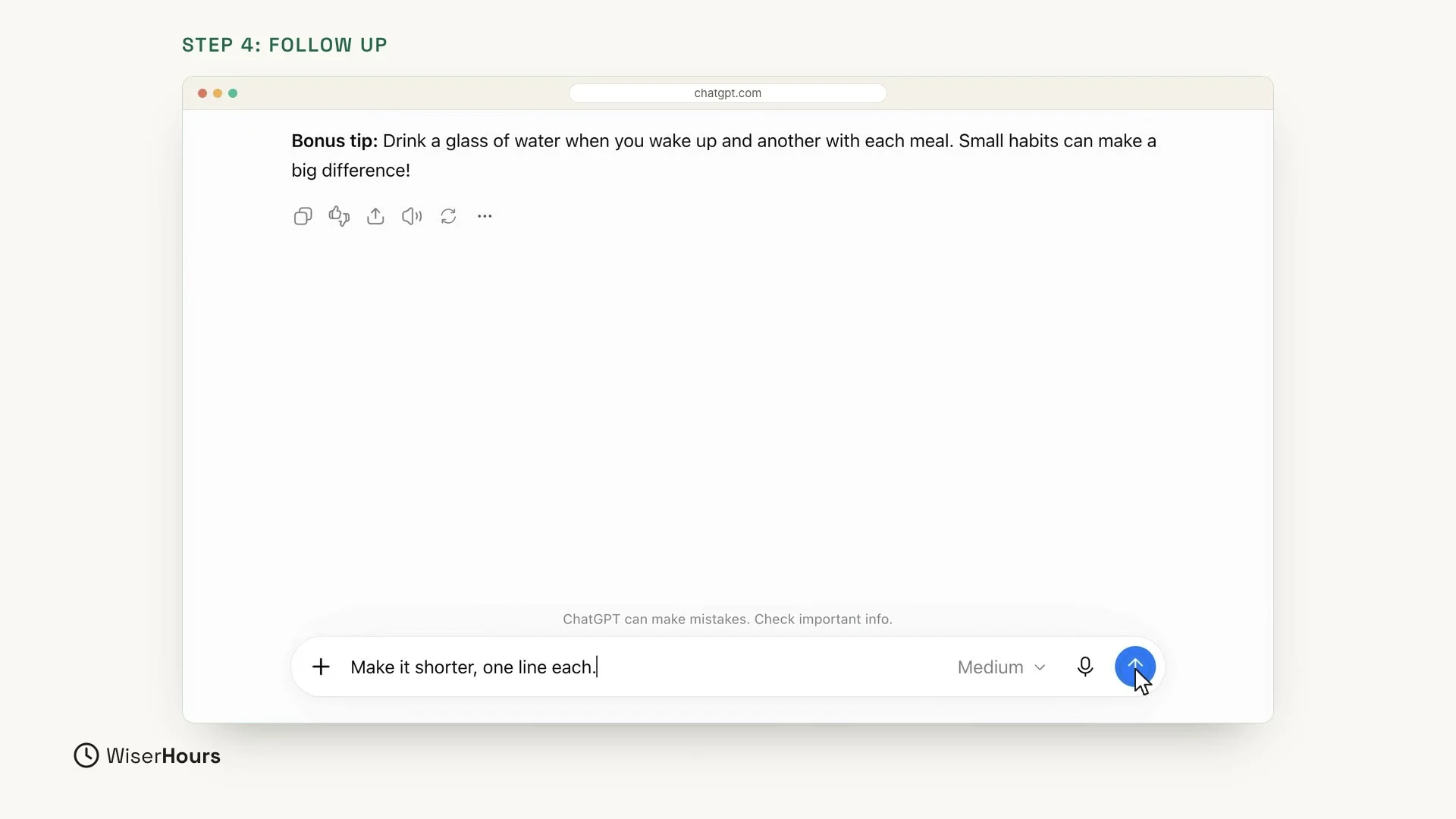 (opens the full-size picture)
ChatGPT remembers what you asked before in the same chat. So it shortens the same three tips to one line each, just as you asked. You did not have to explain the whole thing again.
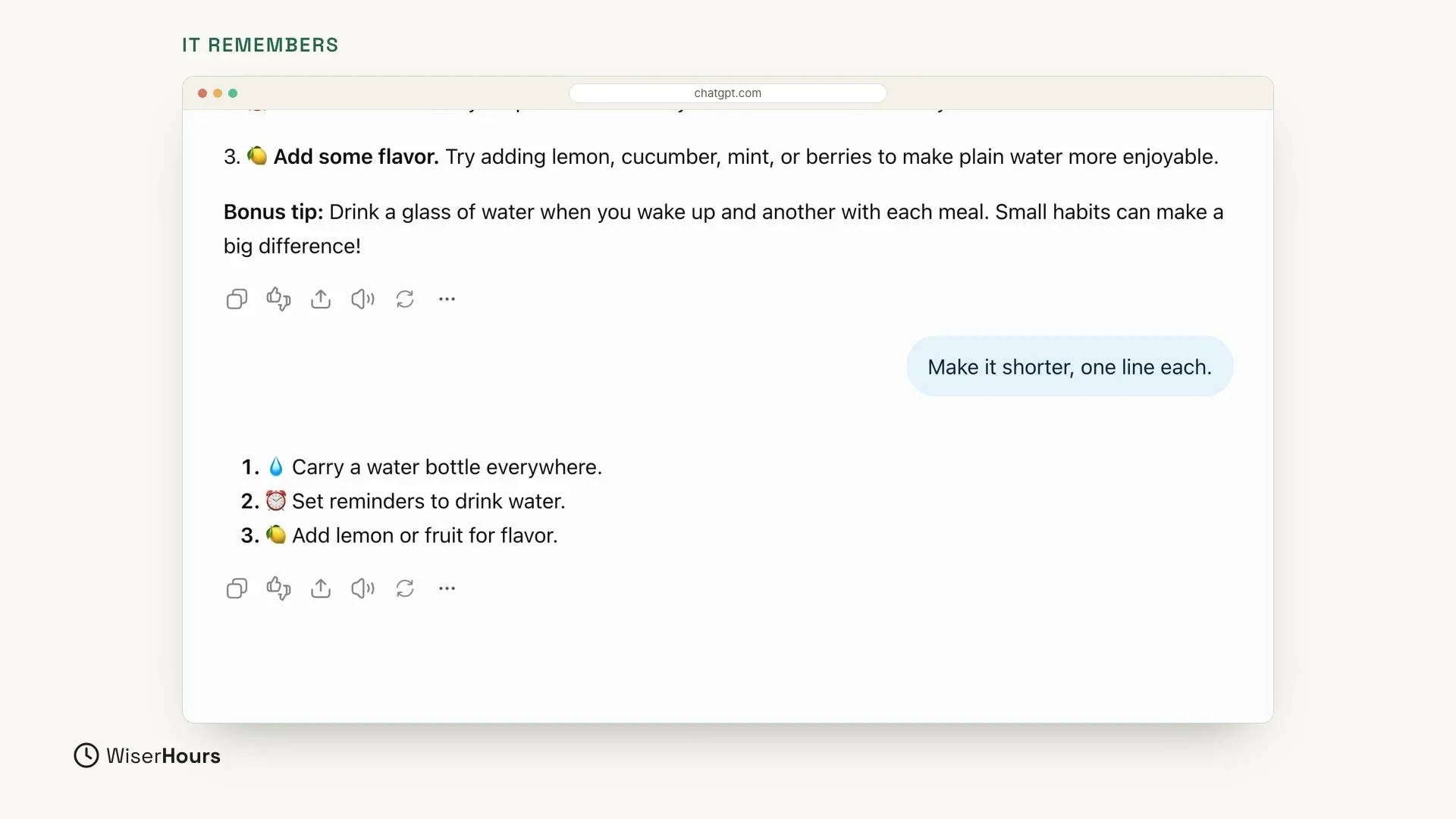 (opens the full-size picture)
Try again
Don’t like an answer? Look at the small buttons under it. The round arrow means Try again. Click it, then choose Try again in the small menu that opens. ChatGPT writes a fresh version of the same answer.
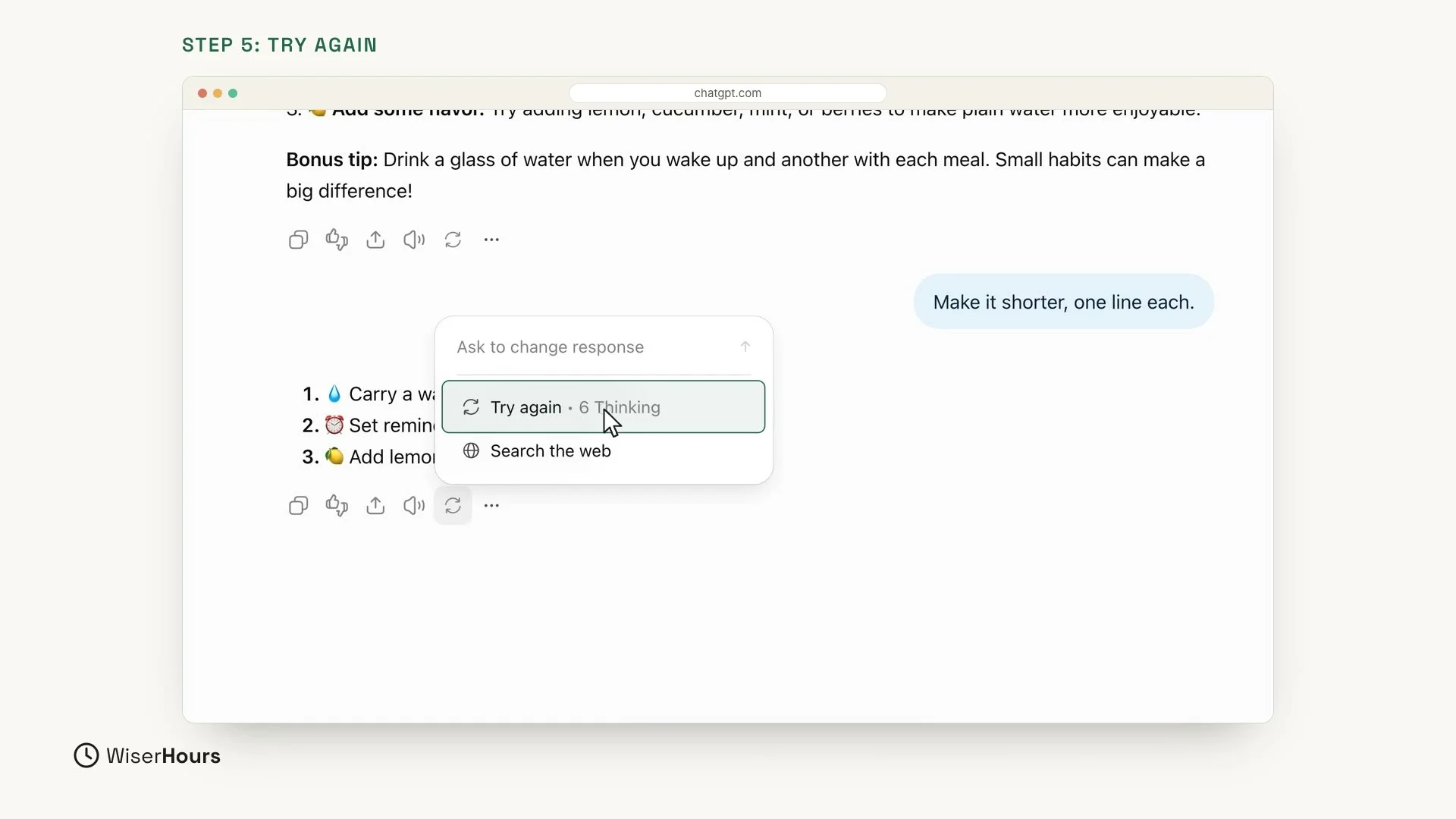 (opens the full-size picture)
In our example, the fresh version keeps the same three tips but words them differently. “Carry a water bottle everywhere” became “Carry a water bottle and sip throughout the day”. Sometimes the change is small, sometimes it is big. You can try again as often as you like, and keep the version you like best.
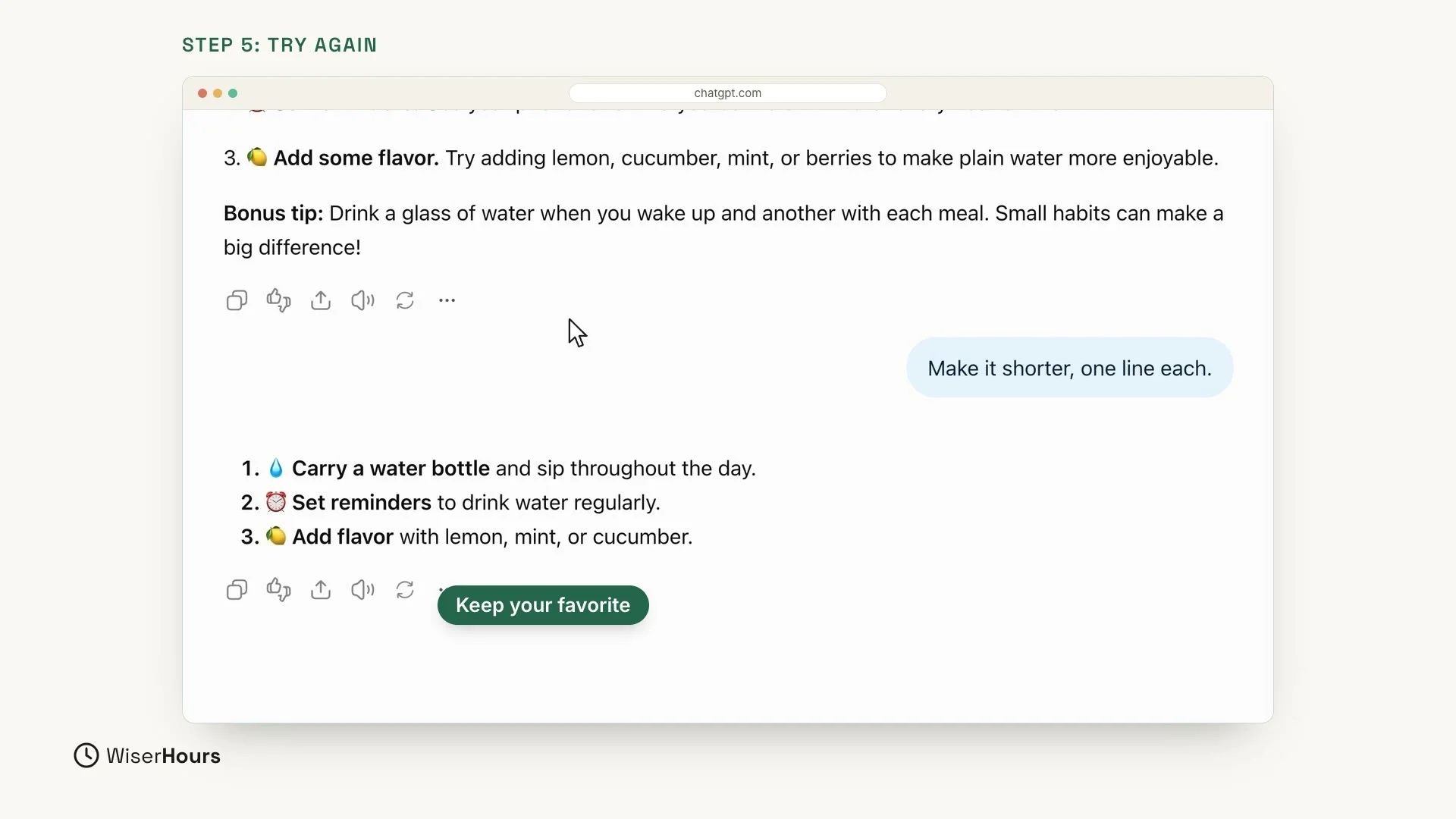 (opens the full-size picture)
Start a new chat
When you want to talk about something new, click New chat at the top left. You get a clean page. Your old chat is saved in the list on the left, under Recents, so you can go back to it any time. The water chat from this lesson is listed there as Water Drinking Tips.
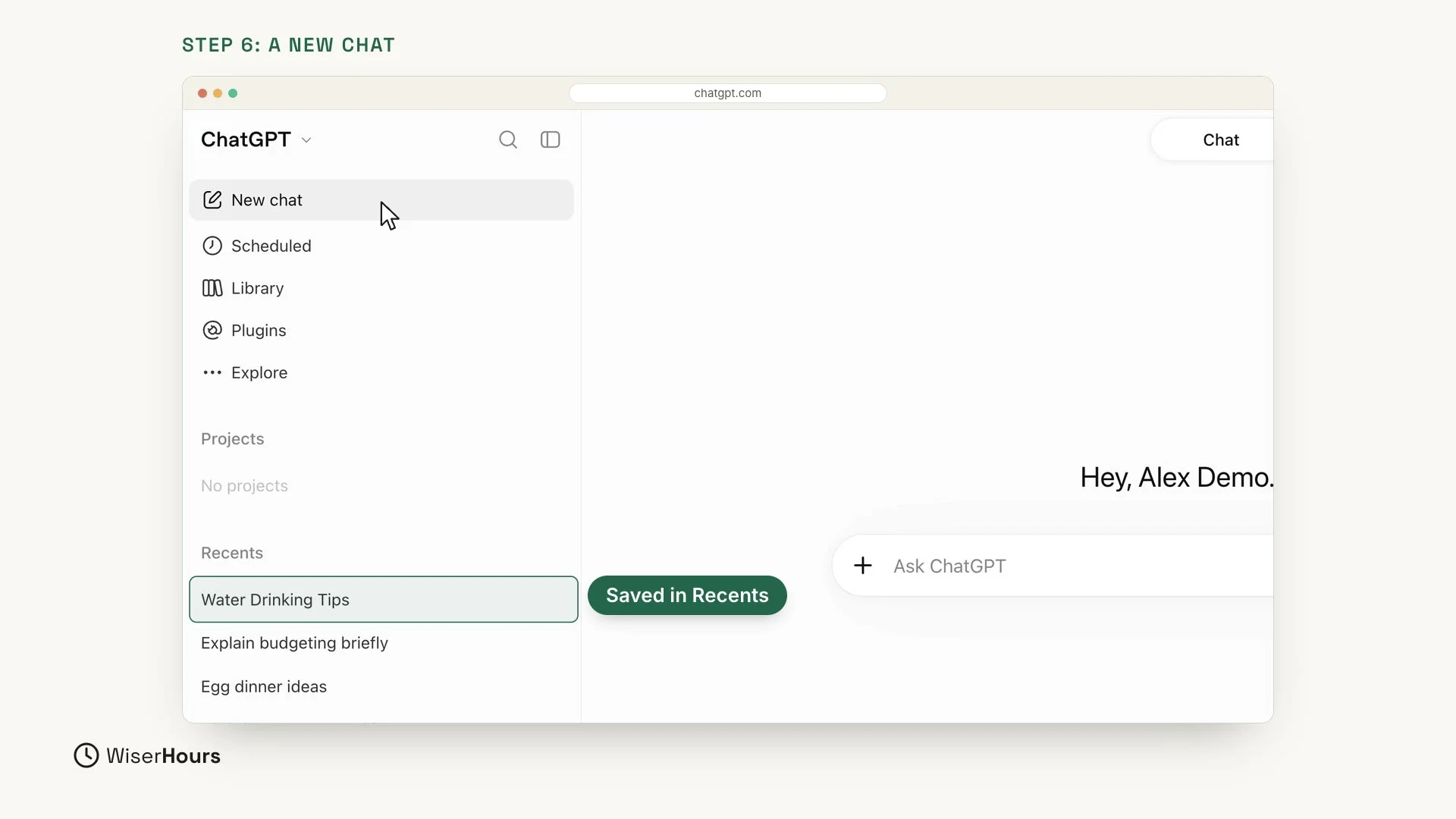 (opens the full-size picture)
One tip: one topic per chat
Keep one topic per chat. A new topic gets a new chat. That keeps the answers focused, because ChatGPT takes the earlier messages in a chat into account when it answers. It also makes your old chats easy to find in the list.
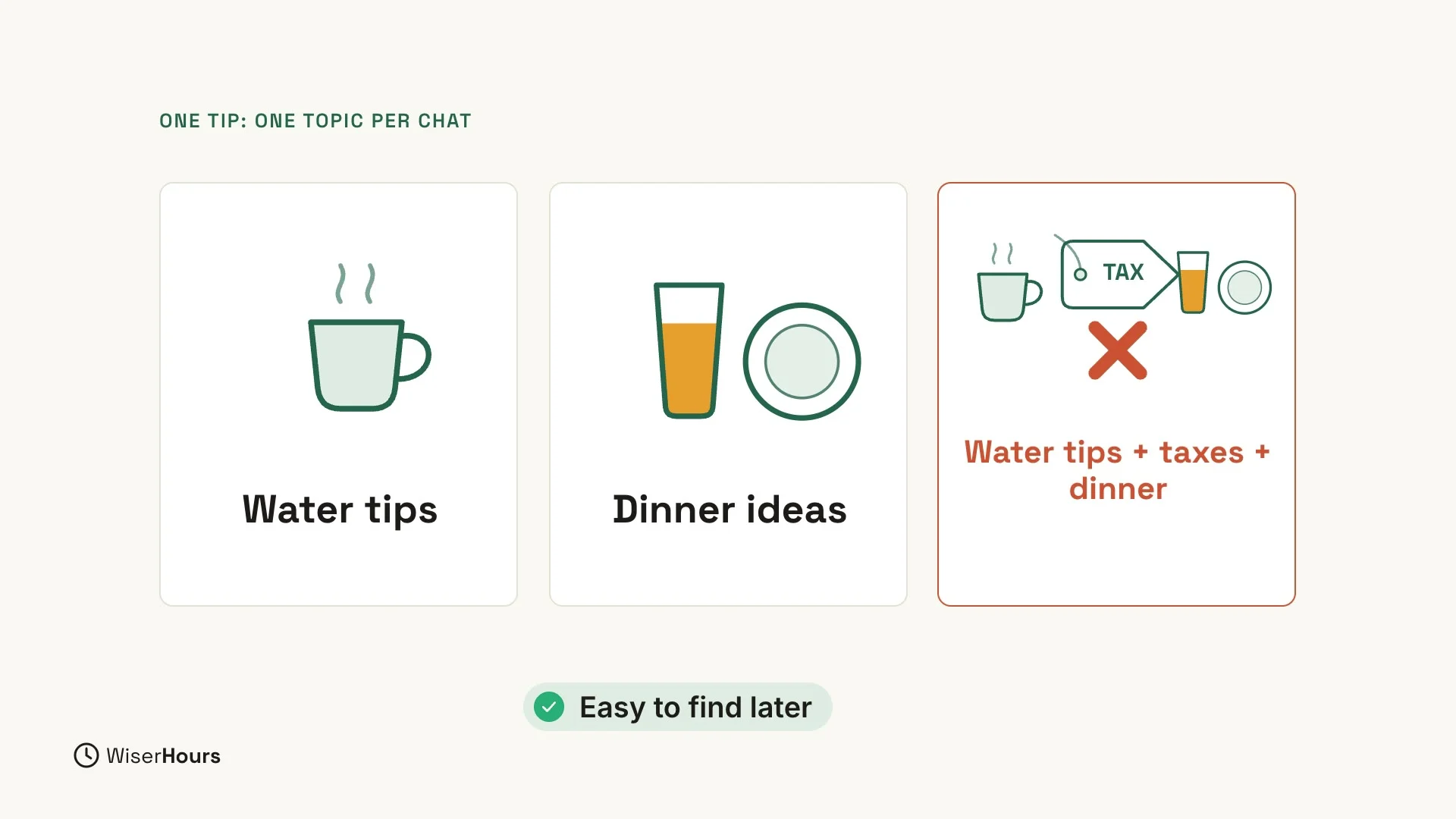 (opens the full-size picture)
YOUR TURN
In the next lesson, you will see why the way you ask matters so much: Why your ChatGPT question matters.
Read the full video transcript
In this lesson, you'll have your first real conversation with ChatGPT. You'll learn four simple moves: ask a question, ask a follow-up, try again, and start a new chat.
Everything starts in the message box. Click inside it and type your question, the way you'd ask a friend. You don't need special words or perfect spelling.
Let's try one. What are three easy ways to drink more water during the day? Then press Enter, or click the arrow button on the right.
A few seconds later, the answer appears. Your question sits on the right, in a small bubble. The answer is on the left. Take a moment to read it, just like a message from a friend.
Now the most useful habit of all. You don't need to start over. Just reply, like in a normal conversation. Let's type: Make it shorter, one line each.
ChatGPT remembers what you asked before, in the same chat. So it shortens the same three tips, one line each, just as we asked. You didn't have to explain the whole thing again.
Don't like an answer? Look at the small buttons under it. The round arrow means try again. Click it, and ChatGPT writes a fresh version of the same answer.
Sometimes the change is small, sometimes it's big. You can try again as often as you like, and keep the version you like best.
When you want to talk about something new, click New chat, at the top left. You get a clean page. Your old chat is saved in the list on the left, so you can go back to it any time.
Here's one tip. Keep one topic per chat. A new topic gets a new chat. That keeps the answers focused, and makes old chats easy to find.
So remember: ask, follow up, try again, and start a new chat for a new topic. Before the next lesson, have a short conversation of your own and try all four moves. Next, you'll see why the way you ask matters so much.
MAKE IT A SMALL WIN
Finished this lesson?
Mark it complete to save your progress on this device.